Memory & Disk Forensics Basics
Part of the Cybersecurity Roadmap
In short
Two places hold clues after an attack: the disk, which keeps files even after power off, and memory, which holds what was running right now but vanishes when you pull the plug.
Analyzing a system's RAM (memory forensics, capturing running processes and in-memory malware) and hard drive (disk forensics, recovering files and timeline reconstruction) — each reveals different evidence.
Think of it like this
Whiteboard versus filing cabinet
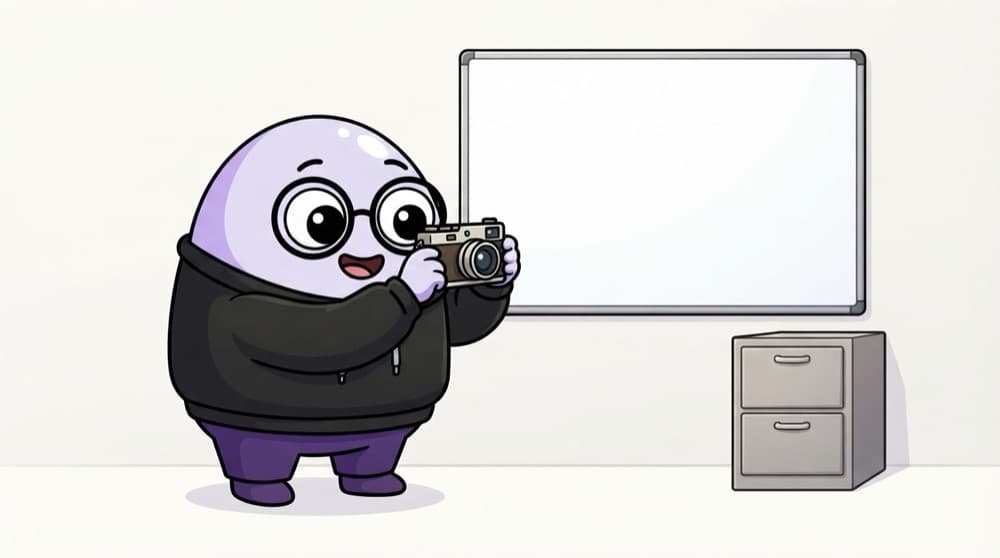
A whiteboard shows what the team is working on this second, but a wipe clears it forever. A filing cabinet keeps records long after. Memory is the whiteboard, disk is the cabinet. Photograph the whiteboard before anyone erases it.
Watch it happen
Memory versus disk
Memory (RAM)
- Running processes and keys
- Gone when power is lost
- Capture it first
Disk
- Files and logs survive reboot
- Can recover deleted files
- Image it carefully
Both matter. Memory shows the live attack but is fragile, so capture it before shutdown; disk holds the lasting record you image next.
The big ideas
What you need to know
Memory is volatile
RAM holds live processes, network links and secrets, but it disappears the moment power is cut.
Disk is persistent
Files, logs and even deleted scraps survive a reboot, so the disk is your long term record.
Tools for each
Volatility reads a memory capture; Autopsy and Sleuth Kit explore a disk image. All free to learn.
Build a timeline
Combine memory and disk findings into one timeline, so the sequence of the attack becomes clear.
See it in code
Walk through the code
1# On a lab VM you own: list processes from a captured memory image2# Volatility 3 reads a RAM dump you collected earlier3vol -f lab-memory.raw windows.pslist4 5# Then look for network connections that were open at capture time6vol -f lab-memory.raw windows.netscan1/2pslist shows the processes that were running when you captured the memory image.
This reads from a memory file you captured on your own lab machine. It never touches a live or remote system you do not control.
Save yourself the pain
Common mistakes
Oops
Shutting the machine down before capturing memory.
Do this instead
Power off wipes RAM and its live clues. Capture memory first, then image the disk.
Oops
Analysing only the disk and ignoring memory.
Do this instead
Some malware lives only in memory. A disk alone can miss an attack that never wrote a file.
Your mission
Explore a sample memory dump
Quick check
Why should memory be captured before powering off a suspect machine?
Go deeper
- 1Explore a memory forensics tool (like Volatility) on a sample memory image.
- 2Learn why memory forensics can catch fileless malware that never touches disk.
- 3Understand disk forensics' role in timeline reconstruction and deleted file recovery.
More topics at this stop
 Incident Response Lifecycle
 Incident Triage & Classification
 Containment, Eradication & Recovery
 Digital Forensics Fundamentals
 Chain of Custody
 Malware Analysis Basics
 Post-Incident Reporting
 Tabletop Exercises

Stuck on this topic? Ask an Insider
Get 1:1 guidance from people who've walked this exact path — on the InsideEdge app.
