
In short
When an attacker gets in, panic makes it worse: people wipe servers and destroy the clues. A calm security response stops the damage while keeping the evidence you'll need later.
A specialized version of Phase 11's incident response, focused specifically on security breaches — containment, eradication, and recovery, plus the added requirement of preserving evidence for investigation.
Think of it like this
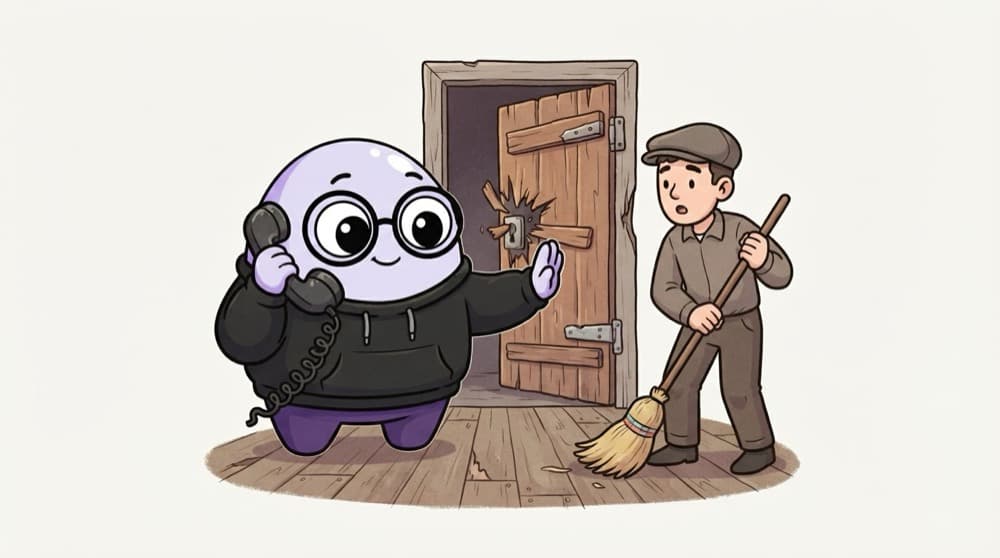
The break-in at the kirana store
The shopkeeper finds the back door forced open. He locks the front so nothing else goes, calls the police, and stops his helper from sweeping the floor because the police need the footprints. Then he fixes the lock and reopens. Contain, preserve, fix, recover.
Watch it happen
The stages of a security incident
1/6An alert fires: an access key is being used from an unknown country to list every S3 bucket.
The big ideas
What you need to know
Contain before you clean
Stop the spread first: revoke keys, isolate machines. Cleaning up too early can tip off the attacker and lose clues.
Keep the evidence
Snapshots and logs show what happened. Terminating an instance can throw away the only proof you had.
Assume secrets leaked
If an attacker was on a machine, rotate every password and key that machine could reach, not just the obvious one.
Communicate on a schedule
One person updates leadership and, where the law requires it, regulators and customers. Others stay on the fix.
See it in code
Walk through the code
1# Contain: disable a leaked AWS access key (don't delete yet)2aws iam update-access-key --user-name ci-deployer \3 --access-key-id AKIAEXAMPLEKEY123 --status Inactive4 5# Preserve: snapshot the disk of a suspect server6aws ec2 create-snapshot --volume-id vol-0abc123example \7 --description "IR-2026-014 evidence, do not delete"8 9# Investigate: what did that key do?10aws cloudtrail lookup-events \11 --lookup-attributes AttributeKey=AccessKeyId,AttributeValue=AKIAEXAMPLEKEY1231/3Inactive stops the key working at once but keeps a record of it. You can still look it up later.
Practise these on your own test account. In a real incident follow your company's plan and loop in the security team before acting.
Save yourself the pain
Common mistakes
Oops
Immediately terminating the hacked server to make the problem go away.
Do this instead
Isolate it and snapshot it first. You need to know how they got in, or they'll use the same way again.
Oops
Discussing the incident in a public team channel the attacker might be able to read.
Do this instead
Use a private channel or an out-of-band call, especially if company accounts may be compromised.
Your mission
Run a tabletop drill
Quick check
You find a compromised server. What should usually come first?
Go deeper
- 1Learn the standard security incident response phases: identify, contain, eradicate, recover, review.
- 2Understand why containment (stopping the bleeding) usually comes before full root-cause investigation.
- 3Read a public post-mortem of a real security incident to see this process applied.
More topics at this stop
 DevSecOps Principles ('Shift Left')
 Secrets Management (Vault, AWS Secrets Manager)
 Container & Image Scanning
 IAM & Least Privilege
 Network Security Basics
 Compliance Basics (SOC 2, ISO 27001 Overview)
 Vulnerability Scanning in CI/CD
 Zero Trust Architecture (Overview)

Stuck on this topic? Ask an Insider
Get 1:1 guidance from people who've walked this exact path — on the InsideEdge app.
