In short
Your app might use 800 npm packages, and you wrote none of them. When one gets a known security hole, a scanner in your pipeline tells you on the very next pull request.
Automatically scanning code dependencies (not just container images) for known vulnerabilities as part of the pipeline — catching an outdated, vulnerable library before it ships.
Think of it like this
The chemist's recall check
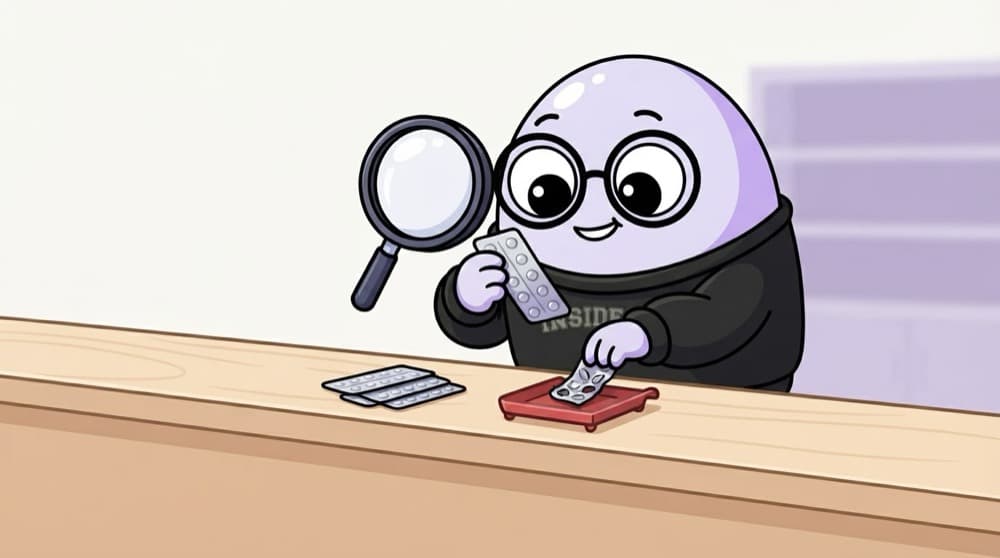
When a medicine batch is recalled, a careful chemist checks each strip's batch number against the recall list before it goes on the shelf. Nobody tastes the tablets. Dependency scanning does that: it checks each library's version against a list of known bad versions.
Watch it happen
A pull request meets the scanners
bump lodash
1/6A developer opens a pull request that adds a new package and updates package-lock.json.
The big ideas
What you need to know
SCA: your dependencies
Software composition analysis reads lock files and matches every library version against vulnerability databases.
SAST: your own code
Static analysis reads source code for patterns like SQL built from user input, without running it.
Lock files matter
package-lock.json or poetry.lock pin exact versions, so the scanner checks what actually ships, not a guess.
Bots open upgrade PRs
Dependabot or Renovate can open pull requests that bump vulnerable packages for you. You review and merge.
See it in code
Walk through the code
1# .github/workflows/security.yml2name: security3on: [pull_request]4jobs:5 scan:6 runs-on: ubuntu-latest7 steps:8 - uses: actions/checkout@v49 - uses: actions/setup-node@v410 with: { node-version: 22 }11 - run: npm ci12 - run: npm audit --audit-level=critical13 - name: Scan repo files with Trivy14 run: |15 curl -sfL https://raw.githubusercontent.com/aquasecurity/trivy/main/contrib/install.sh | sh -s -- -b /usr/local/bin16 trivy fs --severity CRITICAL --exit-code 1 .1/4Runs on every pull request, so problems show up before merge, not after.
npm audit checks Node dependencies. trivy fs scans lock files for many languages at once. Either failing makes the PR check red.
Save yourself the pain
Common mistakes
Oops
Adding a scanner that prints warnings nobody reads, without ever failing a build.
Do this instead
Fail on a small, clear threshold like critical with a fix available. Warnings without consequences get ignored.
Oops
Silencing a finding forever with an ignore file and no note.
Do this instead
If you must ignore one, add the reason and an expiry date, and revisit it. Today's 'not reachable' may change.
Your mission
Break and fix a build on purpose
Quick check
Which scan would catch a known flaw in a library version listed in package-lock.json?
Go deeper
- 1Add a dependency vulnerability scan (e.g. via a free tool like Snyk or Dependabot) to a sample project.
- 2Learn the difference between scanning your own code and scanning third-party dependencies.
- 3Practice deciding when a found vulnerability should block a build versus just generate a warning.
More topics at this stop
 DevSecOps Principles ('Shift Left')
 Secrets Management (Vault, AWS Secrets Manager)
 Container & Image Scanning
 IAM & Least Privilege
 Network Security Basics
 Compliance Basics (SOC 2, ISO 27001 Overview)
 Security Incident Response
 Zero Trust Architecture (Overview)

Stuck on this topic? Ask an Insider
Get 1:1 guidance from people who've walked this exact path — on the InsideEdge app.
