In short
Once your app is a Docker image, it needs a safe home that AWS services can pull from. Amazon ECR is that private registry, wired into IAM so ECS, EKS and Lambda can fetch images without passwords.
Amazon Elastic Container Registry is a managed Docker image registry. You push images to private repositories, and ECS, EKS and Lambda pull them using IAM permissions. It also supports image scanning and lifecycle policies.
Think of it like this
The company's bonded warehouse
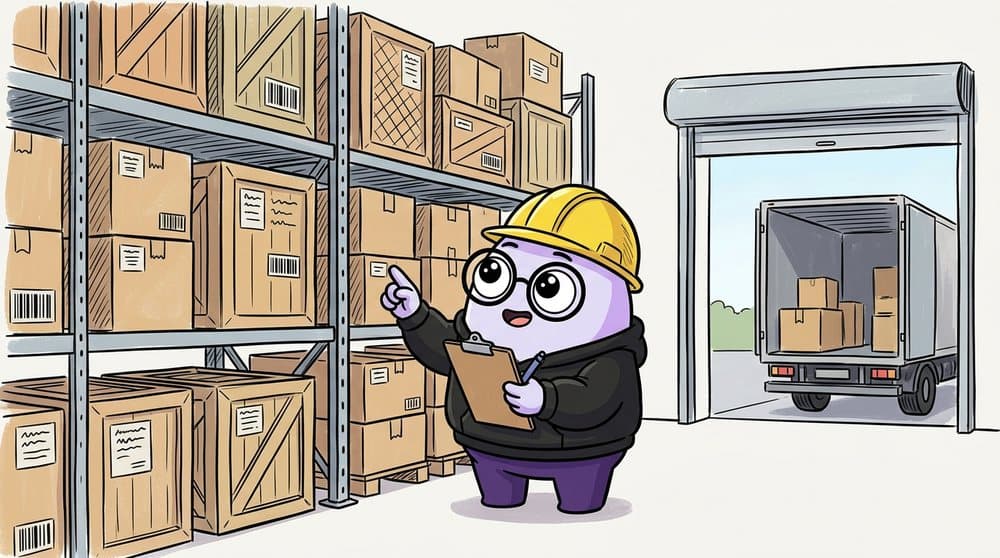
A spice exporter in Kochi doesn't keep sealed export cartons on the street. They go into a bonded warehouse, each carton labelled with batch and date, checked for problems on arrival, and only trucks with the right permit can collect them. Old batches are cleared out on a schedule. ECR is the warehouse, images are the cartons, tags are the labels, scanning is the inspection and lifecycle policies do the clearing.
Watch it happen
Pushing an image to ECR
1/5Create a private repository named shop-api in ap-south-1.
The big ideas
What you need to know
Private by default
Access is controlled with IAM and optional repository policies. ECS task execution roles and EKS nodes pull using their roles.
Immutable tags
Turn on tag immutability so v1.4.2 can never be overwritten. Deploy by commit SHA or version, not latest.
Image scanning
Basic scanning checks OS packages on push. Enhanced scanning uses Amazon Inspector for continuous checks including language packages.
Lifecycle policies
Automatically expire untagged images or keep only the last 20, so storage doesn't grow forever.
See it in code
Walk through the code
1REGION=ap-south-12ACCOUNT=1111222233333REPO=$ACCOUNT.dkr.ecr.$REGION.amazonaws.com/shop-api4 5aws ecr create-repository \6 --repository-name shop-api \7 --image-tag-mutability IMMUTABLE \8 --image-scanning-configuration scanOnPush=true9 10aws ecr get-login-password --region $REGION \11 | docker login --username AWS --password-stdin $ACCOUNT.dkr.ecr.$REGION.amazonaws.com12 13docker build -t shop-api .14docker tag shop-api:latest $REPO:$(git rev-parse --short HEAD)15docker push $REPO:$(git rev-parse --short HEAD)1/4The repository URI is account, Region and repo name.
AWS CLI v2 with Docker. The username is always the literal word AWS. The token itself is the password.
Save yourself the pain
Common mistakes
Oops
Deploying the latest tag everywhere.
Do this instead
latest changes silently, so you can't tell what's running or roll back. Use immutable version or commit tags.
Oops
Building on an Apple Silicon Mac and pushing an arm64 image to x86 Fargate tasks.
Do this instead
Build with --platform linux/amd64, or set the task's runtime platform to ARM64 to match.
Your mission
Your first private image
Quick check
Your ECS task fails with 'CannotPullContainerError ... access denied'. What should you check first?
Go deeper
- 1Build a Docker image locally, authenticate with aws ecr get-login-password and push it.
- 2Turn on image scanning and read the findings for your image.
- 3Add a lifecycle policy that keeps only the last ten images.
More topics at this stop
 Docker Fundamentals
 Dockerfile Best Practices
 Amazon ECS on Fargate
 Amazon EKS Overview
 ECS vs EKS
 Choosing Between EC2, Containers & Lambda
 Container Security on AWS

Stuck on this topic? Ask an Insider
Get 1:1 guidance from people who've walked this exact path — on the InsideEdge app.
