In short
Almost every real backend is an app server talking to a database that the internet can't reach. Building that once, properly, teaches you subnets, security groups, secrets and backups together.
A project that runs a small web app on EC2 in a public subnet with its RDS database in private subnets, reachable only from the app's security group, with the password stored in Secrets Manager and automated backups turned on.
Think of it like this
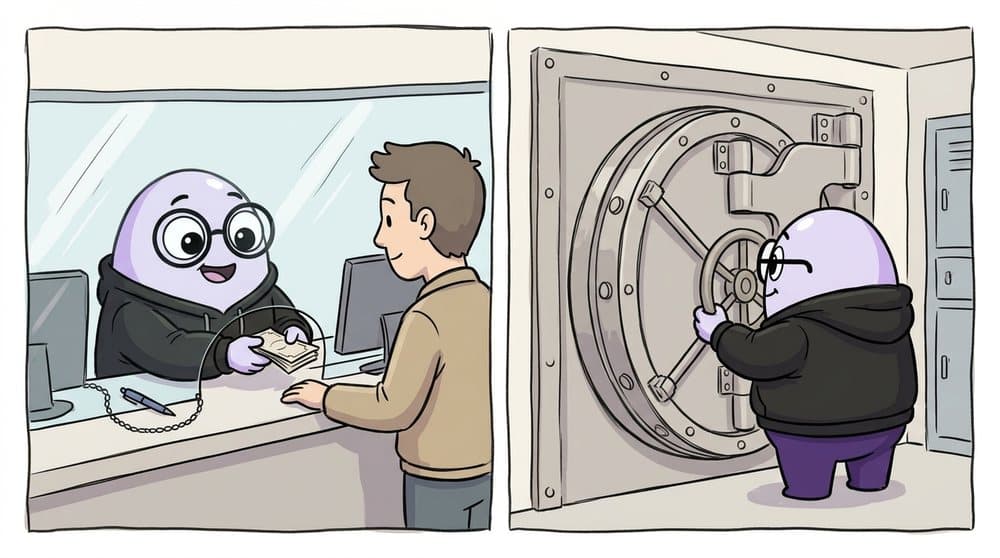
The bank's front desk and strongroom
At an SBI branch, anyone can walk up to the cashier's counter, but nobody walks into the strongroom. Only the cashier has the inner door key, and the combination is kept in a sealed envelope, not on a sticky note. Your EC2 app is the counter, the RDS database is the strongroom, the security group is the inner door, and Secrets Manager is the sealed envelope.
Watch it happen
One request through the stack
GET /orders
1/6Port 443 is open to the world on the app's security group.
The big ideas
What you need to know
Two kinds of subnet
The app runs in a public subnet with a route to the internet gateway. The DB subnet group uses private subnets in at least two AZs.
Security group referencing
The DB's inbound rule allows port 5432 from the app's security group ID, not from an IP range or 0.0.0.0/0.
No passwords in code
Let RDS manage the master password in Secrets Manager and give the EC2 role permission to read only that secret.
Backups on
Automated backups with a retention period allow point-in-time restore. Test one restore before you call the project done.
See it in code
Walk through the code
1import json2import boto33import psycopg4 5def get_db_credentials(secret_id: str) -> dict:6 client = boto3.client("secretsmanager", region_name="ap-south-1")7 response = client.get_secret_value(SecretId=secret_id)8 return json.loads(response["SecretString"])9 10creds = get_db_credentials("rds!db-1234abcd-5678-90ef")11 12conn = psycopg.connect(13 host="shop-db.abc123xyz.ap-south-1.rds.amazonaws.com",14 port=5432,15 dbname="shop",16 user=creds["username"],17 password=creds["password"],18 sslmode="require",19)20 21with conn.cursor() as cur:22 cur.execute("SELECT id, total FROM orders ORDER BY id DESC LIMIT 5")23 print(cur.fetchall())1/4Read the secret using the EC2 instance role. RDS-managed secrets store JSON with username and password.
Python with boto3 and psycopg 3, running on EC2. The instance profile supplies AWS credentials, so no keys appear anywhere.
Save yourself the pain
Common mistakes
Oops
Setting the RDS instance to publicly accessible so you can connect from your laptop.
Do this instead
Keep it private. Connect through Session Manager port forwarding or a bastion, or run your tools from inside the VPC.
Oops
Allowing port 5432 from 0.0.0.0/0 'just for testing'.
Do this instead
Allow it only from the app's security group. Test rules have a habit of becoming permanent.
Your mission
Build and prove it
Quick check
Which inbound rule on the database security group is the safest correct choice?
Go deeper
- 1Allow database traffic only from the app server's security group, not from an IP range.
- 2Read the database password from Secrets Manager instead of hard-coding it.
- 3Draw the architecture and include it with a cost estimate in the README.

Stuck on this topic? Ask an Insider
Get 1:1 guidance from people who've walked this exact path — on the InsideEdge app.
