Computer Vision Project
Part of the Data Science Roadmap
In short
Image models feel like magic, but recruiters have seen a hundred cats-vs-dogs projects. Pick an original image problem, use transfer learning well and show where your model fails.
A dedicated image-based portfolio piece, building on Phase 9's classifier project with a more original dataset or problem to show independent execution.
Think of it like this
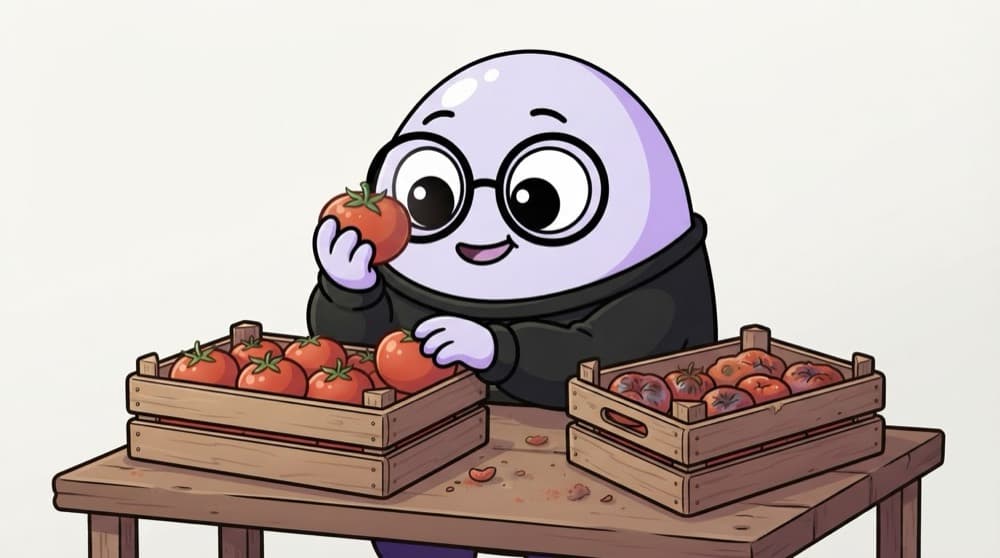
The tomato sorter at the mandi
At the mandi, a sorter glances at each tomato and drops it into 'fresh' or 'bruised'. She learned from thousands of tomatoes, still struggles with half-hidden spots, and gets worse in bad light. Your model learns the same job, and you must test the tricky cases too.
Watch it happen
The build plan
1/6Gather images for a real problem: leaf disease, ripe vs unripe fruit, damaged parcels. Respect licences and privacy.
The big ideas
What you need to know
An original dataset
Your own phone photos or a niche public dataset stands out more than a famous benchmark.
Transfer learning
Pretrained models already know edges and textures. You only teach the last step.
No near-duplicates across splits
Burst photos of the same object must stay in one split, or test scores are inflated.
Show the failures
A grid of misclassified images with your notes beats a single accuracy number.
See it in code
Walk through the code
1import torch2from torch import nn3from torchvision import datasets, models4 5weights = models.ResNet18_Weights.DEFAULT6train_ds = datasets.ImageFolder("data/train", transform=weights.transforms())7loader = torch.utils.data.DataLoader(train_ds, batch_size=32, shuffle=True)8 9model = models.resnet18(weights=weights)10for p in model.parameters():11 p.requires_grad = False # freeze the pretrained layers12model.fc = nn.Linear(model.fc.in_features, len(train_ds.classes))13 14optimizer = torch.optim.Adam(model.fc.parameters(), lr=1e-3)15loss_fn = nn.CrossEntropyLoss()1/4ImageFolder reads one subfolder per class. weights.transforms() resizes and normalises images the way the model expects.
The setup for transfer learning in PyTorch. Add a normal training loop over the loader, and augmentation once this works.
Save yourself the pain
Common mistakes
Oops
Putting photos from the same shoot into both train and test folders.
Do this instead
Split by object or by session, so the test set shows the model genuinely new things.
Oops
Training a big network from scratch on 300 images.
Do this instead
Use a pretrained model, freeze most of it, and add augmentation.
Your mission
First milestone: a tiny custom dataset
Quick check
Why freeze the pretrained layers when you only have a few hundred images?
Go deeper
- 1Choose an image dataset and problem distinct from your Phase 9 practice project.
- 2Use transfer learning as your primary approach unless you have a specific reason not to.
- 3Include a short error analysis: what kinds of images does the model get wrong, and why?
More projects at this stop
 End-to-End ML Project (Problem to Deployment)
 Kaggle Competition Submission
 NLP Project (Sentiment / Text Classification)
 Time Series Forecasting Project
 Business Case Study With ML Recommendation
 Portfolio Website / GitHub Showcase

Stuck on this topic? Ask an Insider
Get 1:1 guidance from people who've walked this exact path — on the InsideEdge app.
