Writing Clean, Reusable Code
Part of the Data Science Roadmap
In short
A notebook of 200 copy-pasted cells works once. Clean functions with clear names work next month, for your teammate, and in production. It's the habit that gets data scientists promoted.
Turning ad-hoc notebook cells into functions and modules that can be reused across projects — a habit that separates hobbyist scripts from production-adjacent data science work.

Think of it like this
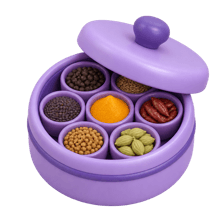
Mummy's masala dabba
Every spice sits in its own small bowl in the round steel box, always in the same spot. Anyone in the family can cook from it without asking. Clean code is the same: each job in its own named function, kept where people expect it.
Watch it happen
Same analysis, two styles
Copy-paste notebook
- Same cleaning pasted in five cells
- Names like df2, df_final_v3
- One fix means five edits
Small functions
- load_orders() used everywhere
- Clear names and a docstring
- Fix once, rerun everything
Explore freely in a notebook, then move repeated steps into named functions in a .py file you import.
The big ideas
What you need to know
One function, one job
load, clean, summarise. Small functions are easier to test, reuse and read.
Names explain intent
monthly_revenue beats df3. A good name saves a comment.
Move code into modules
Put shared functions in a utils.py file and import them into any notebook.
Format and test
Tools like ruff or black tidy formatting. A few pytest tests catch broken cleaning logic early.
See it in code
Walk through the code
1import pandas as pd2 3def load_orders(path: str, min_amount: float = 0) -> pd.DataFrame:4 """Read orders, fix types and drop tiny test orders."""5 df = pd.read_csv(path, parse_dates=["date"])6 df["city"] = df["city"].str.strip().str.lower()7 return df[df["amount"] >= min_amount]8 9def city_summary(df: pd.DataFrame) -> pd.DataFrame:10 return df.groupby("city")["amount"].agg(["count", "sum"])11 12if __name__ == "__main__":13 print(city_summary(load_orders("orders.csv", min_amount=10)))1/4Type hints and a docstring say what goes in, what comes out and why.
Two small, named functions with type hints and a docstring. Import them into any notebook with from utils import load_orders.
Save yourself the pain
Common mistakes
Oops
Hardcoding file paths and magic numbers deep inside functions.
Do this instead
Pass them in as parameters with sensible defaults, like min_amount=0.
Oops
Writing one giant function that loads, cleans, models and plots.
Do this instead
Split it. Each piece can then be reused and tested separately.
Your mission
Refactor an old notebook
Quick check
What does if __name__ == "__main__": do in a Python file?
Go deeper
- 1Refactor a messy notebook into a set of clearly named, reusable functions.
- 2Learn to add docstrings explaining what a function does and what it expects.
- 3Practice moving reusable logic out of a notebook into a separate Python script.
More topics at this stop
 Python Fundamentals
 NumPy for Numerical Computing
 Pandas for Data Manipulation
 Data Cleaning & Wrangling
 Matplotlib & Seaborn
 Jupyter Notebooks & Google Colab
 Working With APIs
 Virtual Environments & Package Management

Stuck on this topic? Ask an Insider
Get 1:1 guidance from people who've walked this exact path — on the InsideEdge app.
