In short
JSON can't carry a photo by itself. When you send files along with normal fields, the browser packs them as multipart/form-data, and FormData does the packing for you.
The `multipart/form-data` encoding used to send files alongside regular form fields in a single HTTP request.

Think of it like this
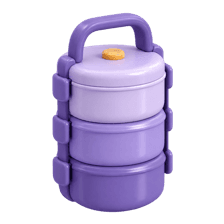
A dabba with compartments
A steel tiffin has separate sections: roti in one, sabzi in another, dal in the third. Each stays separate but travels together. Multipart is that tiffin: name, email and photo each get their own section in one request.
Watch it happen
One request, many parts
1/5FormData collects a text part and a file part, like filling tiffin compartments.
The big ideas
What you need to know
Each field is a part
The body is split into parts separated by a boundary string. Each part has its own name and content.
FormData builds it
Call formData.append("name", value) for text and formData.append("photo", file) for files.
Don't set Content-Type
Let the browser set it. It adds the boundary value, and the server needs that to split the parts.
Progress needs XHR or Axios
fetch has no simple upload progress event. Axios's onUploadProgress or XMLHttpRequest gives you a percentage.
See it in code
Walk through the code
1const form = new FormData();2form.append("title", "My hostel room");3form.append("photo", file); // a File from <input type="file">4 5await axios.post("/api/uploads", form, {6 onUploadProgress: (e) => {7 if (e.total) setProgress(Math.round((e.loaded / e.total) * 100));8 },9});10 11// With fetch: same FormData, and NO Content-Type header12await fetch("/api/uploads", { method: "POST", body: form });1/3Each append adds a named part. Text and files can sit side by side.
Pass the FormData as the body and let the browser write the multipart header. Axios gives you upload progress for a progress bar.
Save yourself the pain
Common mistakes
Oops
Setting headers: { "Content-Type": "multipart/form-data" } by hand.
Do this instead
Leave it out. The browser adds the header with the boundary, which the server needs.
Oops
Using JSON.stringify on a FormData object.
Do this instead
Send the FormData directly as the body. Stringifying turns it into an empty object.
Your mission
Upload with a progress bar
Quick check
Why should you not set the Content-Type header yourself when sending FormData?
Go deeper
- 1Build a form combining text fields and a file upload in one `FormData` submission.
- 2Inspect the raw request body's boundary-separated structure in DevTools.
- 3Learn why multipart encoding is necessary instead of plain JSON for file uploads.
More topics at this stop
 REST APIs
 Axios
 Fetch
 Pagination
 Filtering
 Sorting
 Search
 Authentication
 JWT
 Refresh Token
 Error Handling
 Loading State
 Caching
 Optimistic UI
 File Upload

Stuck on this topic? Ask an Insider
Get 1:1 guidance from people who've walked this exact path — on the InsideEdge app.
