In short
One giant JavaScript file means users download your admin panel just to read the homepage. Bundle splitting is how the build tool cuts your code into smaller files that load and cache separately.
Breaking your JavaScript bundle into smaller chunks that load on demand, instead of shipping one giant file for the entire app upfront.

Think of it like this
The dabbawala's separate tiffins
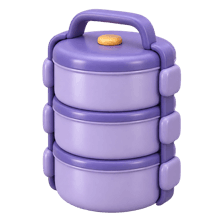
Dabbawalas don't carry one huge pot for the whole office. Each person gets their own tiffin, and the regular items stay the same. Split bundles work alike: each page gets its own chunk, and shared libraries go in a chunk that rarely changes.
Watch it happen
What the build outputs
1/5The bundler starts from your entry file and follows every import.
The big ideas
What you need to know
Chunks, not one file
Bundlers output an entry chunk, a chunk per route or lazy import, and shared chunks used by many pages.
Vendor code changes rarely
React and other libraries go into their own chunk. After you deploy, users keep it cached and download only your changed code.
Content hashes in filenames
Names like main.3f9a1c.js change only when the content changes, so browsers can cache them for a long time.
See what's inside
Bundle analyser tools draw a map of your chunks so you can spot a huge library hiding in there.
See it in code
Walk through the code
1// webpack.config.js (Next.js and Vite split chunks like this automatically)2module.exports = {3 output: { filename: "[name].[contenthash].js" },4 optimization: {5 runtimeChunk: "single",6 splitChunks: {7 chunks: "all",8 cacheGroups: {9 vendor: { test: /[\\/]node_modules[\\/]/, name: "vendors", chunks: "all" },10 },11 },12 },13};1/3Content hashes in filenames change only when a file's content changes.
Everything from node_modules lands in vendors.[hash].js. Change your own code, and only your chunk's hash changes, so users keep the cached vendor file.
Save yourself the pain
Common mistakes
Oops
Thinking more chunks is always better.
Do this instead
Hundreds of tiny files add request overhead. Aim for sensible chunks: per route, plus shared vendors.
Oops
Never looking at what's in the bundle.
Do this instead
Run a bundle analyser once a month. One careless import can add a whole library.
Your mission
Map your bundle
Quick check
Why put node_modules code into a separate vendor chunk?
Go deeper
- 1Run a bundle analyzer on a real project and identify the largest chunks.
- 2Split a large, rarely-used dependency into its own lazy-loaded chunk.
- 3Learn how route-based code splitting happens automatically in Next.js.
More topics at this stop
 Lazy Loading
 Image Optimization
 Memoization
 Virtualization
 Tree Shaking
 Code Splitting
 Caching
 Lighthouse
 Core Web Vitals
 Web Vitals
 Prefetching
 Preloading

Stuck on this topic? Ask an Insider
Get 1:1 guidance from people who've walked this exact path — on the InsideEdge app.
