
Multi-tenant SaaS Application
Part of the Full Stack Developer Roadmap
In short
One codebase, one database, hundreds of companies, and none of them may ever see another's data. Multi-tenancy is where one missing WHERE clause becomes a headline.
A backend and frontend serving multiple isolated customer organizations from one codebase — practice for data isolation and tenant-aware UI across the full stack.
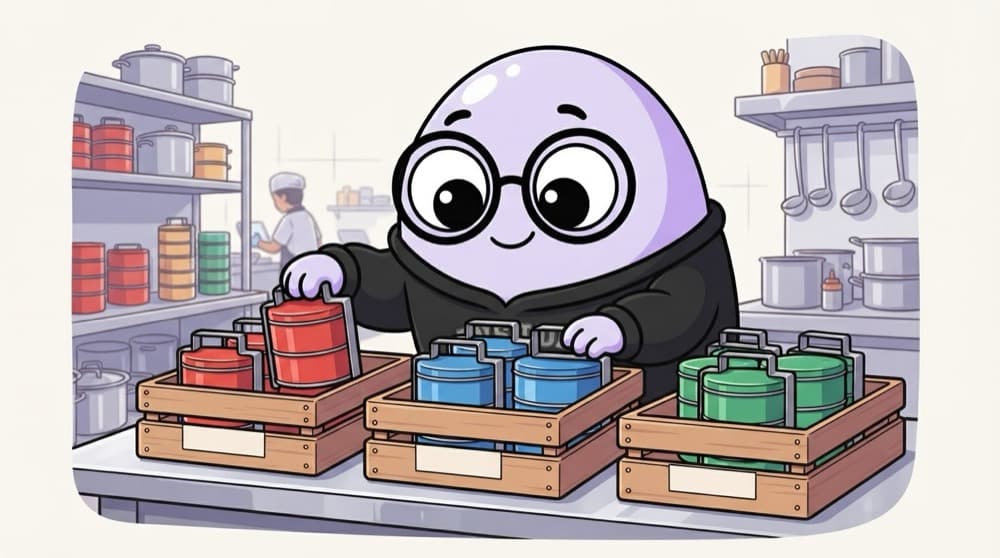
Think of it like this
Colour-coded tiffin crates
One big kitchen cooks lunch for twenty offices. Every box gets its office's colour, and every crate holds one colour only. The cooking is shared, but a red box never reaches the blue office. Tenants work the same way.
Watch it happen
acme.yourapp.in asks for projects
GET acme…/api/projects
1/6The request comes in on Acme's subdomain with the user's session cookie.
The big ideas
What you need to know
tenant_id on every row
Every tenant-owned table gets an org_id column, indexed and NOT NULL. No exceptions.
Scope in one place
Resolve the tenant once in middleware and use a helper that always adds it to queries.
Add a safety net
Postgres row-level security can enforce the org filter even if a developer forgets it in code.
Tenant-aware UI
Logo, name, plan limits and an org switcher for users who belong to more than one company.
See it in code
Walk through the code
1// Every request is tied to one tenant before any route runs2app.use(async (req, res, next) => {3 const slug = req.hostname.split(".")[0]; // acme.yourapp.in gives "acme"4 const org = await db.org.findUnique({ where: { slug } });5 const member = org && (await db.membership.findUnique({6 where: { orgId_userId: { orgId: org.id, userId: req.user.id } },7 }));8 if (!member) return res.status(404).json({ error: { code: "NOT_FOUND" } });9 req.orgId = member.orgId;10 next();11});12 13app.get("/api/projects", async (req, res) => {14 const projects = await db.project.findMany({ where: { orgId: req.orgId } });15 res.json({ data: projects });16});1/4The subdomain names the tenant. Look up the org by its slug.
Resolve the tenant from the subdomain, confirm membership, and pin the org id on the request. Every route then filters by it.
Save yourself the pain
Common mistakes
Oops
Taking orgId from the request body or query string.
Do this instead
Derive it on the server from the subdomain or session, after checking membership.
Oops
Making cache keys like projects:list without the tenant.
Do this instead
Include the org id in every cache key, file path and search index, not just SQL.
Your mission
First milestone: two tenants, zero leaks
Quick check
Where should a multi-tenant API get the current tenant's id from?
Go deeper
- 1Choose and implement a tenant isolation strategy on the backend.
- 2Ensure the frontend only ever shows data for the current user's tenant.
- 3Add basic tenant-level settings/configuration.
More projects at this stop
 SaaS Starter Kit
 E-commerce Platform (Full Stack)
 Social Media App (Full Stack)
 Real-time Chat Application
 AI-Powered Application
 Job Board Platform
 Learning Management System
 Booking & Reservation System
 Project Management Tool
 Admin Dashboard with Auth
 Blogging Platform with CMS

Stuck on this topic? Ask an Insider
Get 1:1 guidance from people who've walked this exact path — on the InsideEdge app.
