In short
Every Java framework that touches a database, from Hibernate to Spring Data, uses JDBC underneath. Writing a few queries by hand shows you exactly what those frameworks automate.
JDBC is Java's low-level API for talking to databases using DriverManager, Connection, Statement and ResultSet. Frameworks build on it, so knowing it helps you understand what happens underneath.
Think of it like this
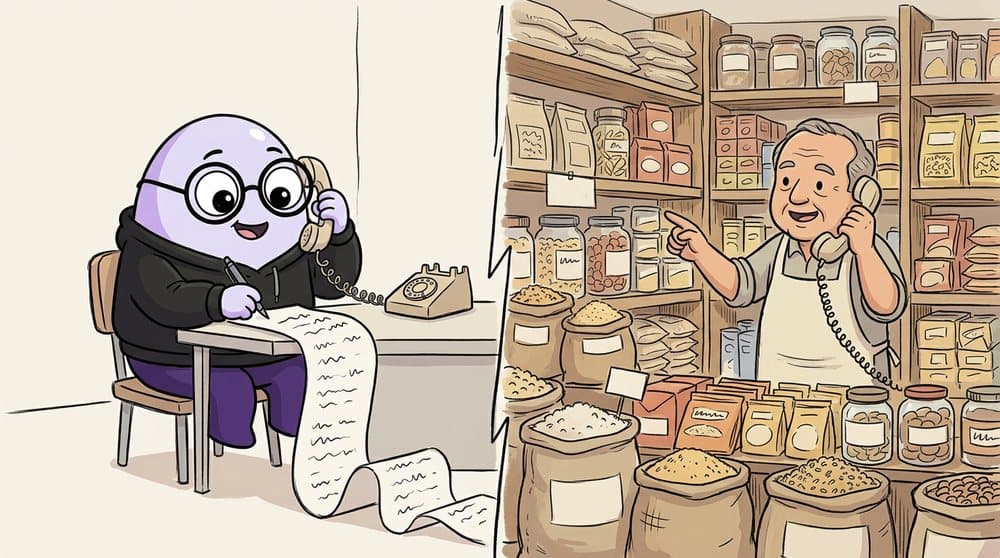
Calling the ration shop
You dial the ration shop (get a Connection), say your request (a Statement), and the shopkeeper reads back a list of items one by one while you note them down (a ResultSet you loop through). When you're done, you hang up so the line is free for others (close everything).
Watch it happen
One query, start to finish
getConnection(url)
1/5DriverManager finds the PostgreSQL driver on the classpath from the jdbc:postgresql:// URL.
The big ideas
What you need to know
Driver on the classpath
Add the driver dependency, such as org.postgresql:postgresql or com.mysql:mysql-connector-j. Modern drivers register themselves.
Connection
DriverManager.getConnection(url, user, password) opens one. In real apps a pool like HikariCP hands them out.
ResultSet
A cursor over rows. Call next() in a while loop and read columns by name, like rs.getString("name").
Always close
Connections are scarce. try-with-resources closes them in reverse order automatically.
See it in code
Walk through the code
1import java.sql.*;2 3public class ListStudents {4 private static final String URL = "jdbc:postgresql://localhost:5432/college";5 6 public static void main(String[] args) throws SQLException {7 String sql = "SELECT id, name, city FROM students ORDER BY name";8 9 try (Connection conn = DriverManager.getConnection(URL, "app", System.getenv("DB_PASSWORD"));10 Statement st = conn.createStatement();11 ResultSet rs = st.executeQuery(sql)) {12 13 while (rs.next()) {14 int id = rs.getInt("id");15 String name = rs.getString("name");16 String city = rs.getString("city");17 System.out.printf("%d %-15s %s%n", id, name, city);18 }19 }20 }21}1/3The JDBC URL names the driver, host, port and database.
Reads every student. The password comes from an environment variable, never from source code.
Save yourself the pain
Common mistakes
Oops
Forgetting to close connections and wondering why the app hangs after a while.
Do this instead
Use try-with-resources for Connection, Statement and ResultSet every time.
Oops
Reading a column before calling rs.next().
Do this instead
The cursor starts before the first row. Call next() first, which also tells you whether a row exists.
Oops
Hard-coding the database password in the source.
Do this instead
Read it from an environment variable or a config file that isn't committed to Git.
Your mission
Your first JDBC query
Quick check
Which method do you call to move to the first row of a ResultSet?
Go deeper
- 1Add the PostgreSQL or MySQL JDBC driver to a Maven project and open a connection.
- 2Run a SELECT and map each ResultSet row into a Java object.
- 3Close connections, statements and result sets with try-with-resources.
More topics at this stop
 Relational Database Concepts
 SQL CRUD (SELECT, INSERT, UPDATE, DELETE)
 SQL Joins
 Constraints & Keys
 Normalization
 Indexes
 Transactions & ACID
 PreparedStatement & SQL Injection
 JPA & Hibernate
 Entity Relationships in JPA
 Database Migrations with Flyway

Stuck on this topic? Ask an Insider
Get 1:1 guidance from people who've walked this exact path — on the InsideEdge app.
