
In short
This project pulls together everything from this phase: read a month of your own spending from a CSV file and let streams answer the questions you actually care about, like where the money went.
A program that loads a month of personal expenses from a file and uses streams to produce totals by category, the top five expenses, daily averages and spending above a budget. It practises lambdas, streams, Collectors and Optional.
Think of it like this
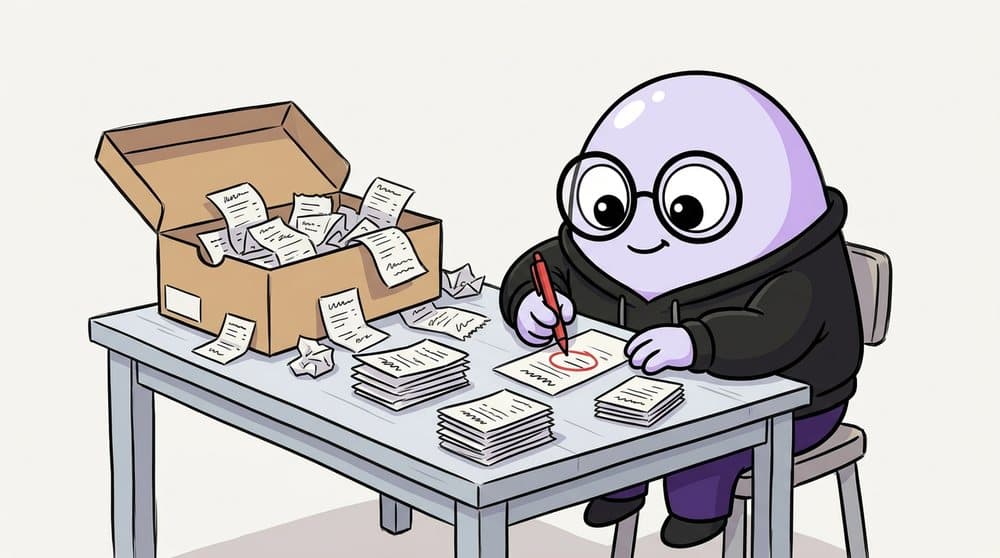
The shoebox of receipts
At the end of the month you tip a shoebox of crumpled bills onto the table. You sort them into piles by category, pull out the five biggest, work out how much you spend per day and circle anything over budget. Your Java program does the same thing, one stream per question.
The big ideas
What you need to know
Records for rows
A record Expense(LocalDate date, String category, String note, double amount) makes each line a clean, typed object.
Close the file
Files.lines keeps the file open, so wrap it in try-with-resources.
One question, one stream
Don't cram the whole report into a single pipeline. Separate streams are easier to read and test.
Optional for maybe-answers
max() and min() return Optional because the list might be empty. Handle it with ifPresent or orElse.
How it works
How the report is built
- 1
Prepare the CSV
One line per expense: date, category, note, amount. Add a header row and at least 40 lines for a month.
- 2
Parse into records
Read lines with Files.lines, skip the header and map each line to an Expense record.
- 3
Group by category
groupingBy with summingDouble gives total spend per category.
- 4
Rank and average
sorted with a reversed Comparator for the top five, and per-day totals averaged for the daily average.
- 5
Check the budget
Compare each category total with a Map of budgets and flag the overspends.
See it in code
Walk through the code
1import java.io.IOException;2import java.nio.file.Files;3import java.nio.file.Path;4import java.time.LocalDate;5import java.util.*;6import java.util.stream.*;7 8public class ExpenseReport {9 record Expense(LocalDate date, String category, String note, double amount) {10 static Expense parse(String line) {11 String[] p = line.split(",");12 return new Expense(LocalDate.parse(p[0]), p[1], p[2], Double.parseDouble(p[3]));13 }14 }15 16 public static void main(String[] args) throws IOException {17 List<Expense> expenses;18 try (Stream<String> lines = Files.lines(Path.of("november.csv"))) {19 expenses = lines.skip(1).map(Expense::parse).toList();20 }21 22 Map<String, Double> byCategory = expenses.stream()23 .collect(Collectors.groupingBy(Expense::category, TreeMap::new,24 Collectors.summingDouble(Expense::amount)));25 26 List<Expense> top5 = expenses.stream()27 .sorted(Comparator.comparingDouble(Expense::amount).reversed())28 .limit(5)29 .toList();30 31 double dailyAvg = expenses.stream()32 .collect(Collectors.groupingBy(Expense::date,33 Collectors.summingDouble(Expense::amount)))34 .values().stream()35 .mapToDouble(Double::doubleValue)36 .average().orElse(0);37 38 Map<String, Double> budget = Map.of("Food", 6000.0, "Travel", 3000.0);39 byCategory.forEach((cat, total) -> {40 String flag = total > budget.getOrDefault(cat, Double.MAX_VALUE) ? " OVER" : "";41 System.out.printf("%-10s %9.2f%s%n", cat, total, flag);42 });43 top5.forEach(e -> System.out.println(e.note() + " " + e.amount()));44 System.out.printf("Daily average: %.2f%n", dailyAvg);45 }46}1/6The Expense record knows how to build itself from one CSV line.
The heart of the report. Sample CSV line: 2026-11-03,Food,Biryani with friends,320
Save yourself the pain
Common mistakes
Oops
Calling Files.lines without try-with-resources.
Do this instead
The file handle stays open. Always wrap it: try (Stream<String> lines = Files.lines(path)) { ... }.
Oops
Using double for money in a real banking app.
Do this instead
double is fine for a personal report, but real payment code uses BigDecimal to avoid rounding errors.
Oops
Notes that contain commas breaking the split.
Do this instead
Keep notes comma-free for this project, or use a CSV library like OpenCSV later.
Your mission
Ship the expense report
Quick check
Why does expenses.stream().max(Comparator.comparingDouble(Expense::amount)) return Optional<Expense>?
Go deeper
- 1Model each expense as a record with date, category and amount.
- 2Use groupingBy and summingDouble or BigDecimal reduction for category totals.
- 3Print the report neatly and compare it with the same logic written using loops.

Stuck on this topic? Ask an Insider
Get 1:1 guidance from people who've walked this exact path — on the InsideEdge app.
