Git and GitHub Basics
Part of the MERN Stack Roadmap
In short
Git saves every version of your code so you can experiment without fear, and GitHub is where recruiters look first. Every MERN project you build should live in a repository.
Git records the history of your code and GitHub stores it online so you can share it, collaborate and show recruiters your work. Every MERN project should live in a repository.
Think of it like this
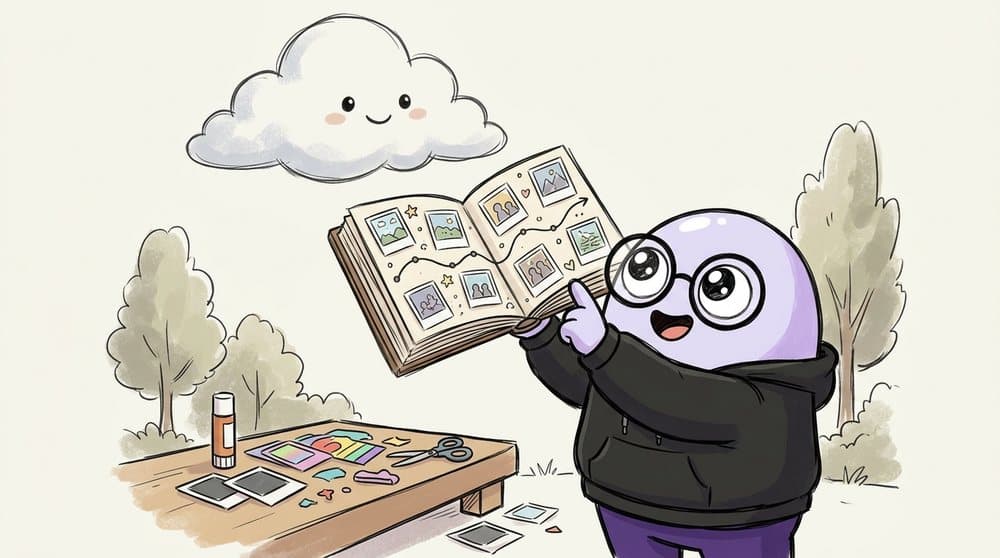
A photo album of your project
Each commit is a dated photo of your project with a caption. You choose which changes go into the photo (staging), click the shutter (commit) and then upload the album to the cloud (push) so it's safe and others can see it.
Watch it happen
From your edit to GitHub
1/4You edit server.js. Git notices the file changed.
The big ideas
What you need to know
Commit small and often
One logical change per commit with a clear message, like "Add login route". It makes bugs easy to trace.
Branches for features
Create a branch for each feature, work freely, then merge it into main when it works.
.gitignore
List node_modules and .env in .gitignore. Never push dependencies or secret keys.
Pull requests
On GitHub, a pull request lets others review your branch before it is merged. Teams work this way every day.
See it in code
Walk through the code
1git init2echo "node_modules/" >> .gitignore3echo ".env" >> .gitignore4git add .5git commit -m "Set up Express server"6 7git switch -c feature/products8# ...edit files...9git add .10git commit -m "Add products route"11git switch main12git merge feature/products13 14git remote add origin https://github.com/your-name/shop-api.git15git push -u origin main1/5Create the repo and ignore dependencies and secrets before the first commit.
A typical first session: start a repo, protect secrets, work on a branch, merge and push.
Save yourself the pain
Common mistakes
Oops
Committing the .env file with your MongoDB password.
Do this instead
Add .env to .gitignore before the first commit. If a secret was pushed, change the password immediately, because Git history keeps it.
Oops
One giant commit called "final changes" at the end of the week.
Do this instead
Commit each small working step with a message that says what changed.
Your mission
Publish your first repo
Quick check
You edited three files but only want one in the next commit. What do you do?
Go deeper
- 1Learn init, add, commit, push, pull and branch, and use them on every practice project.
- 2Write clear commit messages that say what changed and why.
- 3Add a .gitignore that excludes node_modules and .env files before your first commit.
More topics at this stop
 What Is the MERN Stack
 How a Web App Talks to a Server
 HTTP Methods
 HTML and CSS Basics
 JavaScript Fundamentals
 ES6+ Features
 Array Methods (map, filter, reduce)
 Promises and Async/Await
 Fetch API

Stuck on this topic? Ask an Insider
Get 1:1 guidance from people who've walked this exact path — on the InsideEdge app.
