
Live Coding a MERN Feature
Part of the MERN Stack Roadmap
In short
Many MERN interviews hand you a small repo and 45 to 60 minutes: "Add search to the products page." They are watching how you think, plan and communicate as much as whether it works at the end.
Many MERN interviews ask you to add a feature in a short time, such as a search endpoint plus a React page that uses it. Clear steps and talking aloud matter as much as the code.
Think of it like this
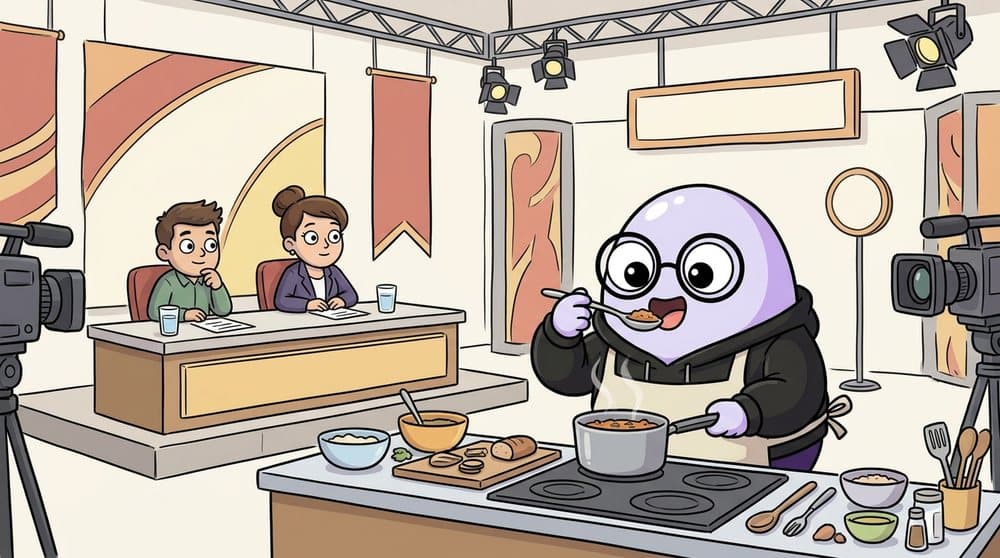
A live cooking round
In a cooking show, the judges watch you plan the dish, prep ingredients and taste as you go, and you explain each choice. Plating a perfect dish in silence earns less than a good dish with clear thinking. Live coding is a cooking round: plan, build in small tested steps, and talk.
Watch it happen
A 45-minute plan
1/55 min: Case-insensitive? Search name only or category too? Paginated? Empty search shows everything?
The big ideas
What you need to know
Clarify before coding
Two or three questions show product sense and stop you building the wrong thing.
Small working steps
Backend first, test it, then the frontend. Something working at minute 20 beats everything half-done at minute 45.
Think aloud
Say what you are doing and why: "I'm escaping the input so a user can't break the regex."
Name the edge cases
Empty input, special characters, no results, slow network. Handle the cheap ones, mention the rest.
See it in code
Walk through the code
1// client/src/pages/ProductSearch.jsx2import { useEffect, useState } from "react";3import { useQuery } from "@tanstack/react-query";4import { searchProducts } from "../api/products";5 6function useDebounced(value, delay = 300) {7 const [debounced, setDebounced] = useState(value);8 useEffect(() => {9 const id = setTimeout(() => setDebounced(value), delay);10 return () => clearTimeout(id);11 }, [value, delay]);12 return debounced;13}14 15export default function ProductSearch() {16 const [q, setQ] = useState("");17 const term = useDebounced(q.trim());18 const { data, isPending, isError, error } = useQuery({19 queryKey: ["products", "search", term],20 queryFn: () => searchProducts(term),21 });22 23 return (24 <div>25 <input value={q} onChange={(e) => setQ(e.target.value)} placeholder="Search products" />26 {isPending && <p>Searching...</p>}27 {isError && <p>Something went wrong: {error.message}</p>}28 {data && data.products.length === 0 && <p>No products match "{term}".</p>}29 <ul>30 {data?.products.map((p) => <li key={p._id}>{p.name} - ₹{p.price}</li>)}31 </ul>32 </div>33 );34}1/4Debounce so we search 300 ms after typing stops, not on every key.
The React half of a search feature, using TanStack Query v5 and a tiny debounce hook.
Save yourself the pain
Common mistakes
Oops
Starting to type code in the first minute without asking anything.
Do this instead
Restate the task and ask two clarifying questions. It takes a minute and often saves ten.
Oops
Going silent for five minutes while stuck.
Do this instead
Say what you are trying and what you suspect. Interviewers often give hints when they can follow you.
Oops
Building the whole UI before checking the API works.
Do this instead
Test the endpoint first. Then any bug in the UI is only a UI bug.
Your mission
Timed practice
Quick check
Twenty minutes in, the React page is half-built and the API hasn't been tested. What is the best move?
Go deeper
- 1Practise building a small CRUD feature end to end in under an hour.
- 2Explain your plan before typing and test as you go.
- 3Keep a starter template ready that you know well.
More topics at this stop
 Building a MERN Portfolio
 JavaScript and React Interview Questions
 Node.js and Express Interview Questions
 MongoDB Interview Questions
 MERN System Design Basics
 Debugging Approach
 Explain Your Projects

Stuck on this topic? Ask an Insider
Get 1:1 guidance from people who've walked this exact path — on the InsideEdge app.
