In short
Without a watcher, every small change means pressing Ctrl+C and running node again. A file watcher restarts your server the moment you save, so you stay focused on the code.
nodemon and Node's built-in --watch flag restart your server automatically whenever you save a file, so you do not have to stop and start it by hand during development.
Think of it like this
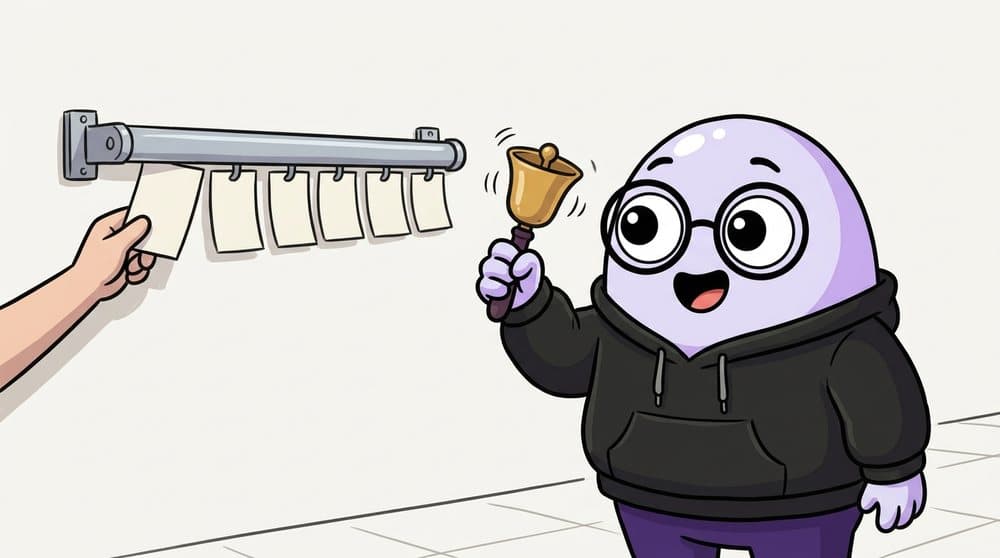
The kitchen bell
In a busy kitchen, a helper watches the order rail. The moment a new slip is pinned up, they ring the bell and the cook starts fresh. A file watcher is that helper: it watches your files, and when one changes it restarts the server for you.
Watch it happen
Two ways to auto-restart
nodemon
- Installed from npm as a dev dependency
- Configurable with nodemon.json (watch folders, extensions, delay)
- Type rs and Enter to restart by hand
- Works on any Node version
node --watch
- Built into Node, stable in Node 22 and Node 20.13 or later
- No extra package to install
- Watches the entry file and everything it imports
- Add --watch-path to watch specific folders
On a current Node version, node --watch is enough for most projects. Reach for nodemon when you need its extra configuration.
The big ideas
What you need to know
Restart on save
The watcher kills the running process and starts it again, so new routes and fixes take effect within a second.
Development only
Never use a watcher in production. There you run node server.js under a process manager or container.
npm scripts
Put the command in package.json as "dev" so everyone on the team runs npm run dev the same way.
Pair with --env-file
Node 20.6+ can load your .env with node --env-file=.env, which works nicely alongside --watch.
How it works
What happens when you hit save
- 1
You save a file
You edit routes/products.js and press Ctrl+S.
- 2
Watcher notices
The file system reports the change to nodemon or Node's watcher.
- 3
Old process stops
The running server is shut down, freeing the port.
- 4
Fresh start
Node runs your entry file again and your server logs that it is listening.
See it in code
Walk through the code
1{2 "name": "shop-api",3 "type": "module",4 "scripts": {5 "dev": "node --watch --env-file=.env server.js",6 "dev:nodemon": "nodemon server.js",7 "start": "node server.js"8 },9 "devDependencies": {10 "nodemon": "^3.1.0"11 }12}1/4"type": "module" lets you use import and export in .js files.
package.json with both options. Run npm run dev while coding and npm start in production.
Save yourself the pain
Common mistakes
Oops
Installing nodemon globally and forgetting teammates don't have it.
Do this instead
Install it as a dev dependency with npm install -D nodemon and call it from an npm script.
Oops
Using npm run dev with a watcher on the production server.
Do this instead
Production should use npm start (plain node). Watchers restart on every file change, which you never want on a live server.
Your mission
Set up a dev script
Quick check
Which command restarts a Node server on file changes without installing any package?
Go deeper
- 1Add a dev script that runs your server with node --watch or nodemon.
- 2Configure which folders to watch so saving a test file does not restart the server.
- 3Keep the start script on plain node for production.
More topics at this stop
 Node.js Runtime
 The Event Loop
 CommonJS vs ES Modules
 npm and package.json
 File System Module
 Event Emitter
 Environment Variables with dotenv
 Error Handling in Node.js

Stuck on this topic? Ask an Insider
Get 1:1 guidance from people who've walked this exact path — on the InsideEdge app.
