
Build a Reusable Cleaning Function
Part of the Power BI Roadmap
In short
This project ties the phase together: you'll write one M function that cleans any branch's raw sales file, then feed it every branch at once. It's exactly the kind of thing interviewers ask you to walk through.
A project writing one M function that cleans a raw branch sales file, then applying it to files from several branches and appending the results into one tidy table.
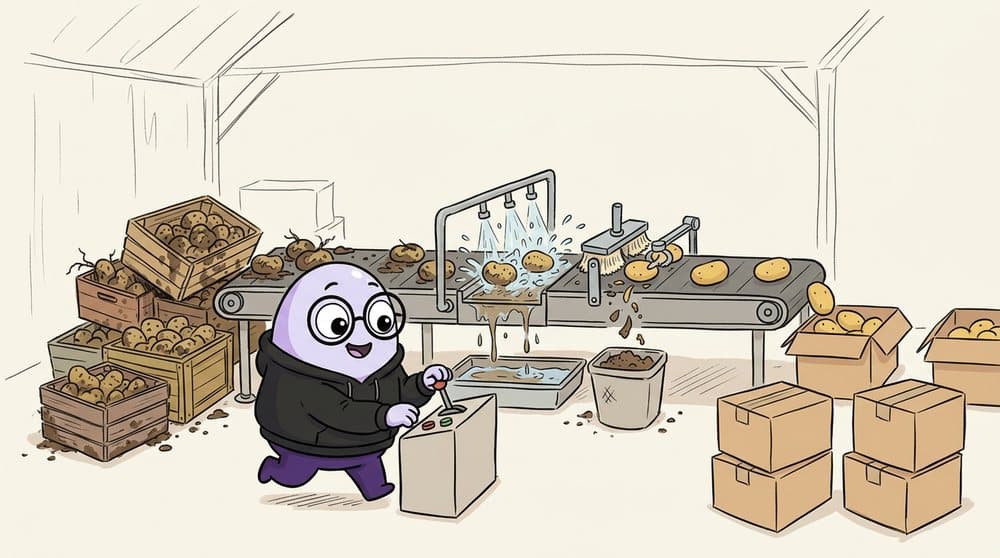
Think of it like this
A washing line in a factory
Muddy potatoes from many farms go onto one conveyor. The same machines wash, trim and sort every batch, and clean potatoes come out the other end. Your function is that conveyor, and each branch file is a new batch from a different farm.
The big ideas
What you need to know
Two inputs
The function takes the file content and a branch name, so every output row knows where it came from.
Clean consistently
Trim text, fix capitalisation, set types and drop blank rows the same way for every file.
Fail softly
try ... otherwise null on conversions means one bad file can't stop the whole refresh.
Scales by itself
Drop a new branch's file in the folder and it's included on the next refresh.
How it works
Project plan
- 1
Collect samples
Get raw files from three branches, like Pune, Indore and Kochi, and note how they differ: header rows, date formats, blank lines.
- 2
Clean one by hand
Clean one file with the interface until it's perfect, then open the Advanced Editor.
- 3
Turn it into a function
Replace the file source with an input parameter and add a Branch input.
- 4
Apply to the folder
Use Folder.Files, call the function per file, and combine the results.
- 5
Handle errors
Use try ... otherwise for amounts and dates, and add an error count check.
- 6
Document
Add comments, a README note and screenshots of before and after.
See it in code
Walk through the code
1// Query: fnCleanBranch2(file as binary, branch as text) as table =>3let4 Source = Csv.Document(file, [Delimiter = ",", Encoding = 65001]),5 Promoted = Table.PromoteHeaders(Source, [PromoteAllScalars = true]),6 NoBlanks = Table.SelectRows(Promoted, each [OrderID] <> null and [OrderID] <> ""),7 Tidy = Table.TransformColumns(NoBlanks, {{"City", each Text.Proper(Text.Trim(_)), type text}}),8 SafeDate = Table.TransformColumns(Tidy, {{"OrderDate", each try Date.From(_, "en-IN") otherwise null, type nullable date}}),9 SafeAmount = Table.TransformColumns(SafeDate, {{"Amount", each try Number.From(_, "en-IN") otherwise null, type nullable number}}),10 WithBranch = Table.AddColumn(SafeAmount, "Branch", each branch, type text)11in12 WithBranch13 14// Query: AllBranches15let16 Files = Table.SelectRows(Folder.Files(FolderPath), each [Extension] = ".csv"),17 Cleaned = Table.AddColumn(Files, "Data", each fnCleanBranch([Content], Text.BeforeDelimiter([Name], "_"))),18 Combined = Table.Combine(Cleaned[Data])19in20 Combined1/5Two typed inputs: the file content and the branch name.
The function cleans one branch file. AllBranches applies it to every CSV in the folder, taking the branch name from the file name, like pune_sales.csv.
Save yourself the pain
Common mistakes
Oops
Building the function from a file that happens to be clean.
Do this instead
Develop it against the messiest sample you have, then test it on the others.
Oops
Losing track of which branch each row came from.
Do this instead
Pass the branch in as an input or keep the file Name column before combining.
Your mission
Ship the cleaning function
Quick check
Why pass the culture "en-IN" to Date.From in this project?
Go deeper
- 1Start from a working query for one file, then convert it into a function.
- 2Add a parameter for the branch name and output it as a column.
- 3Wrap risky conversions in try ... otherwise so one bad file doesn't stop the refresh.

Stuck on this topic? Ask an Insider
Get 1:1 guidance from people who've walked this exact path — on the InsideEdge app.
