
In short
Some things must happen every single time a row changes, no matter which app or person made the change. A trigger makes the database do it automatically.
A trigger runs SQL automatically before or after an INSERT, UPDATE or DELETE on a table. It is useful for audit logs and keeping derived data in sync, but hidden logic can make bugs hard to find.
Think of it like this
The shop door bell
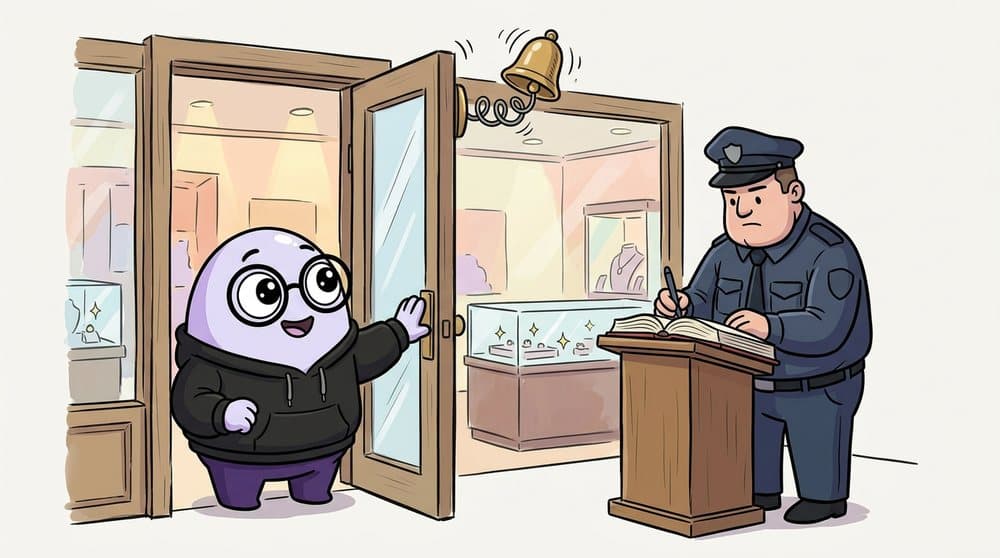
A jewellery shop in Jaipur has a bell over the door. Every time the door opens, the bell rings and the guard writes the time in his register. Nobody has to remember to ring it. That's great for safety, but if the bell also locked the door or called the owner, new staff would be very confused. Triggers are just as automatic, and just as easy to forget about.
Watch it happen
A price change, logged automatically
UPDATE price = 349
1/4An admin changes the price of a pressure cooker from ₹399 to ₹349.
The big ideas
What you need to know
BEFORE or AFTER
BEFORE triggers can change or reject the row. AFTER triggers react once the change is done, ideal for logging.
FOR EACH ROW
Runs once per changed row, with OLD and NEW holding the row before and after the change.
Great for audit logs
Who changed what and when gets recorded even if someone edits data directly in a SQL client.
Hidden logic
Triggers are invisible in app code. Keep them small and document them, or debugging gets painful.
See it in code
Walk through the code
1CREATE TABLE price_audit (2 audit_id BIGINT GENERATED ALWAYS AS IDENTITY PRIMARY KEY,3 product_id INT NOT NULL,4 old_price NUMERIC(10,2),5 new_price NUMERIC(10,2),6 changed_by TEXT NOT NULL DEFAULT current_user,7 changed_at TIMESTAMPTZ NOT NULL DEFAULT now()8);9 10CREATE OR REPLACE FUNCTION log_price_change()11RETURNS trigger12LANGUAGE plpgsql13AS $$14BEGIN15 INSERT INTO price_audit (product_id, old_price, new_price)16 VALUES (OLD.product_id, OLD.price, NEW.price);17 RETURN NEW;18END;19$$;20 21CREATE TRIGGER trg_products_price_audit22AFTER UPDATE OF price ON products23FOR EACH ROW24WHEN (OLD.price IS DISTINCT FROM NEW.price)25EXECUTE FUNCTION log_price_change();26 27UPDATE products SET price = 349 WHERE product_id = 12;28SELECT * FROM price_audit ORDER BY changed_at DESC;1/4The audit table. Defaults fill in who made the change and when.
PostgreSQL 11+ syntax (older versions say EXECUTE PROCEDURE). In MySQL the body goes inside the trigger itself: CREATE TRIGGER ... AFTER UPDATE ON products FOR EACH ROW INSERT INTO price_audit ... VALUES (OLD.product_id, OLD.price, NEW.price);
Save yourself the pain
Common mistakes
Oops
Putting business workflows in triggers, like sending emails or updating five other tables.
Do this instead
Keep triggers for small, always-true rules like audit logs or updated_at timestamps. Put workflows in app code.
Oops
Writing a trigger that updates the same table it fires on.
Do this instead
That can fire itself again in a loop. Use a BEFORE trigger and change NEW directly instead.
Your mission
Auto-stamp updated_at
Quick check
In a row-level UPDATE trigger, what do OLD and NEW hold?
Go deeper
- 1Write a trigger that records every price change into an audit table.
- 2Test it by updating a few rows and checking the audit log.
- 3Keep triggers small and documented so other developers know they exist.
More topics at this stop
 Views
 Materialized Views
 Stored Procedures
 User-Defined Functions
 Users, Roles and Privileges (GRANT, REVOKE)
 SQL Injection and Parameterized Queries
 Database Security Best Practices
 Backups and Restores

Stuck on this topic? Ask an Insider
Get 1:1 guidance from people who've walked this exact path — on the InsideEdge app.
