In short
MongoDB is one of the most popular document databases, and it stores JSON-like objects, the same shape your Node code already uses. Very little translation needed.
MongoDB is a NoSQL database that stores data as JSON-like documents inside collections, which feels natural when working in JavaScript.

Think of it like this
The office almirah
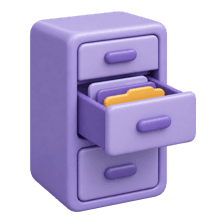
A steel almirah (database) has shelves (collections), and each shelf holds files (documents). One student's file has three pages, another's has ten, with different forms inside. You never redesign the almirah to add a new kind of page.
Watch it happen
Database, collection, document
1/5A MongoDB server holds databases. This app uses one called college.
The big ideas
What you need to know
Database, collection, document
The three levels. Roughly database, table, row, except documents in one collection can differ in shape.
BSON under the hood
Documents are stored as BSON, a binary JSON with extra types like ObjectId and Date.
_id on every document
MongoDB adds a unique ObjectId if you don't supply one. It even encodes when the id was created.
mongosh and drivers
Explore data with the mongosh shell. From Node, use the official mongodb driver or Mongoose.
See it in code
Walk through the code
1import { MongoClient } from "mongodb";2 3const client = new MongoClient("mongodb://localhost:27017");4await client.connect();5 6const students = client.db("college").collection("students");7 8await students.insertOne({ name: "Riya", year: 2 });9await students.insertOne({ name: "Aman", year: 3, hostel: "B-block" });10 11const found = await students.findOne({ name: "Aman" });12console.log(found?._id, found?.hostel);1/4Connect to a local MongoDB on its default port, 27017.
Start MongoDB with docker run -p 27017:27017 mongo, then run this file as an ES module.
Save yourself the pain
Common mistakes
Oops
Expecting a typo in a field name to throw an error.
Do this instead
MongoDB happily stores 'naem'. Validate input in your app or use a schema tool like Mongoose.
Oops
Dumping every kind of record into one giant collection.
Do this instead
Keep documents of the same kind in their own collection, just as you'd make separate tables.
Your mission
First steps in mongosh
Quick check
You insert a document into a collection that doesn't exist yet. What happens?
Go deeper
- 1Create a free MongoDB Atlas cluster and connect with MongoDB Compass.
- 2Insert a few documents into a collection and view them.
- 3Learn what the _id field is and how MongoDB generates it.
Also part of these roadmaps
More topics at this stop
 SQL vs NoSQL
 Relational Databases
 Basic SQL Queries
 Primary and Foreign Keys
 Joins
 PostgreSQL
 CRUD Operations in MongoDB
 Mongoose
 Schema Design

Stuck on this topic? Ask an Insider
Get 1:1 guidance from people who've walked this exact path — on the InsideEdge app.
