In short
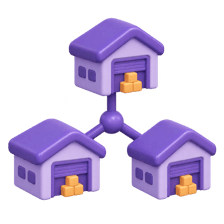
Your server might sit in Mumbai while your users are in Delhi, Dubai or Toronto. A CDN keeps copies of your files in cities around the world so everyone downloads from somewhere nearby.
A content delivery network stores copies of your files on servers around the world, so users load them from a nearby location and pages open faster.

Think of it like this
Amazon's local warehouses
Amazon doesn't ship everything from one city. It keeps popular items in warehouses near you, so delivery is quick. A CDN does the same with your images, CSS and JavaScript.
Watch it happen
A user in Chennai loads your image
hero.webp?
1/7The request goes to the nearest CDN edge, not your server.
The big ideas
What you need to know
Servers in many cities
A CDN has servers (edge locations) around the world that store copies of your files.
Shorter trip, faster load
Data travels a shorter distance, so pages load quicker, especially for far-away users.
Takes load off your server
Most requests are answered by the CDN, so your own server handles far fewer and survives traffic spikes.
Cache rules still apply
The CDN follows Cache-Control. After a deploy, you purge it or ship files with new hashed names.
See it in code
A tiny example
1<!-- Load a library from a public CDN -->2<script src="https://cdn.jsdelivr.net/npm/canvas-confetti@1.9.3/dist/confetti.browser.js"></script>3 4<!-- Your own images served from your CDN domain -->5<img src="https://cdn.example.com/images/hero.webp" alt="Students on campus" />Hosting platforms like Vercel and Netlify put your own files on a CDN automatically, so you often get this without any setup.
Save yourself the pain
Common mistakes
Oops
Deploying new files with the same names and wondering why users still see the old version.
Do this instead
Use hashed file names, or purge the CDN cache after you deploy.
Oops
Letting a public CDN cache personal pages like a user's dashboard.
Do this instead
Mark private pages with Cache-Control: private or no-store, so the CDN never shares them.
Your mission
Find the CDN
Quick check
A user in Chennai asks for an image that the Chennai edge server doesn't have yet. What happens?
Go deeper
- 1Check response headers in the Network tab to see if a file came from a CDN cache.
- 2Learn why images, fonts and scripts are good candidates for a CDN.
- 3Notice that most frontend hosting platforms include a CDN by default.
Also part of these roadmaps
More topics at this stop
 Static vs Dynamic Hosting
 Deploying the Frontend
 Deploying the Backend
 Hosted Databases
 Environment Variables in Production
 Custom Domain and HTTPS
 Lighthouse
 Core Web Vitals

Stuck on this topic? Ask an Insider
Get 1:1 guidance from people who've walked this exact path — on the InsideEdge app.
