
How CSS Works (Cascade and Specificity)
Part of the Web Development Roadmap
In short
'I wrote the CSS but it isn't working!' Nine times out of ten, another rule is winning. Once you understand how the browser picks a winner, those mysteries disappear.
CSS rules can come from many places, and the cascade decides which one wins using importance, specificity and source order. Specificity scores selectors, so an id beats a class and a class beats a tag.
Think of it like this
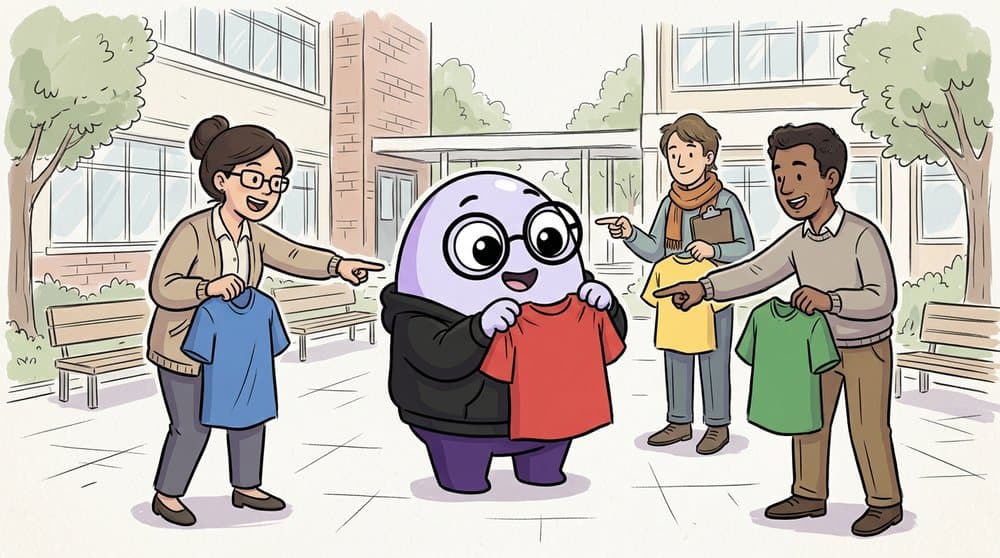
Instructions from different teachers
The class teacher says 'wear a white shirt'. The sports teacher says 'Team A wears blue'. The principal tells Ravi by name to wear the red captain's shirt. Ravi wears red: the most specific instruction wins. If two equally specific teachers disagree, the one who spoke last wins. CSS decides between rules in the same way.
Watch it happen
How the browser picks the winning colour
1/5Three rules set the colour of one button: a button rule, a .btn rule and a #buy rule.
The big ideas
What you need to know
Three ways to add CSS
An external file with <link> (best), a <style> block in the head, or inline style="..." attributes (avoid; very hard to override).
Specificity scores
Think of it as (ids, classes, tags). #nav a is (1,0,1). .menu .item is (0,2,0). The bigger score from the left wins.
Later wins a tie
If two rules have the same specificity, the one lower in the stylesheet wins. That's the cascade.
Inheritance
Some properties, like color and font-family, pass down from parent to children. Others, like border and padding, don't.
See it in code
Walk through the code
1/* specificity (0,0,1) */2button {3 background: grey;4}5 6/* specificity (0,1,0) */7.btn {8 background: royalblue;9}10 11/* specificity (1,0,0) */12#buy {13 background: seagreen;14}15 16/* same as .btn, but later in the file */17.btn {18 background: orange;19}1/3A tag selector, the weakest. It loses to both of the others.
For <button id="buy" class="btn">Buy now</button>, the button is green. For a plain <button class="btn">, it's orange.
Save yourself the pain
Common mistakes
Oops
Adding !important whenever a style doesn't apply.
Do this instead
Open DevTools, find the rule that's winning (yours will be crossed out) and fix the specificity or order instead.
Oops
Styling everything with ids.
Do this instead
Use classes for styling. Ids are so specific that overriding them later becomes a fight.
Your mission
Win the specificity battle
Quick check
Which selector has the highest specificity?
Go deeper
- 1Link an external stylesheet and learn why it is better than inline styles.
- 2Write two rules that target the same element and predict which one wins before checking in DevTools.
- 3Avoid !important except as a last resort, and note why it causes trouble later.
More topics at this stop
 CSS Selectors
 Pseudo-classes
 Box Model
 Display Property
 CSS Units
 Colors and Typography
 Positioning
 CSS Variables

Stuck on this topic? Ask an Insider
Get 1:1 guidance from people who've walked this exact path — on the InsideEdge app.
