Command-Line Data Cleaner
Part of the AI Engineer Roadmap
In short
Your first real tool: a script you run from the terminal that takes a messy CSV and spits out a clean one. It's small, useful, and shows you can write code other people can run.
A CLI tool that reads a messy CSV/JSON file, cleans it (missing values, formatting, duplicates) and writes out a clean version.

Think of it like this
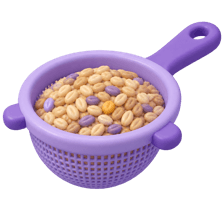
Picking stones out of rice
Before cooking, someone sits with a thali of rice and picks out tiny stones, husk and broken grains. Nobody skips this, because one stone ruins a meal. Your cleaner does the same for data: remove junk rows, fix spacing, fill gaps, and only then cook the model.
Watch it happen
python clean.py raw.csv -o clean.csv
1/6argparse reads the input path and the -o output path from the command.
The big ideas
What you need to know
Real arguments, not hard-coded paths
Use argparse so anyone can run python clean.py any.csv -o out.csv without editing your code.
Print a summary
Show rows read, duplicates removed and blanks filled. A cleaner that says nothing is hard to trust.
Never overwrite the input
Always write to a new file. If your cleaning has a bug, the raw data is still safe.
Test with a tiny messy file
Make a 10-row CSV with every problem you handle. Check the output by eye.
See it in code
Walk through the code
1import argparse2import pandas as pd3 4parser = argparse.ArgumentParser(description="Clean a messy CSV")5parser.add_argument("input")6parser.add_argument("-o", "--output", default="clean.csv")7args = parser.parse_args()8 9df = pd.read_csv(args.input)10before = len(df)11text_cols = df.select_dtypes(include="object").columns12df[text_cols] = df[text_cols].apply(lambda col: col.str.strip().str.title())13df = df.drop_duplicates().fillna({"city": "Unknown"})14 15df.to_csv(args.output, index=False)16print(f"{before} rows in, {len(df)} rows out -> {args.output}")1/4argparse defines one required input path and an optional -o output with a default.
A starter version with pandas. Add your own flags, like --drop-empty or a list of columns to clean, once the basics work.
Save yourself the pain
Common mistakes
Oops
Filling every blank with 0, even in name or city columns.
Do this instead
Choose a fill per column. A blank age and a blank city need different handling.
Oops
Testing only on a clean file and calling it done.
Do this instead
Test on the messiest file you can make: extra spaces, blank rows, duplicates, odd capitals.
Your mission
Ship version 1
Quick check
Why should the cleaner write to a new file instead of replacing the input?
Go deeper
- 1Accept a file path via command-line arguments (`argparse`).
- 2Implement at least three cleaning rules: dedup, missing-value handling, type coercion.
- 3Add clear logging so a user can see what was changed.
More projects at this stop
 Simple Web Scraper

Stuck on this topic? Ask an Insider
Get 1:1 guidance from people who've walked this exact path — on the InsideEdge app.
