In short
A demo that draws live boxes around objects on a webcam or video is instantly impressive. It also teaches you speed, thresholds and the gap between a notebook and something that runs in real time.
A working demo that draws bounding boxes around detected objects in an image or video feed — showcases a higher-complexity vision skill than classification alone.
Think of it like this
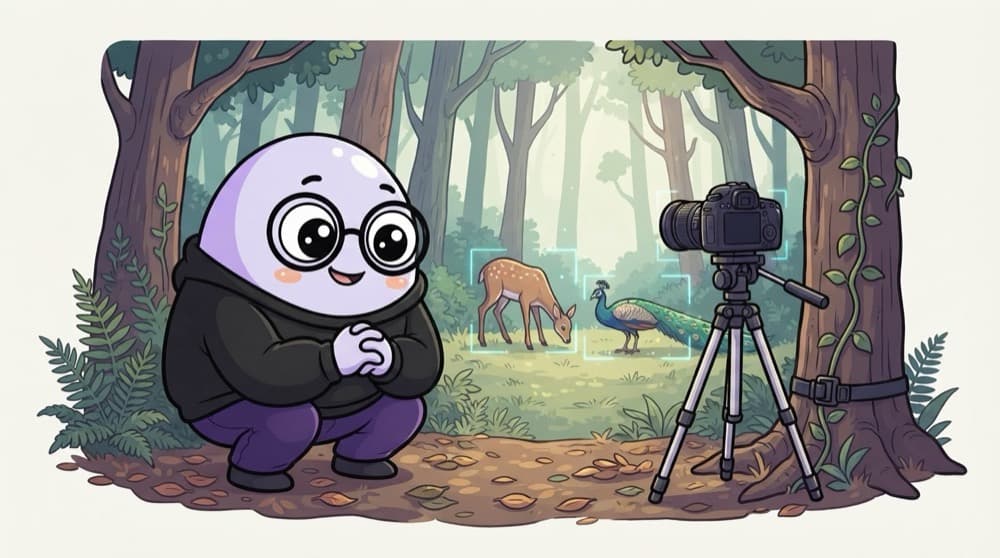
The forest camera trap
Wildlife researchers strap a camera to a tree and leave it for weeks. Every frame it checks: deer? leopard? just leaves? It saves only the interesting moments. Your demo is a camera trap that labels every object it spots, frame after frame.
Watch it happen
One frame through the demo
frame 640x480
1/5OpenCV grabs the next frame from the camera.
The big ideas
What you need to know
Show the FPS
Print frames per second on screen. It proves real-time performance and helps you compare model sizes.
Tunable threshold
Add a slider or flag for confidence so viewers can see the trade-off between misses and false alarms.
One custom class
Fine-tune on one class COCO lacks, like auto-rickshaws or your college ID card. That's what stands out.
Record a clip
Save a short annotated video for your README, so people see it working without running it.
See it in code
Walk through the code
1import time2import cv23from ultralytics import YOLO4 5model = YOLO("yolov8n.pt")6cap = cv2.VideoCapture(0)7 8while cap.isOpened():9 ok, frame = cap.read()10 if not ok:11 break12 t = time.time()13 annotated = model(frame, conf=0.4, verbose=False)[0].plot()14 cv2.putText(annotated, f"{1 / (time.time() - t):.1f} FPS", (10, 30),15 cv2.FONT_HERSHEY_SIMPLEX, 1, (0, 255, 0), 2)16 cv2.imshow("detector", annotated)17 if cv2.waitKey(1) & 0xFF == ord("q"):18 break1/4Load the smallest YOLO model and open the default webcam.
A minimal live webcam detector with an FPS counter. Press q to quit.
Save yourself the pain
Common mistakes
Oops
Using the largest model and getting 2 FPS on a laptop.
Do this instead
Start with a nano or small model. Only go bigger if accuracy truly needs it and FPS stays usable.
Oops
Only testing on clear daytime footage.
Do this instead
Try night, rain, crowds and motion blur. Show where it struggles in your write-up.
Your mission
First milestone: live boxes
Quick check
Your demo flickers: boxes appear and vanish on an object every few frames. What helps most?
Go deeper
- 1Use a pretrained YOLO model and build a simple app around it (image or webcam input).
- 2Add confidence thresholds and class filtering as configurable options.
- 3Deploy it as a small web demo so it's shareable in a portfolio.
More projects at this stop
 Image Classifier

Stuck on this topic? Ask an Insider
Get 1:1 guidance from people who've walked this exact path — on the InsideEdge app.
