
Scaling Policies (Target Tracking, Step, Scheduled)
Part of the AWS Roadmap
In short
An Auto Scaling group that never changes size is just a fixed fleet. Scaling policies decide when to add servers before users feel the slowdown and when to remove them so you stop paying.
Target tracking keeps a metric, such as average CPU at 50%, near a target value by adding or removing instances. Step scaling reacts to CloudWatch alarm thresholds with defined steps, and scheduled scaling changes capacity at set times.
Think of it like this
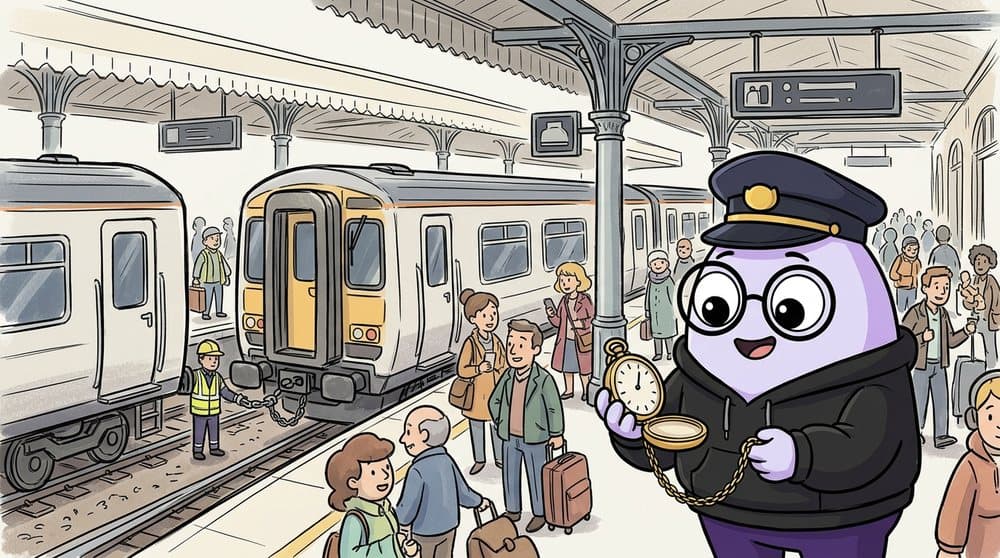
Mumbai local coaches
Railways add extra coaches on known rush hours every weekday, that's scheduled scaling. A station master watching the crowd tries to keep each coach about half full, adding or removing coaches as needed, that's target tracking. And a rule like 'if the platform overflows, add two coaches; if it really overflows, add four' is step scaling.
Watch it happen
Target tracking vs step scaling
Target tracking
- You pick a metric and a target, like CPU 50%
- AWS creates and manages the alarms
- Scales out fast, scales in gently
- Best default for most apps
Step scaling
- You create the CloudWatch alarms
- Different action per breach size
- More control, more to maintain
- Useful for unusual metrics or rules
Start with target tracking. Add scheduled actions for known peaks like a 9 a.m. login rush, and use step scaling only when you need precise custom reactions.
The big ideas
What you need to know
Good targets
Average CPU, ALB requests per target or network in/out. Pick a metric that rises when users are waiting.
Scheduled actions
Change min, max or desired capacity at set times with a cron expression and a time zone like Asia/Kolkata.
Warm-up
New instances need time to boot. A default instance warmup stops the group from over-reacting to metrics from instances still starting.
Min and max still rule
No policy can go below minimum or above maximum capacity. Set them on purpose.
See it in code
Walk through the code
1# Keep average CPU near 50%2aws autoscaling put-scaling-policy \3 --auto-scaling-group-name shop-web-asg \4 --policy-name cpu50 \5 --policy-type TargetTrackingScaling \6 --target-tracking-configuration '{7 "PredefinedMetricSpecification": {8 "PredefinedMetricType": "ASGAverageCPUUtilization"9 },10 "TargetValue": 50.011 }'12 13# Weekdays: at least 4 instances from 8:30 a.m. India time14aws autoscaling put-scheduled-update-group-action \15 --auto-scaling-group-name shop-web-asg \16 --scheduled-action-name weekday-morning \17 --recurrence "30 8 * * 1-5" \18 --time-zone "Asia/Kolkata" \19 --min-size 41/5Attach a target tracking policy to the group.
AWS CLI v2. Target tracking and scheduled actions work well together: the schedule raises the floor, and tracking handles the rest.
Save yourself the pain
Common mistakes
Oops
Setting a target of 90% CPU to save money.
Do this instead
New instances take minutes to help, so users suffer meanwhile. A target around 50 to 70% leaves room for the spike.
Oops
Adding a scheduled scale-up but no scale-down.
Do this instead
Always pair them, for example raise min at 8:30 a.m. and lower it at 9 p.m., or you'll pay for idle servers all night.
Your mission
Make it scale
Quick check
Your app gets a predictable rush every weekday at 9 a.m. that starts before metrics react. What helps most?
Go deeper
- 1Add a target tracking policy on average CPU and load-test with a tool like stress or hey.
- 2Watch the scaling activity history as instances are added and removed.
- 3Set up a scheduled action that scales down at night for a test environment.
More topics at this stop
 How Load Balancers Work
 Elastic Load Balancing: ALB vs NLB
 Target Groups & Health Checks
 EC2 Auto Scaling Groups
 Launch Templates
 Multi-AZ High Availability
 Disaster Recovery Strategies on AWS

Stuck on this topic? Ask an Insider
Get 1:1 guidance from people who've walked this exact path — on the InsideEdge app.
