In short
Almost everything you use online talks HTTP, and TLS is what keeps it private and genuine. Knowing the handshake helps you debug broken sites and spot traffic that's been tampered with.
HTTP is the protocol of the web, HTTPS wraps it in TLS encryption, and ports such as 22, 80 and 443 decide which service on a machine receives traffic. AWS security group rules are written in terms of these ports.
Think of it like this
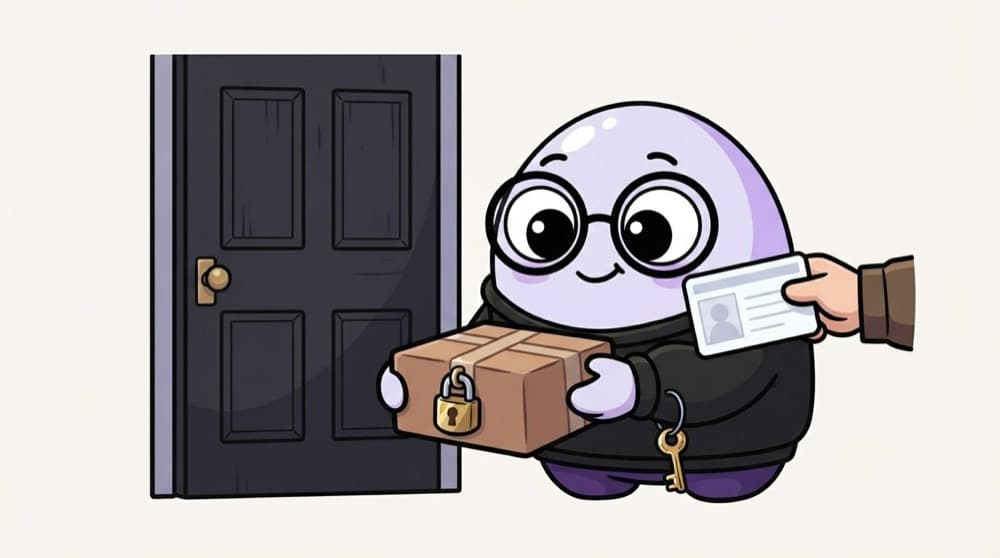
A locked courier parcel
Before you take a parcel, you check the courier's ID card. Then you both use a code only you two know to open the lock. TLS works like that: check the server's certificate, agree on a secret key, then send everything locked.
Watch it happen
The TLS 1.3 handshake, simplified
ClientHello + key share
1/6The browser lists the ciphers it supports and sends its half of a key exchange.
The big ideas
What you need to know
HTTP is plain text
A request has a method, path, headers and maybe a body. Without TLS, anyone on the path can read it.
TLS gives three things
Encryption (privacy), integrity (no silent changes) and authentication (it really is that server).
Certificates prove identity
A certificate authority vouches that a public key belongs to a domain. Browsers trust a built-in list of them.
Warnings mean something
A certificate error can mean a misconfigured site or someone intercepting traffic. Never train users to click through.
See it in code
Walk through the code
1# See TLS version, cipher and certificate chain2openssl s_client -connect example.com:443 -servername example.com </dev/null3 4# Just the certificate's subject, issuer and dates5openssl s_client -connect example.com:443 -servername example.com </dev/null 2>/dev/null \6 | openssl x509 -noout -subject -issuer -dates1/2s_client does a real TLS handshake and prints the protocol, cipher and full certificate chain.
Check the issuer and expiry date. Expired certificates are one of the most common causes of outages.
Save yourself the pain
Common mistakes
Oops
Thinking the padlock means a site is safe.
Do this instead
It only means the connection is encrypted to that domain. Phishing sites get free certificates too.
Oops
Leaving old TLS 1.0 and 1.1 enabled on servers.
Do this instead
Allow TLS 1.2 and 1.3 only. Older versions have known weaknesses and modern browsers have dropped them.
Your mission
Inspect three certificates
Quick check
On office Wi-Fi, your browser warns that a site's certificate was issued by an unknown authority. What could this mean?
Go deeper
- 1Use curl -v on a website and read the TLS handshake, request and response headers.
- 2Memorise the common ports: 22, 80, 443, 3306 (MySQL) and 5432 (PostgreSQL).
- 3Learn what the 2xx, 3xx, 4xx and 5xx status code families mean.
Also part of these roadmaps
More topics at this stop
 Linux File System Navigation
 Linux File Permissions & Ownership
 Linux Package Managers
 SSH & Key Pairs
 Bash Scripting for Automation
 IP Addresses & CIDR Notation
 DNS Basics
 JSON & YAML for AWS

Stuck on this topic? Ask an Insider
Get 1:1 guidance from people who've walked this exact path — on the InsideEdge app.
