HTTP/HTTPS & TLS
Part of the Cloud Computing Roadmap
In short
Almost everything you use online talks HTTP, and TLS is what keeps it private and genuine. Knowing the handshake helps you debug broken sites and spot traffic that's been tampered with.
The protocol underlying almost all web traffic, and TLS — the encryption layer securing it — understanding certificate management (often handled by cloud-managed certificate services) is a common real task.
Think of it like this
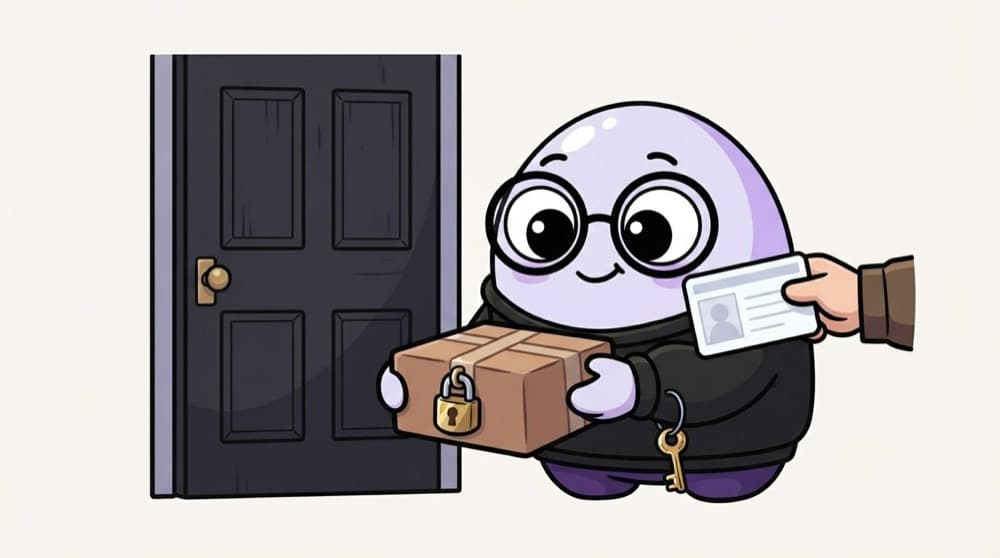
A locked courier parcel
Before you take a parcel, you check the courier's ID card. Then you both use a code only you two know to open the lock. TLS works like that: check the server's certificate, agree on a secret key, then send everything locked.
Watch it happen
The TLS 1.3 handshake, simplified
ClientHello + key share
1/6The browser lists the ciphers it supports and sends its half of a key exchange.
The big ideas
What you need to know
HTTP is plain text
A request has a method, path, headers and maybe a body. Without TLS, anyone on the path can read it.
TLS gives three things
Encryption (privacy), integrity (no silent changes) and authentication (it really is that server).
Certificates prove identity
A certificate authority vouches that a public key belongs to a domain. Browsers trust a built-in list of them.
Warnings mean something
A certificate error can mean a misconfigured site or someone intercepting traffic. Never train users to click through.
See it in code
Walk through the code
1# See TLS version, cipher and certificate chain2openssl s_client -connect example.com:443 -servername example.com </dev/null3 4# Just the certificate's subject, issuer and dates5openssl s_client -connect example.com:443 -servername example.com </dev/null 2>/dev/null \6 | openssl x509 -noout -subject -issuer -dates1/2s_client does a real TLS handshake and prints the protocol, cipher and full certificate chain.
Check the issuer and expiry date. Expired certificates are one of the most common causes of outages.
Save yourself the pain
Common mistakes
Oops
Thinking the padlock means a site is safe.
Do this instead
It only means the connection is encrypted to that domain. Phishing sites get free certificates too.
Oops
Leaving old TLS 1.0 and 1.1 enabled on servers.
Do this instead
Allow TLS 1.2 and 1.3 only. Older versions have known weaknesses and modern browsers have dropped them.
Your mission
Inspect three certificates
Quick check
On office Wi-Fi, your browser warns that a site's certificate was issued by an unknown authority. What could this mean?
Go deeper
- 1Inspect a website's TLS certificate details in your browser.
- 2Explore a cloud provider's managed certificate service (ACM or equivalent) conceptually.
- 3Understand why HTTPS is now a hard requirement for virtually any production service.
More topics at this stop
 OSI & TCP/IP Models
 IP Addressing & Subnetting
 DNS
 Virtual Private Clouds (VPCs)
 Load Balancers
 Firewalls & Security Groups
 CDNs (Content Delivery Networks)
 VPNs & Direct Connect / Interconnect

Stuck on this topic? Ask an Insider
Get 1:1 guidance from people who've walked this exact path — on the InsideEdge app.
