In short
Setting up a server by hand once is fine. Setting up twenty identical ones by hand is how mistakes creep in. An AMI is a saved template, so every new server starts exactly the same.
An AMI is a template that contains the operating system and any pre-installed software used to launch instances. You can use AWS-provided AMIs, Marketplace AMIs or create your own from a configured instance to launch identical servers quickly.
Think of it like this
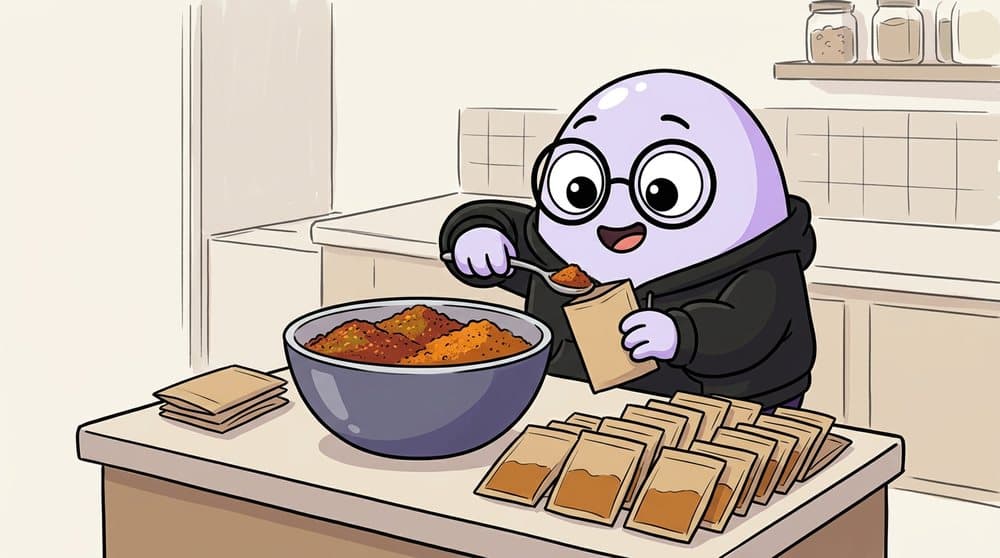
Pre-mixed masala packet
Instead of measuring twelve spices every time, a restaurant makes a big batch of its secret masala and packs it. Every cook opens a packet and the dal tastes the same in every branch. An AMI is that packet: OS plus your software, ready to launch.
Watch it happen
Building a golden image
1/5Launch from a base AMI, install Nginx, your agent and config, and test it.
The big ideas
What you need to know
Where AMIs come from
AWS-provided (Amazon Linux, Ubuntu from Canonical, Windows), AWS Marketplace, community AMIs, or your own.
AMIs are Regional
An AMI ID like ami-0abc... exists in one Region. Copy it to use it elsewhere; the copy gets a new ID.
Snapshots cost money
Your AMI's EBS snapshots are billed per GB-month. Deregister old AMIs and delete their snapshots.
Trust the publisher
Only use community AMIs from verified sources. An unknown AMI can contain anything.
See it in code
Walk through the code
1# Bake a golden image from a configured instance2aws ec2 create-image \3 --instance-id i-0123456789abcdef0 \4 --name "web-nginx-2026-11-24" \5 --description "Nginx web server baseline" \6 --region ap-south-17 8# Copy it to the Hyderabad Region for disaster recovery9aws ec2 copy-image \10 --source-region ap-south-1 \11 --source-image-id ami-0123456789abcdef0 \12 --name "web-nginx-2026-11-24" \13 --region ap-south-214 15# List your own AMIs16aws ec2 describe-images --owners self \17 --query "Images[].[ImageId,Name,CreationDate]" --output table1/3Snapshots the instance's volumes and registers a new AMI with a dated name.
Create, copy and list your own AMIs. By default create-image reboots the instance for a consistent disk.
Save yourself the pain
Common mistakes
Oops
Baking secrets like database passwords into an AMI.
Do this instead
Keep secrets in AWS Secrets Manager or Parameter Store and fetch them at boot.
Oops
Deregistering an AMI and thinking the storage cost is gone.
Do this instead
Deregistering leaves the snapshots behind. Delete them too.
Your mission
Golden image in 30 minutes
Quick check
You want to launch your custom AMI in Hyderabad, but it was created in Mumbai. What do you do?
Go deeper
- 1Create a custom AMI from an instance where you installed Nginx.
- 2Launch a new instance from that AMI and confirm Nginx is already installed.
- 3Learn that AMIs are Regional and must be copied to use them in another Region.
More topics at this stop
 What Is Amazon EC2
 Launching an EC2 Instance
 EC2 Instance Types & Families
 EC2 User Data & Bootstrapping
 Security Groups for EC2
 Connecting to EC2 (SSH, Instance Connect, Session Manager)
 EC2 Instance Metadata & IMDSv2
 EC2 Pricing: On-Demand, Reserved, Spot & Savings Plans

Stuck on this topic? Ask an Insider
Get 1:1 guidance from people who've walked this exact path — on the InsideEdge app.
