Modules
Part of the Backend Developer Roadmap
In short
A real API has dozens of files: routes, services, database code. Modules are how each file shares only what it wants and keeps the rest private.
Organizing a backend codebase into separate files with clear responsibilities (routes, controllers, services, models) using `import`/`export` or `require`.

Think of it like this
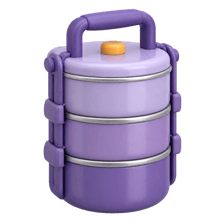
The steel tiffin box
A tiffin has separate tiers: rice in one, dal in another, sabzi in the third. Each stays in its own box, and you open only the one you need. A module is one tier: it exports what others can use and keeps the rest inside.
Watch it happen
Two module systems in Node
CommonJS
- require() and module.exports
- Loads files synchronously
- Default in older Node projects
ES Modules
- import and export keywords
- Supports top-level await
- Set "type": "module" in package.json
Start new projects with ES Modules. You'll still meet CommonJS in older code and some packages.
The big ideas
What you need to know
Private by default
Anything you don't export stays inside the file. That keeps helpers and secrets from leaking everywhere.
Named vs default
export const add gives a named export. export default gives one main thing. Named exports are easier to search and refactor.
Extensions matter in ESM
In Node ESM, write import { db } from "./db.js" with the .js. Leaving it out fails.
Modules run once
The first import runs the file. Later imports reuse the same instance, which is why a shared db pool works.
See it in code
Walk through the code
1// package.json: { "type": "module" }2 3// src/utils/price.js4export const GST = 0.18;5export function withGst(amount) {6 return Math.round(amount * (1 + GST));7}8const secretMargin = 0.3; // not exported, stays private9 10// src/routes/cart.js11import { withGst } from "../utils/price.js";12console.log(withGst(100)); // 1181/4This one line in package.json makes .js files use ES Modules.
secretMargin can't be imported anywhere. Only what you export is visible to other files.
Save yourself the pain
Common mistakes
Oops
Mixing require and import in the same file and getting 'require is not defined'.
Do this instead
Pick one system per project. In ESM, use import everywhere, or createRequire for rare cases.
Oops
Two files importing each other and getting undefined values.
Do this instead
That's a circular import. Move the shared piece into a third file both can import.
Your mission
Split a big file
Quick check
In a Node ES Module, which import works for a local file called db.js?
Go deeper
- 1Split a single large server file into routes, controllers and services modules.
- 2Learn barrel exports (`index.ts` re-exporting a folder's modules) and their trade-offs.
- 3Keep circular dependencies in mind as your module graph grows.
More topics at this stop
 ES6+ Refresher
 Async Patterns
 Error Handling
 TypeScript Basics
 Interfaces
 Types
 Generics
 Type Guards
 Node.js + TypeScript Setup
 ts-node
 Decorators (Basics)

Stuck on this topic? Ask an Insider
Get 1:1 guidance from people who've walked this exact path — on the InsideEdge app.
