In short
Without an index, MongoDB checks every document to answer a query. Fine with a thousand documents, painful with ten million. Indexes fix that.
Like SQL indexes, MongoDB indexes speed up queries on specific fields — critical once a collection grows beyond a few thousand documents.

Think of it like this
Dabbawala colour codes
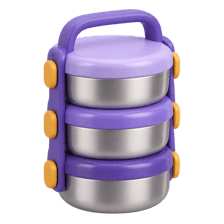
Dabbawalas don't open every tiffin to find where it goes. Coloured marks on the lid show the station and building, so sorting is quick. A MongoDB index is that mark on the lid: a sorted guide on certain fields that points straight at the right documents.
Watch it happen
Using { city: 1, year: 1 }
1/5This is a compound index on city, then year. Entries are sorted by city first, then by year.
The big ideas
What you need to know
Single-field indexes
createIndex({ email: 1 }) speeds up queries on email. 1 means ascending, -1 descending.
Compound indexes
One index on several fields. Order matters: { city: 1, year: 1 } helps city queries, not year-only ones.
Unique and TTL indexes
unique: true blocks duplicates. A TTL index deletes documents automatically after a set time.
Check with explain()
COLLSCAN means every document was read. IXSCAN means your index did the work.
See it in code
Walk through the code
1// Fast lookups by email, and no duplicate accounts2db.users.createIndex({ email: 1 }, { unique: true });3 4// Compound: filter by city, then year5db.students.createIndex({ city: 1, year: 1 });6 7// Delete sessions about an hour after createdAt8db.sessions.createIndex({ createdAt: 1 }, { expireAfterSeconds: 3600 });9 10// Did the query use an index?11db.students.find({ city: "Pune", year: 2 }).explain("executionStats");1/4A unique index on email: fast logins, and duplicate signups get rejected.
Every index uses memory and slows writes a little. Add indexes for the queries your app actually runs.
Save yourself the pain
Common mistakes
Oops
Creating { year: 1, city: 1 } and then querying by city alone.
Do this instead
A compound index helps from its leftmost fields. Put the field you always filter on first.
Oops
Indexing every field just in case.
Do this instead
Each index is updated on every write and uses memory. Find slow queries with explain() and index those.
Your mission
COLLSCAN to IXSCAN
Quick check
You have an index { city: 1, year: 1 }. Which query can use it best?
Go deeper
- 1Create an index on a frequently queried field and compare query performance with `explain()`.
- 2Learn compound indexes for queries that filter on multiple fields together.
- 3Understand the write-performance cost of adding too many indexes.
More topics at this stop
 NoSQL vs SQL
 MongoDB Basics
 Document Model
 CRUD Operations
 Aggregation Pipeline
 Redis Basics
 Key-Value Store
 Data Modeling in NoSQL
 When to Use NoSQL
 Cassandra (Overview)
 DynamoDB (Overview)

Stuck on this topic? Ask an Insider
Get 1:1 guidance from people who've walked this exact path — on the InsideEdge app.
