Collaboration Tools (Miro, Mural)
Part of the Business Analyst Roadmap
In short
Remote workshops die when people stare at one shared screen while one person types. Digital whiteboards give everyone a marker and a pack of sticky notes again, even from five different cities.
Digital whiteboarding tools for remote workshops, brainstorming, and process mapping — increasingly essential as distributed teams need the same collaborative energy a physical whiteboard once provided.
Think of it like this
Chart paper on the hostel floor
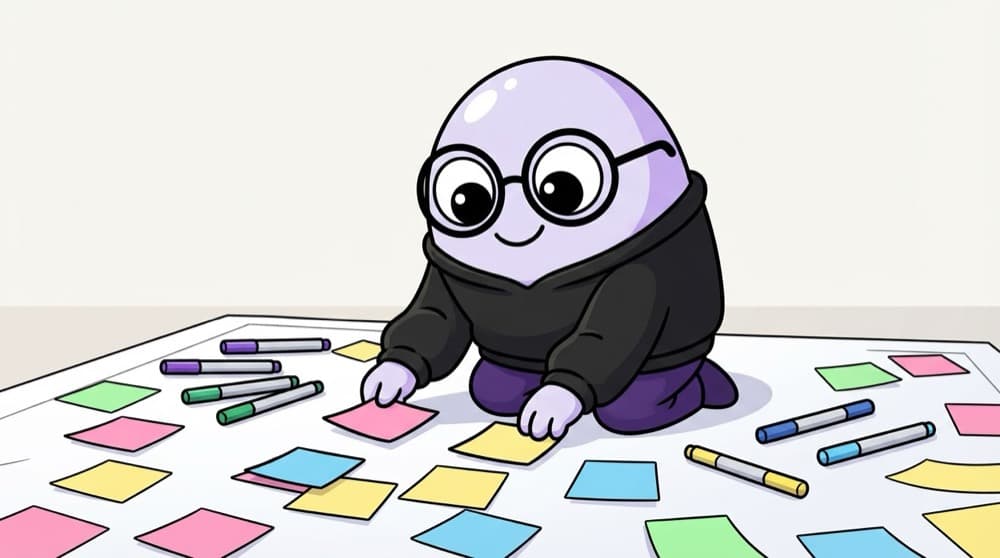
Group project night: a giant sheet of chart paper on the floor, everyone sprawled around with sketch pens and sticky notes, ideas everywhere. Miro and Mural are that chart paper, except it never runs out and your teammate in Chennai can join too.
Watch it happen
Dot voting on pain points in a remote workshop
1/4Eight people added notes about checkout pain points. We grouped them into five themes. Everyone gets three dot votes.
The big ideas
What you need to know
Start from templates
Both tools offer templates for retros, brainstorming, empathy maps and process maps. Customise, don't build from scratch.
Timers and voting
Built-in timers and voting keep workshops moving and make group decisions visible.
Everyone participates
Silent brainstorming on sticky notes lets quieter people contribute as much as the loudest voice.
Capture outputs
After the session, turn the board into a summary: decisions, themes and actions, in your usual docs.
Save yourself the pain
Common mistakes
Oops
Sharing a board link and expecting a great workshop to happen.
Do this instead
Prepare the board in advance: sections, instructions, timers and an example note in each area.
Oops
Leaving the board as the only record of the workshop.
Do this instead
Write up the outcomes in Confluence or an email the same day, and link the board for reference.
Your mission
Run a 20-minute retro
Quick check
In a remote workshop, a few people dominate the discussion. Which whiteboard feature helps most?
Go deeper
- 1Run a mock workshop using a free Miro or Mural board with sticky notes and clusters.
- 2Learn to structure a digital whiteboard template in advance so a live session runs smoothly.
- 3Practice facilitating remote collaboration, which requires different techniques than an in-person session.
More topics at this stop
 Jira & Confluence for BAs
 Visio / Lucidchart for Process Mapping
 Microsoft Office Suite Mastery
 Requirements Management Tools
 Wireframing Tools (Figma Basics)
 Project Management Tools Overview
 Choosing the Right Tool for the Task

Stuck on this topic? Ask an Insider
Get 1:1 guidance from people who've walked this exact path — on the InsideEdge app.
