Container Security
Part of the Cloud Computing Roadmap
In short
A container image often ships with a whole Linux userland you never asked for, plus any known bugs inside it. Securing containers means shrinking that, scanning it and limiting what it can do at runtime.
Scanning images for vulnerabilities, running containers as non-root, and applying least-privilege IAM roles to workloads — a container isn't automatically secure just because it's isolated.
Think of it like this
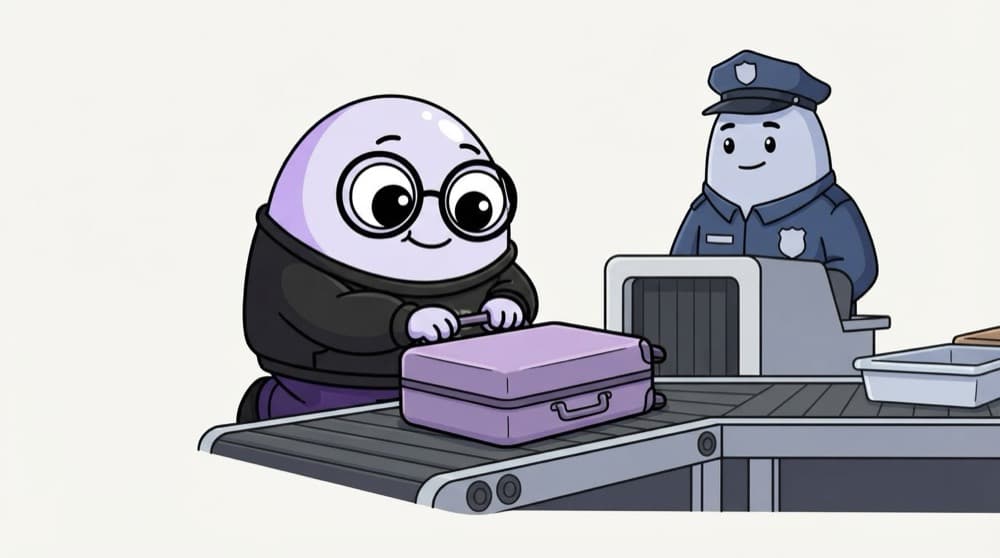
Airport baggage check
Before boarding, every bag goes through the X-ray. Banned items get pulled out. Even after that, passengers can't wander into the cockpit. Scan images before they ship, then give running containers only the access they need.
Watch it happen
Security at every step
1/5Start from a small base like a slim or distroless image. Fewer packages means fewer known vulnerabilities.
The big ideas
What you need to know
Smaller is safer
Multi-stage builds leave compilers and dev tools out of the final image.
Don't run as root
If an attacker breaks into a root container, escaping to the host gets easier.
Pin versions
Use exact tags or digests, not latest, so you know exactly what's running and what was scanned.
Per-pod identity
Use IRSA or EKS Pod Identity on AWS and Workload Identity on GKE, so each pod gets its own scoped cloud role.
See it in code
Walk through the code
1containers:2 - name: api3 image: registry.example.com/api:1.4.24 securityContext:5 runAsNonRoot: true6 runAsUser: 100017 allowPrivilegeEscalation: false8 readOnlyRootFilesystem: true9 capabilities:10 drop: ["ALL"]11 resources:12 limits: { cpu: "500m", memory: "256Mi" }1/4A pinned version from your own registry, not :latest from anywhere.
Part of a pod spec. Scan the image first with trivy image registry.example.com/api:1.4.2 in your CI.
Save yourself the pain
Common mistakes
Oops
Using a full OS image like ubuntu:latest for a small Node.js API.
Do this instead
Use a slim or distroless base and a multi-stage build. Your scan list gets much shorter.
Oops
Baking API keys into the image with ENV in the Dockerfile.
Do this instead
Anyone who pulls the image can read them. Inject secrets at runtime from a secrets store.
Your mission
Scan, shrink, rescan
Quick check
Which change reduces the number of vulnerabilities a scanner reports in your image?
Go deeper
- 1Scan a container image using a free tool (like Trivy) and review the vulnerability report.
- 2Configure a container to run as a non-root user.
- 3Learn how to assign a workload-specific IAM role rather than reusing a broad node-level role.
More topics at this stop
 Docker Fundamentals
 Container Registries
 Container Orchestration Basics
 Managed Kubernetes (EKS, GKE, AKS)
 Managed Container Services (ECS, Cloud Run)
 Choosing Kubernetes vs Managed Container Services
 Helm Basics
 Container Networking in the Cloud

Stuck on this topic? Ask an Insider
Get 1:1 guidance from people who've walked this exact path — on the InsideEdge app.
