Cloud Computing Fundamentals
Part of the DevOps Roadmap
In short
Startups no longer buy servers and wait weeks for delivery. They rent computers by the second from someone else's data centre. First, learn what that means and what you still manage.
Renting compute, storage and networking on-demand instead of owning physical hardware — understanding IaaS, PaaS and SaaS as different levels of abstraction is foundational before diving into any specific provider.
Think of it like this
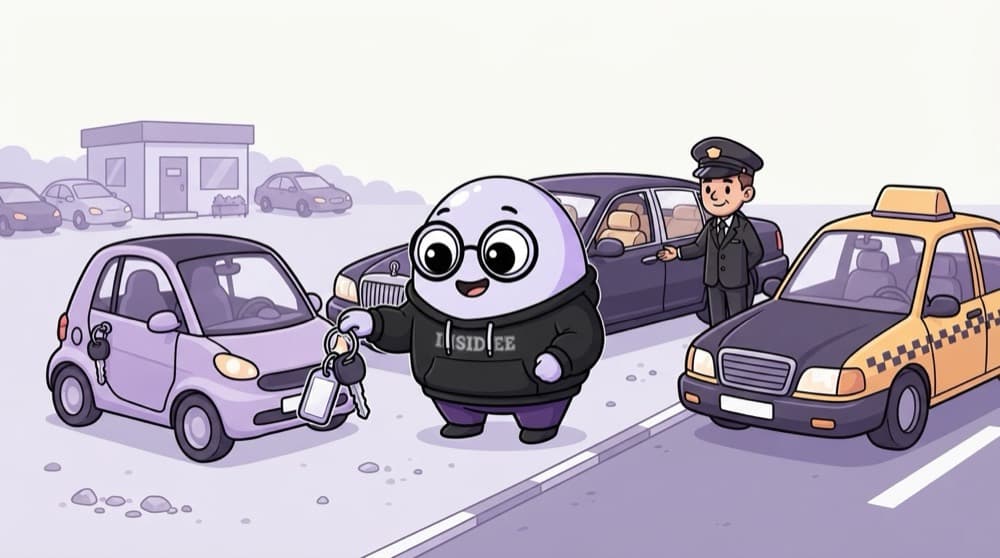
Self-drive, chauffeur or taxi
Rent a self-drive car and you handle driving, fuel and route. Hire one with a chauffeur and you just say where. Book a taxi and you only sit in. IaaS, PaaS and SaaS are those three: the less you manage, the less you control.
Watch it happen
Who manages which layer?
1/4On-premises: your own hardware in your own building. You manage every layer, including power and cooling.
The big ideas
What you need to know
On-demand and elastic
Start a server in minutes, add ten more for a sale, delete them after. No waiting for hardware.
Pay for what you use
You're billed by the second, hour or request. Great for spiky loads, painful if you forget to switch things off.
Regions and zones
Providers run data centres in regions around the world, each split into zones. Use more than one zone for resilience.
Shared responsibility
The provider secures the hardware and data centres. You secure your accounts, data, configs and code.
How it works
Renting a server, start to finish
- 1
Pick a region
Choose one close to your users, like Mumbai for users in India, to cut latency.
- 2
Pick a size
Choose CPU and memory. Start small; you can resize later.
- 3
Launch
The provider finds spare capacity on its hardware and boots your virtual machine in minutes.
- 4
Delete when done
Billing stops when the resources are gone. Stopped is not always free: disks still cost.
Save yourself the pain
Common mistakes
Oops
Thinking the cloud provider is responsible for securing your app and data.
Do this instead
They secure the infrastructure. Weak passwords, open ports and public buckets are your responsibility.
Oops
Assuming the cloud is always cheaper than owning servers.
Do this instead
It's cheaper for variable or uncertain loads. Big, steady workloads can cost more unless you plan and commit.
Your mission
Map your daily apps
Quick check
You launch a virtual machine on a cloud provider. Who patches its operating system?
Go deeper
- 1Learn the differences between IaaS, PaaS, and SaaS with one real example of each.
- 2Understand the shared responsibility model — what the cloud provider secures versus what you do.
- 3Sign up for a free-tier account on your target cloud provider to explore hands-on.
More topics at this stop
 AWS Core Services (EC2, S3, VPC, IAM)
 AWS Networking & Security
 GCP Fundamentals (Overview)
 Azure Fundamentals (Overview)
 Cloud Cost Management
 Auto Scaling
 Serverless Basics (Lambda / Functions)
 Multi-Cloud & Hybrid Cloud Concepts
 Cloud Certifications Overview
 Cloud Well-Architected Framework

Stuck on this topic? Ask an Insider
Get 1:1 guidance from people who've walked this exact path — on the InsideEdge app.
