Error Handling in Scripts
Part of the DevOps Roadmap
In short
A script that hits an error and keeps going can delete the wrong folder or deploy half a release. Good scripts stop loudly, explain what broke and clean up after themselves.
Scripts should fail loudly and informatively rather than silently continuing after something goes wrong — proper exit codes, error messages, and cleanup logic prevent automation from making a bad situation worse.

Think of it like this
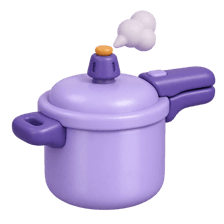
The pressure cooker's safety valve
When pressure gets too high, a cooker doesn't silently keep heating until it bursts. The whistle blows and the safety valve lets steam out. Everyone in the house knows something needs attention. Your scripts need the same: fail loudly and release safely.
Watch it happen
upload.sh when the upload fails
1/5set -euo pipefail turns failed commands, unset variables and broken pipes into instant stops.
The big ideas
What you need to know
set -euo pipefail
-e stops on errors, -u stops on unset variables, pipefail makes a failed command in a pipe count as failure.
trap for cleanup
trap cleanup EXIT runs your cleanup function however the script ends: success, error or Ctrl+C.
Errors go to stderr
Write error messages with >&2. They show up in logs and don't mix with normal output that others may parse.
Meaningful exit codes
0 for success, 1 for general failure, 2 for bad usage. Callers can react differently to each.
See it in code
Walk through the code
1#!/usr/bin/env bash2set -euo pipefail3 4TMP=$(mktemp -d)5cleanup() { rm -rf "$TMP"; }6trap cleanup EXIT7 8die() { echo "ERROR: $*" >&2; exit 1; }9 10command -v aws >/dev/null || die "aws CLI not installed"11[[ -f "${1:-}" ]] || die "usage: upload.sh <file>"12 13if ! aws s3 cp "$1" "s3://my-backups/$(date +%F)/"; then14 die "upload failed for $1"15fi16echo "uploaded $1"1/4Strict mode so errors stop the script instead of being ignored.
set -e has surprising gaps, for example inside if conditions. Explicit checks like the if ! line above make important failures obvious.
Save yourself the pain
Common mistakes
Oops
Adding || true after commands to make the errors go away.
Do this instead
Only ignore an error when you truly don't care about it, and add a comment saying why.
Oops
Printing 'Something went wrong' and exiting 0.
Do this instead
Say what failed and with what input, and exit non-zero so whatever ran the script notices.
Your mission
Break it on purpose
Quick check
What does trap cleanup EXIT guarantee?
Go deeper
- 1Add explicit error handling to a script: check command exit codes and fail with a clear message.
- 2Learn what exit code conventions (0 for success, non-zero for failure) scripts should follow.
- 3Practice adding a cleanup step (e.g. removing temp files) that runs even if the script fails partway.
More topics at this stop
 Python for Automation
 Bash Scripting Deep Dive
 Working With APIs & JSON
 Writing Idempotent Scripts
 YAML & Config File Fundamentals
 Go Basics (Overview)
 Automation Best Practices

Stuck on this topic? Ask an Insider
Get 1:1 guidance from people who've walked this exact path — on the InsideEdge app.
