
In short
An online store uses nearly every Next.js idea at once: static product pages, a client-side cart, server-side checkout and SEO. It's a serious project that recruiters take seriously.
An online store built on Next.js — product listing (SSG/ISR), cart (client state), and checkout — combining nearly every rendering strategy in one app.
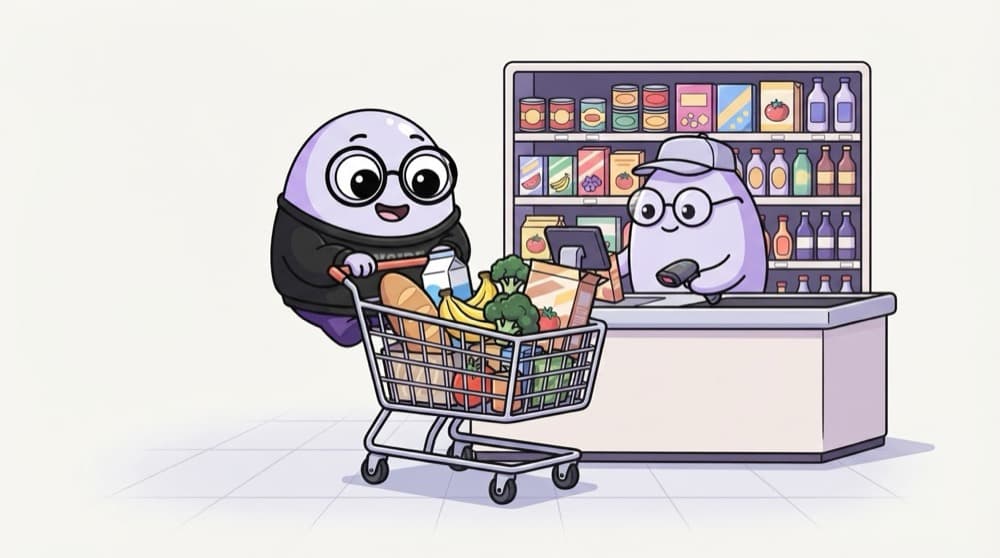
Think of it like this
A supermarket
The shelves are stocked before you arrive (static product pages). Your trolley is yours alone and changes every minute (client cart). The billing counter checks every price again before you pay (server checkout). Each part needs a different approach.
Watch it happen
Checkout that can't be tricked
[{ id: p7, qty: 2 }]
1/6The cart sends only product ids and quantities. No prices, no total.
The big ideas
What you need to know
Product pages: static plus ISR
Prebuild popular products, refresh prices with revalidate, and give each one rich metadata.
Cart: client state
Keep the cart in a Client Component with Zustand or Context, saved to localStorage.
Checkout: server only
Recalculate totals on the server from real prices. Never trust a total sent by the browser.
Listing: search params
Category, sort and page live in the URL, so filtered pages can be shared.
How it works
Build plan
- 1
Product data
Use dummyjson products or your own seed file.
- 2
Listing and detail pages
Grid with filters, plus /products/[id] with next/image and metadata.
- 3
Cart
A client store with add, remove and quantity, saved to localStorage.
- 4
Checkout
A Server Action that recomputes the total and creates an order.
See it in code
Walk through the code
1// app/checkout/actions.ts2"use server";3 4type CartLine = { productId: string; qty: number };5export async function placeOrder(lines: CartLine[]) {6 const ids = lines.map((l) => l.productId);7 const products = await db.product.findMany({ where: { id: { in: ids } } });8 9 const total = lines.reduce((sum, line) => {10 const p = products.find((x) => x.id === line.productId);11 if (!p || line.qty < 1) throw new Error("Invalid cart");12 return sum + p.price * line.qty;13 }, 0);14 15 return db.order.create({ data: { total, lines } });16}1/4The action only accepts ids and quantities from the client.
The browser only sends product ids and quantities. Prices come from your database, so editing the cart in DevTools can't change what someone pays.
Save yourself the pain
Common mistakes
Oops
Sending the cart total from the browser and charging that amount.
Do this instead
Recalculate the total on the server from your own product prices.
Oops
Making the product page a Client Component so the Add to Cart button works.
Do this instead
Keep the page on the server for SEO, and make only the Add to Cart button a Client Component.
Your mission
Milestone 1: shelf and trolley
Quick check
Where should the final order total be calculated?
Go deeper
- 1Use SSG/ISR for product pages, client components for cart interactivity.
- 2Build the checkout flow as client components backed by Server Actions or API routes.
- 3Add dynamic metadata per product page for shareable, SEO-friendly links.
More projects at this stop
 Portfolio
 Blog
 Admin Dashboard

Stuck on this topic? Ask an Insider
Get 1:1 guidance from people who've walked this exact path — on the InsideEdge app.
