In short
Spinning 3D product views, floating planets on portfolio sites, small browser games. Three.js makes WebGL, the browser's 3D graphics API, usable without writing raw GPU code.
A JavaScript library for rendering interactive 3D graphics in the browser using WebGL — the foundation for most 3D web experiences.
Think of it like this
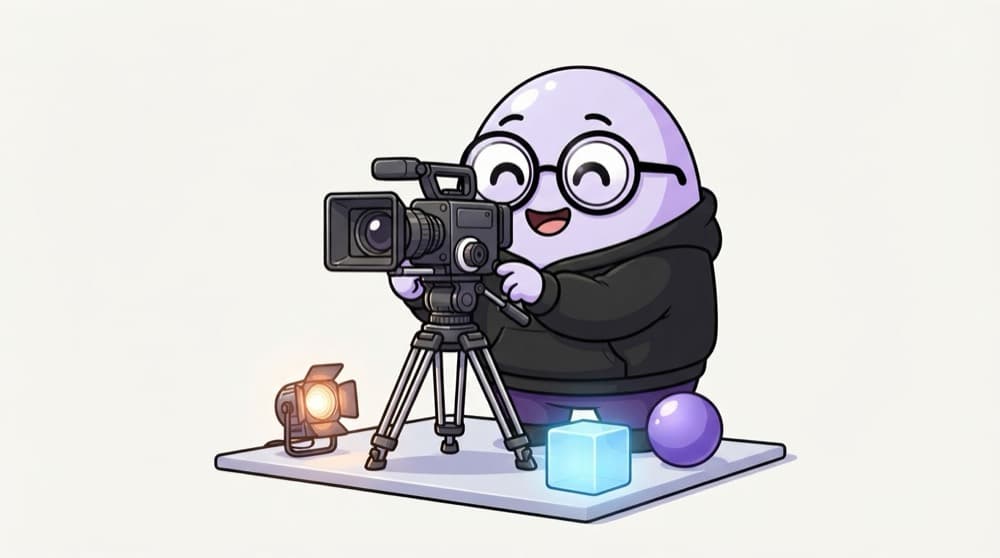
Shooting a scene on a film set
You need a set (the scene), props on it (meshes), lights so anything is visible, and a camera to look through. The renderer is the cameraman pressing record, sixty times a second.
Watch it happen
One frame of the render loop
1/4setAnimationLoop gives you the time in ms. You set the cube's rotation from it.
The big ideas
What you need to know
Scene, camera, renderer
Every Three.js app has these three. The renderer draws what the camera sees in the scene onto a canvas.
Mesh = geometry + material
Geometry is the shape, like a box or sphere. Material is the surface, like colour or shininess.
Some materials need light
MeshStandardMaterial looks black without a light. MeshNormalMaterial shows colours even with no lights, handy for testing.
React option
React Three Fiber lets you write Three.js scenes as JSX components, once you know the basics.
See it in code
Walk through the code
1import * as THREE from "three";2 3const scene = new THREE.Scene();4const camera = new THREE.PerspectiveCamera(75, innerWidth / innerHeight, 0.1, 100);5camera.position.z = 3;6 7const renderer = new THREE.WebGLRenderer({ antialias: true });8renderer.setSize(innerWidth, innerHeight);9document.body.appendChild(renderer.domElement);10 11const cube = new THREE.Mesh(new THREE.BoxGeometry(1, 1, 1), new THREE.MeshNormalMaterial());12scene.add(cube);13renderer.setAnimationLoop((time) => {14 cube.rotation.x = cube.rotation.y = time / 1000;15 renderer.render(scene, camera);16});1/4Create the scene and a perspective camera, then pull the camera back so the cube is visible.
75 is the field of view in degrees, then aspect ratio, then the nearest and farthest distances the camera can see. Anything outside that range isn't drawn.
Save yourself the pain
Common mistakes
Oops
Adding a MeshStandardMaterial and seeing a black shape.
Do this instead
Add a light, like AmbientLight plus DirectionalLight, or test with MeshNormalMaterial first.
Oops
Ignoring window resize, so the scene looks stretched.
Do this instead
On resize, update camera.aspect, call camera.updateProjectionMatrix() and renderer.setSize().
Your mission
Your first spinning planet
Quick check
Your sphere with MeshStandardMaterial shows up completely black. What's the most likely fix?
Go deeper
- 1Follow a 'hello cube' Three.js tutorial to render your first 3D scene.
- 2Learn the core trio: scene, camera, renderer.
- 3Try React Three Fiber if you want to build 3D scenes declaratively in React.
More topics at this stop
 Framer Motion
 GSAP
 CSS Animation
 Lottie

Stuck on this topic? Ask an Insider
Get 1:1 guidance from people who've walked this exact path — on the InsideEdge app.
