Caching & Synchronization
Part of the Full Stack Developer Roadmap
In short
You edit your name, hit save, and the header still shows the old one. That's a stale cache. The fix is knowing what to refetch after each change, and when old data is good enough.
Keeping client-cached server data in sync with what's actually in the database — stale data after a mutation is one of the most common full-stack UX bugs.
Think of it like this
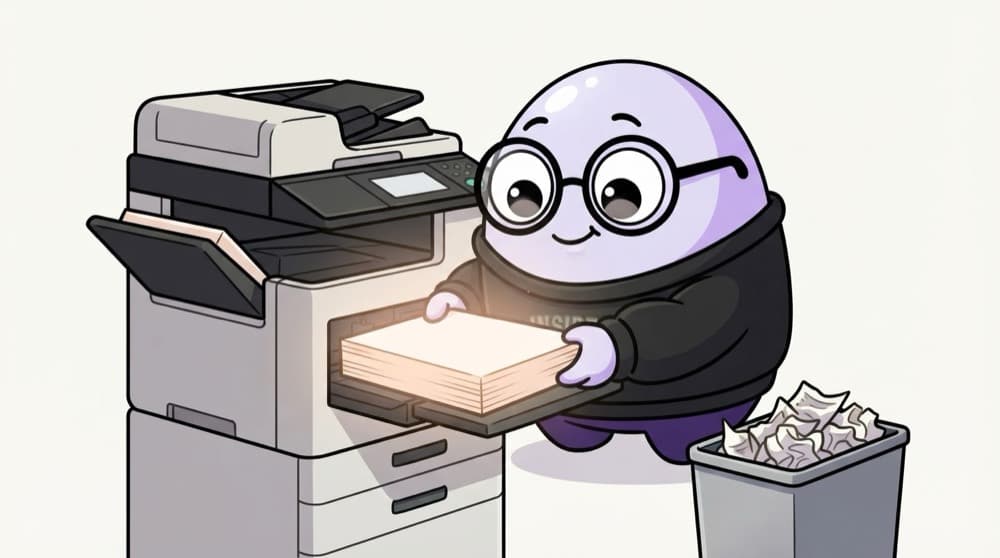
Photocopied class notes
Before exams, everyone photocopies the topper's notes. Copies are quick to read, but when the topper fixes a mistake, every copy is wrong. The class rep announces 'fresh copies ready' and people swap. Your cache is the photocopy, a mutation is the correction, and invalidation is that announcement.
Watch it happen
Cache, write, invalidate, refetch
useQuery(['orders'])
1/7The list asks the cache for the 'orders' key.
The big ideas
What you need to know
Query keys are addresses
['orders', { status: 'pending' }] is one cache slot. The same key means shared data and a single request.
staleTime decides freshness
Within staleTime, cached data is used without refetching. After it, data still shows but refetches in the background.
Invalidate after writes
When a mutation succeeds, invalidate the keys it affects so those lists and details refetch.
Refetch on focus and reconnect
TanStack Query refetches stale data when the tab regains focus or the network comes back. Keep that on for most apps.
See it in code
Walk through the code
1const queryClient = useQueryClient();2 3const orders = useQuery({4 queryKey: ["orders"],5 queryFn: () => api<Order[]>("/orders"),6 staleTime: 60_000, // fresh for one minute7});8 9const placeOrder = useMutation({10 mutationFn: (input: NewOrder) =>11 api<Order>("/orders", { method: "POST", headers: { "Content-Type": "application/json" }, body: JSON.stringify(input) }),12 onSuccess: () => queryClient.invalidateQueries({ queryKey: ["orders"] }),13});14// placeOrder.mutate({ item: "masala dosa", qty: 2 })1/3The list is cached under ['orders'] and treated as fresh for one minute.
TanStack Query v5 syntax. invalidateQueries matches by prefix, so ['orders', 42] is refreshed too.
Save yourself the pain
Common mistakes
Oops
Pushing the new item into a local useState copy after a mutation and forgetting other screens.
Do this instead
Invalidate the query key instead. Every component using that key refetches and stays consistent.
Oops
Setting staleTime to Infinity for data other users can change.
Do this instead
Pick a staleTime that matches how fast the data changes, and invalidate after your own writes.
Your mission
Watch the cache work
Quick check
After a successful 'add comment' mutation, the comments list still shows old data. What's the usual fix?
Go deeper
- 1After a mutation, e.g. creating a post, invalidate or update the relevant cached query.
- 2Learn React Query's `staleTime` and `refetchOnWindowFocus` and how they affect freshness.
- 3Test a scenario where two browser tabs edit the same data and see how your app handles it.
More topics at this stop
 Client State vs Server State
 Context API
 Zustand/Redux Toolkit
 React Query for Server State

Stuck on this topic? Ask an Insider
Get 1:1 guidance from people who've walked this exact path — on the InsideEdge app.
