In short
When five components across the page need the same client state, like a cart count or a theme, passing props gets painful. A store gives that state one home that anyone can read and update.
Libraries for managing more complex client-side state that Context isn't a great fit for — Zustand for minimal boilerplate, Redux Toolkit for larger teams wanting more structure and tooling.
Think of it like this
The ground's scoreboard
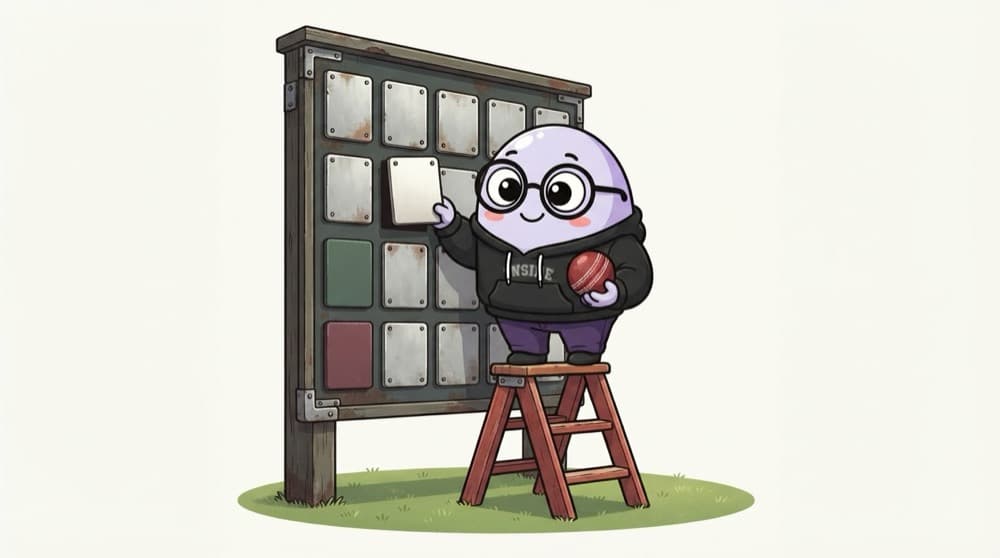
Nobody in the stands asks the batter for the score. Everyone looks at one big scoreboard, and only the scorer updates it, by fixed rules. A store works the same way: one shared board, changed only through named actions. Zustand is the gully chalkboard; Redux Toolkit is the stadium board with a full log.
Watch it happen
One click, one store, smart re-renders
addItem("42")
1/5The user clicks Add on a product. The card calls the store's addItem action.
The big ideas
What you need to know
Zustand is tiny
create() gives you a hook. No provider, no reducers, very little boilerplate. Great for small and medium apps.
Redux Toolkit is structured
Slices, actions and reducers in a strict pattern, plus DevTools that replay every change. Big teams like that predictability.
Select only what you need
useCart((s) => s.items.length) re-renders only when the count changes. Grabbing the whole store re-renders on every change.
Not for server data
Stores are for client state. API data belongs in a server cache like TanStack Query or RTK Query.
See it in code
Walk through the code
1// Zustand: a store is just a hook2import { create } from "zustand";3 4type CartState = { items: string[]; addItem: (id: string) => void };5export const useCart = create<CartState>()((set) => ({6 items: [],7 addItem: (id) => set((s) => ({ items: [...s.items, id] })),8}));9// In Header: const count = useCart((s) => s.items.length);10 11// Redux Toolkit: the same idea as a slice12const cartSlice = createSlice({13 name: "cart",14 initialState: { items: [] as string[] },15 reducers: { addItem: (state, action: PayloadAction<string>) => { state.items.push(action.payload); } },16});1/3Zustand: state and actions live together. set merges a new object into the store.
Same cart, two libraries. The Redux version also needs configureStore and a Provider around your app.
Save yourself the pain
Common mistakes
Oops
Calling useCart() with no selector in every component.
Do this instead
Select the exact slice you need, so components re-render only when their data changes.
Oops
Caching API responses by hand in Redux, with loading flags everywhere.
Do this instead
Use RTK Query or TanStack Query for server data, and keep the store for real client state.
Your mission
Build a cart store twice
Quick check
A header uses useCart((s) => s.items.length). The user toggles a darkMode flag kept in the same Zustand store. Does the header re-render?
Go deeper
- 1Build a small global client-state store, e.g. a shopping cart, with Zustand.
- 2Compare the same feature built with Redux Toolkit and note the boilerplate difference.
- 3Reserve either for genuine client state — not server data, which React Query handles better.
More topics at this stop
 Client State vs Server State
 Context API
 React Query for Server State
 Caching & Synchronization

Stuck on this topic? Ask an Insider
Get 1:1 guidance from people who've walked this exact path — on the InsideEdge app.
