
JWT Authentication with Spring Security
Part of the Java Roadmap
In short
Mobile apps and React frontends can't easily use server sessions across many servers. A JWT lets the client carry a signed proof of who it is on every request, so any server can check it without a shared session store.
For stateless APIs, the server issues a signed JSON Web Token at login and the client sends it in the Authorization header. A Spring Security filter validates the token on each request and sets the logged-in user.
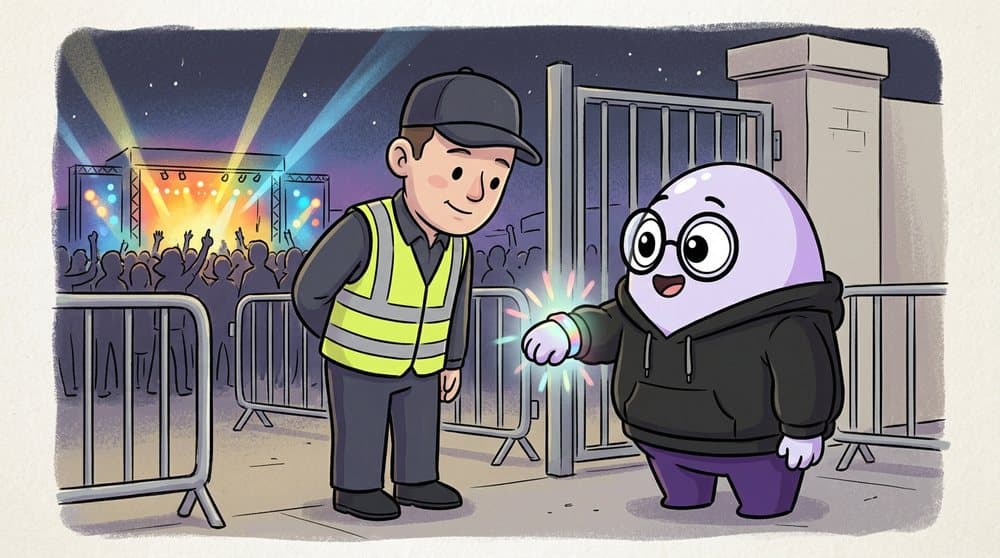
Think of it like this
The concert wristband
At a concert in Mumbai, you show your ticket and ID once at the gate and get a tamper-proof wristband with an expiry. After that, any guard at any stage just checks the wristband. They don't call the ticket office. The JWT is the wristband, the signature makes it tamper-proof, and the exp claim is when it stops working.
Watch it happen
Login once, then send the token
POST /login
1/5The client sends email and password once.
The big ideas
What you need to know
Three parts
header.payload.signature, each Base64URL-encoded. The payload is readable by anyone, so never put secrets in it.
The signature
Signed with a server secret (HS256) or private key (RS256). Changing even one character makes it invalid.
Short expiry
Access tokens should expire quickly, like 15-30 minutes. Use refresh tokens to get new ones.
A filter per request
A OncePerRequestFilter reads the header, validates the token and sets the Authentication.
See it in code
Walk through the code
1import io.jsonwebtoken.Jwts;2import io.jsonwebtoken.security.Keys;3import jakarta.servlet.*;4import jakarta.servlet.http.*;5import org.springframework.security.authentication.UsernamePasswordAuthenticationToken;6import org.springframework.security.core.context.SecurityContextHolder;7import org.springframework.web.filter.OncePerRequestFilter;8import javax.crypto.SecretKey;9import java.io.IOException;10import java.nio.charset.StandardCharsets;11import java.util.*;12 13public class JwtFilter extends OncePerRequestFilter {14 private final SecretKey key;15 16 public JwtFilter(String secret) { // at least 32 bytes, from an env variable17 this.key = Keys.hmacShaKeyFor(secret.getBytes(StandardCharsets.UTF_8));18 }19 20 public String issue(String email) {21 return Jwts.builder()22 .subject(email)23 .issuedAt(new Date())24 .expiration(new Date(System.currentTimeMillis() + 30 * 60 * 1000))25 .signWith(key)26 .compact();27 }28 29 @Override30 protected void doFilterInternal(HttpServletRequest req, HttpServletResponse res, FilterChain chain)31 throws ServletException, IOException {32 String header = req.getHeader("Authorization");33 if (header != null && header.startsWith("Bearer ")) {34 try {35 String email = Jwts.parser().verifyWith(key).build()36 .parseSignedClaims(header.substring(7))37 .getPayload().getSubject();38 var auth = new UsernamePasswordAuthenticationToken(email, null, List.of());39 SecurityContextHolder.getContext().setAuthentication(auth);40 } catch (Exception e) {41 SecurityContextHolder.clearContext(); // bad or expired token42 }43 }44 chain.doFilter(req, res);45 }46}1/6Build the HMAC key from a long secret kept outside the code.
Uses the jjwt 0.12 API. Register it in your SecurityFilterChain with addFilterBefore(jwtFilter, UsernamePasswordAuthenticationFilter.class) and sessionManagement set to STATELESS. In a real app, issuing tokens lives in a separate service and roles go in as authorities.
Save yourself the pain
Common mistakes
Oops
Putting the password or Aadhaar number in the JWT payload.
Do this instead
The payload is only encoded, not encrypted. Store the user id, email and roles only.
Oops
Hard-coding a short secret like "secret" in the code.
Do this instead
HS256 needs at least 256 bits. Load a long random secret from an environment variable.
Oops
Issuing tokens that never expire.
Do this instead
Set a short exp and add refresh tokens. A stolen token is then useful for minutes, not forever.
Your mission
Token-protected orders
Quick check
Why can any server in a cluster verify a JWT without a shared session store?
Go deeper
- 1Build a /login endpoint that checks the password and returns a JWT.
- 2Add a filter that reads the Bearer token and rejects invalid or expired ones.
- 3Keep the signing secret in an environment variable, never in code.
More topics at this stop
 HTTP & REST Fundamentals
 Spring Core & Dependency Injection
 Spring Boot Basics & Starters
 Building REST APIs with Spring Boot
 Request Validation
 Global Exception Handling
 Spring Data JPA
 Spring Security Basics
 API Documentation (Swagger/OpenAPI)
 Testing Spring Boot Apps
 Docker Fundamentals
 Microservices vs Monolith

Stuck on this topic? Ask an Insider
Get 1:1 guidance from people who've walked this exact path — on the InsideEdge app.
