Spring Security Basics
Part of the Java Roadmap
In short
Add one starter and every endpoint is suddenly locked. Spring Security protects your API by default, and your job is to say who can do what, and to store passwords safely.
Spring Security handles authentication and authorisation. Learn password hashing with BCrypt, securing endpoints by role, and how token-based auth with JWT works for APIs.
Think of it like this
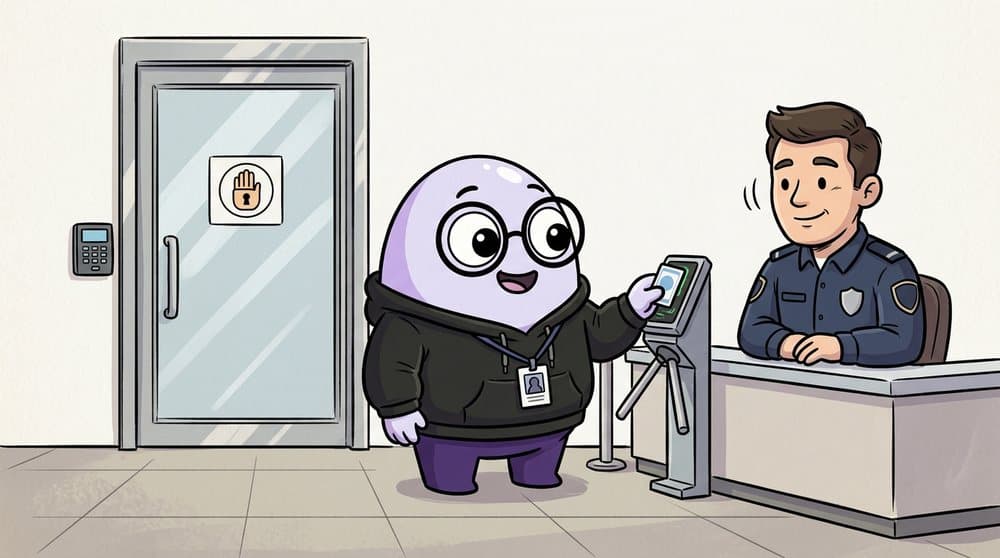
The office gate and floor access
At an IT park in Pune, the gate guard checks your ID card to confirm who you are (authentication). Your card then opens only certain floors: interns can't enter the server room (authorisation). Spring Security is the gate and the floor locks, and BCrypt makes sure nobody can read your PIN even from the guard's register.
Watch it happen
A request through the security filter chain
1/5DELETE /api/products/5 arrives with a username and password in the Authorization header.
The big ideas
What you need to know
401 vs 403
401 means we don't know who you are. 403 means we know, and you're not allowed.
SecurityFilterChain
In Spring Security 6 you define a SecurityFilterChain bean with lambda-style rules. WebSecurityConfigurerAdapter is gone.
BCrypt hashes
Store passwords with BCryptPasswordEncoder. Hashes are salted and slow on purpose, so leaks are hard to crack.
Roles
hasRole("ADMIN") checks for the authority ROLE_ADMIN. Use @PreAuthorize on methods for fine-grained rules.
See it in code
Walk through the code
1import org.springframework.context.annotation.*;2import org.springframework.http.HttpMethod;3import org.springframework.security.config.Customizer;4import org.springframework.security.config.annotation.web.builders.HttpSecurity;5import org.springframework.security.crypto.bcrypt.BCryptPasswordEncoder;6import org.springframework.security.crypto.password.PasswordEncoder;7import org.springframework.security.web.SecurityFilterChain;8 9@Configuration10public class SecurityConfig {11 12 @Bean13 SecurityFilterChain filterChain(HttpSecurity http) throws Exception {14 http15 .csrf(csrf -> csrf.disable()) // stateless JSON API, no browser forms16 .authorizeHttpRequests(auth -> auth17 .requestMatchers("/api/auth/**", "/actuator/health").permitAll()18 .requestMatchers(HttpMethod.GET, "/api/products/**").permitAll()19 .requestMatchers(HttpMethod.DELETE, "/api/**").hasRole("ADMIN")20 .anyRequest().authenticated())21 .httpBasic(Customizer.withDefaults());22 return http.build();23 }24 25 @Bean26 PasswordEncoder passwordEncoder() {27 return new BCryptPasswordEncoder();28 }29}1/5One bean defines the whole security setup.
Rules are checked top to bottom, first match wins. Users come from a UserDetailsService bean that loads them from your database.
Save yourself the pain
Common mistakes
Oops
Saving passwords as plain text or with MD5.
Do this instead
Hash with BCrypt (passwordEncoder.encode) on sign-up and let Spring compare with matches.
Oops
Putting anyRequest().authenticated() before specific rules.
Do this instead
The first matching rule wins. Specific matchers first, anyRequest last.
Oops
Writing hasRole("ROLE_ADMIN").
Do this instead
hasRole adds the ROLE_ prefix itself. Use hasRole("ADMIN"), or hasAuthority("ROLE_ADMIN").
Your mission
Lock down the products API
Quick check
A logged-in user without the ADMIN role calls an admin-only endpoint. Which status should they get?
Go deeper
- 1Secure your API so some endpoints need login.
- 2Store passwords hashed with BCrypt, never as plain text.
- 3Restrict an admin endpoint to users with an ADMIN role.
More topics at this stop
 HTTP & REST Fundamentals
 Spring Core & Dependency Injection
 Spring Boot Basics & Starters
 Building REST APIs with Spring Boot
 Request Validation
 Global Exception Handling
 Spring Data JPA
 JWT Authentication with Spring Security
 API Documentation (Swagger/OpenAPI)
 Testing Spring Boot Apps
 Docker Fundamentals
 Microservices vs Monolith

Stuck on this topic? Ask an Insider
Get 1:1 guidance from people who've walked this exact path — on the InsideEdge app.
