
Stream API Basics (filter, map, reduce)
Part of the Java Roadmap
In short
Loops tell Java how to walk through a list. Streams let you say what you want: keep these, change them like this, add them up. The code gets shorter and the intent becomes obvious.
Streams process collections in a pipeline of operations. Intermediate operations like filter and map are lazy, and a terminal operation like collect, reduce or count runs the pipeline.
Think of it like this
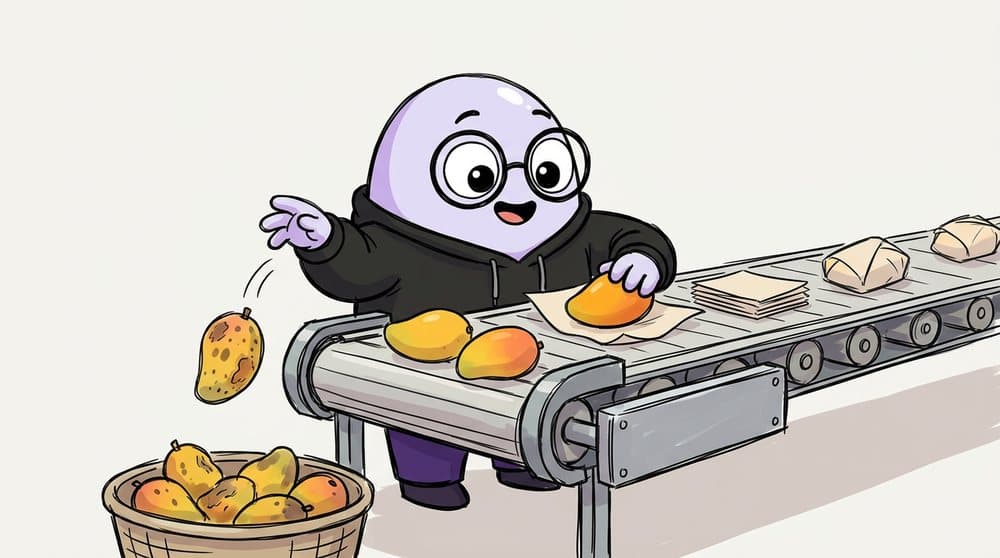
The mango sorting line
At a mango packing shed in Ratnagiri, fruit rolls down a belt. One worker throws out bruised mangoes (filter), the next wraps each one in paper (map), and the last one counts the boxes at the end (reduce). Nothing moves until the belt is switched on, which is the terminal operation.
Watch it happen
One order flows through the stream
1/4orders.stream() creates the stream. No work happens yet.
The big ideas
What you need to know
Intermediate ops are lazy
filter, map, sorted and distinct only describe work. Nothing runs until a terminal operation like count, collect, reduce or forEach.
Streams are single-use
Once a terminal operation runs, that stream is consumed. Call list.stream() again for another pipeline.
The source is untouched
Streams never modify the original list. They produce new results.
Primitive streams
mapToInt and mapToDouble give IntStream and DoubleStream with ready-made sum(), average() and max().
See it in code
Walk through the code
1import java.util.List;2 3public class StreamBasics {4 record Order(String city, double amount, boolean delivered) {}5 6 public static void main(String[] args) {7 List<Order> orders = List.of(8 new Order("Pune", 1200, true),9 new Order("Delhi", 300, true),10 new Order("Pune", 850, false),11 new Order("Pune", 2000, true)12 );13 14 double puneRevenue = orders.stream()15 .filter(o -> o.city().equals("Pune"))16 .filter(Order::delivered)17 .map(Order::amount)18 .reduce(0.0, Double::sum);19 20 long bigOrders = orders.stream()21 .filter(o -> o.amount() > 1000)22 .count();23 24 System.out.println(puneRevenue + " " + bigOrders); // 3200.0 225 }26}1/4A record gives us a small immutable Order with city(), amount() and delivered() accessors.
Revenue from delivered Pune orders, and a count of orders above ₹1,000. Records need Java 16 or newer.
Save yourself the pain
Common mistakes
Oops
Storing a stream in a variable and calling two terminal operations on it.
Do this instead
The second call throws IllegalStateException: stream has already been operated upon or closed. Create a new stream each time.
Oops
Writing a pipeline with filter and map but no terminal operation, then wondering why nothing printed.
Do this instead
Intermediate operations are lazy. Add count(), toList(), forEach or another terminal step.
Oops
Using map(...).reduce(0.0, Double::sum) for large numeric data.
Do this instead
mapToDouble(Order::amount).sum() avoids boxing and reads better.
Your mission
Loops to streams
Quick check
What does this print? list.stream().filter(x -> { System.out.println(x); return true; });
Go deeper
- 1Filter employees by salary band and map them to names with a stream.
- 2Sum a list of numbers with reduce() and with mapToInt().sum().
- 3Rewrite 5 for loops from earlier projects as streams, and keep whichever is clearer.
More topics at this stop
 Lambda Expressions
 Functional Interfaces
 Method References
 Collectors & groupingBy
 Optional
 Parallel Streams

Stuck on this topic? Ask an Insider
Get 1:1 guidance from people who've walked this exact path — on the InsideEdge app.
