In short
"It works on my machine" stops being an excuse with Docker. One command starts MongoDB, the API and the frontend with the same versions for every teammate, every CI run and every server.
Docker packages the API and frontend into containers, and Docker Compose runs them with a MongoDB container using one command, giving everyone the same setup.
Think of it like this
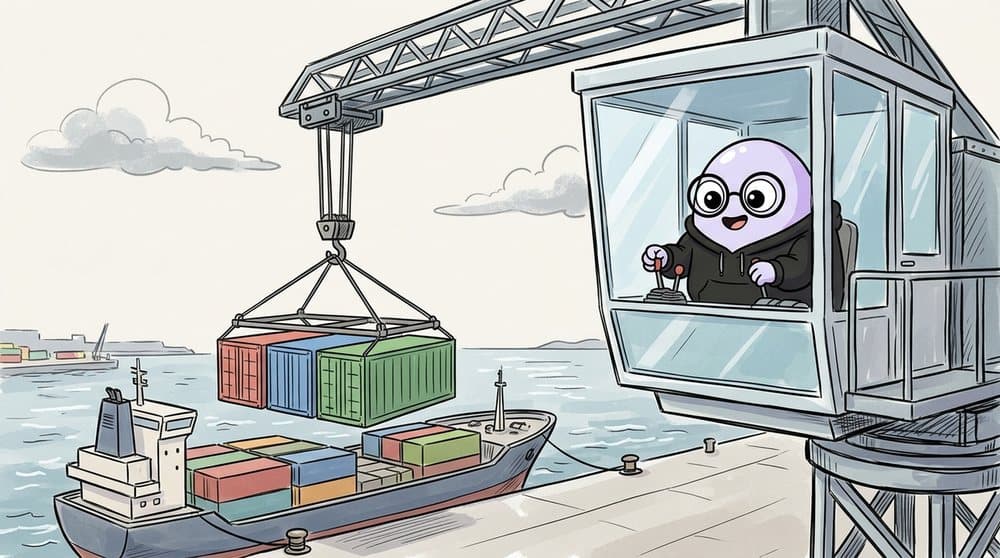
Shipping containers at Nhava Sheva port
Before containers, every ship loaded sacks and boxes differently. Now everything travels in standard steel containers that any crane, truck or ship can handle. A Docker image packs your app with its exact Node version and dependencies, and Docker Compose is the port plan that starts all your containers together.
Watch it happen
Services in docker-compose.yml
1/4One command reads the compose file and creates a private network for the services.
The big ideas
What you need to know
Dockerfile
A recipe for one image: base image, copy package files, install, copy code, set the start command.
Layer caching
Copy package*.json and run npm ci before copying the rest. Code changes then reuse the cached install layer.
Service names as hosts
Inside Compose, containers reach each other by service name, like mongo or api, not localhost.
Volumes keep data
Without a volume, the database is wiped when the container is removed.
See it in code
Walk through the code
1# server/Dockerfile2# FROM node:20-alpine3# WORKDIR /app4# COPY package*.json ./5# RUN npm ci --omit=dev6# COPY . .7# ENV NODE_ENV=production8# EXPOSE 50009# CMD ["node", "src/server.js"]10 11# docker-compose.yml12services:13 mongo:14 image: mongo:715 volumes:16 - mongo-data:/data/db17 18 api:19 build: ./server20 environment:21 MONGO_URI: mongodb://mongo:27017/shop22 JWT_SECRET: ${JWT_SECRET}23 CLIENT_URL: http://localhost:808024 depends_on:25 - mongo26 27 web:28 build: ./client29 ports:30 - "8080:80"31 depends_on:32 - api33 34volumes:35 mongo-data:1/5Small Node base image, then install only production dependencies from the lockfile.
The API Dockerfile (shown as comments) and a Compose file for the three services.
Save yourself the pain
Common mistakes
Oops
Using mongodb://localhost:27017 inside the API container.
Do this instead
localhost is the container itself. Use the Compose service name: mongodb://mongo:27017.
Oops
Copying node_modules from your laptop into the image.
Do this instead
Add node_modules to .dockerignore and run npm ci inside the image, so native packages match Linux.
Oops
Hardcoding secrets in the Dockerfile.
Do this instead
Pass them as environment variables at run time. Images are often shared and anyone can inspect them.
Your mission
Compose your notes app
Quick check
Inside Docker Compose, how should the api container reach MongoDB?
Go deeper
- 1Write a Dockerfile for the Express API using a slim Node image.
- 2Write a docker-compose.yml with api, client and mongo services.
- 3Use a volume so MongoDB data survives container restarts.
More topics at this stop
 Unit Testing with Jest
 API Testing with Supertest
 Testing with an In-Memory MongoDB
 React Testing Library
 End-to-End Testing with Playwright
 Deploying the Express API
 Deploying the React Frontend
 MongoDB Atlas in Production
 CI/CD with GitHub Actions

Stuck on this topic? Ask an Insider
Get 1:1 guidance from people who've walked this exact path — on the InsideEdge app.
