
MongoDB Atlas in Production
Part of the MERN Stack Roadmap
In short
The free Atlas cluster you learned on is fine for practice. Real users' data needs more care: its own database, a user with only the access it needs, restricted network access, backups and alerts when something goes wrong.
For production, use a separate Atlas cluster or database, a least-privilege user, IP access rules, backups and monitoring alerts.
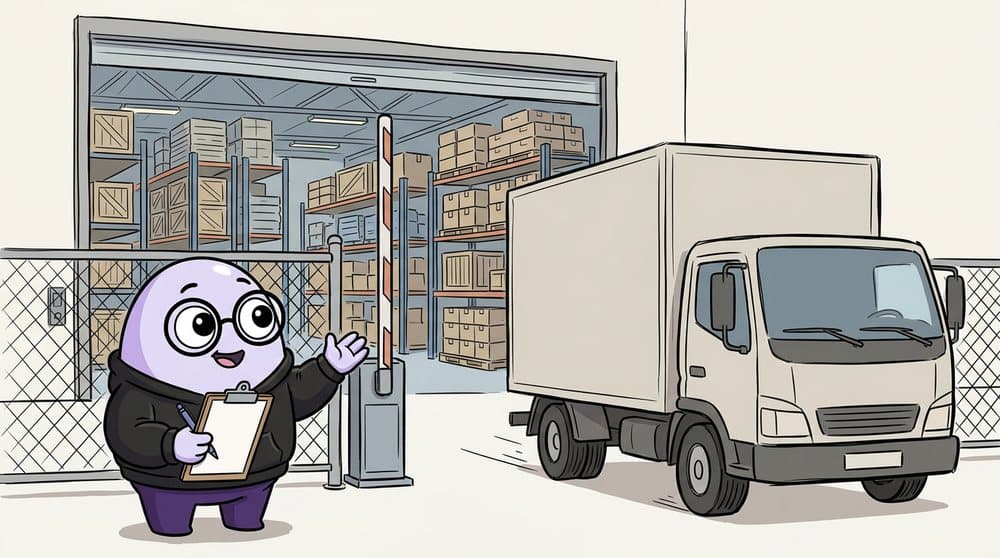
Think of it like this
The godown with a register
A wholesaler in Surat doesn't give every worker a master key to the godown. The delivery boy can only use the loading bay, the accountant can only see the books, the gate opens only for known trucks, and stock is counted every night. Atlas production setup is the same set of habits for your data.
Watch it happen
Practice setup vs production setup
Practice
- One database for everything
- Admin user in the connection string
- Network access open to 0.0.0.0/0
- No backups or alerts
Production
- Separate project or cluster for prod
- readWrite user on one database only
- Allow only your server's IPs or private networking
- Backups, alerts and indexes checked
Keep development and production data apart, and give the app only the access it needs.
The big ideas
What you need to know
Least-privilege user
Create a database user with readWrite on your app's database only, not atlasAdmin. Use a long generated password.
Network access
Allow only your host's outbound IPs. If the host has no fixed IPs, use the platform's private networking or a static-IP add-on rather than opening to everyone.
Backups
Turn on backups on a paid tier and practise a restore once, so you know it works before you need it.
Alerts and indexes
Set alerts for high connections, CPU and disk. Check the Performance Advisor for missing indexes on slow queries.
How it works
Going live checklist
- 1
New cluster
A separate project or cluster for production, in a region near your users, like Mumbai.
- 2
App user
readWrite on the shopdb database only.
- 3
Network rules
Your API host's IPs only.
- 4
Connection string
Store it as MONGO_URI on the host, with the database name in the path.
- 5
Safety net
Enable backups, alerts and create your indexes before launch.
See it in code
Walk through the code
1// server/src/db.js2import mongoose from "mongoose";3 4export async function connectDB() {5 const uri = process.env.MONGO_URI;6 if (!uri) throw new Error("MONGO_URI is not set");7 8 mongoose.set("strictQuery", true);9 10 await mongoose.connect(uri, {11 maxPoolSize: 10,12 serverSelectionTimeoutMS: 10000,13 autoIndex: process.env.NODE_ENV !== "production",14 });15 16 mongoose.connection.on("error", (err) => console.error("MongoDB error", err));17 mongoose.connection.on("disconnected", () => console.warn("MongoDB disconnected"));18}19 20// One-time index build for production, run as: node scripts/sync-indexes.js21// import Product from "../src/models/Product.js";22// await connectDB();23// await Product.syncIndexes();24// await mongoose.disconnect();1/5Fail loudly at startup if the connection string is missing.
Connection settings that suit production. The URI looks like mongodb+srv://shop_app:<password>@cluster0.xxxxx.mongodb.net/shopdb
Save yourself the pain
Common mistakes
Oops
Using the same database for development and production.
Do this instead
A test script or a bad seed can wipe real orders. Keep them separate.
Oops
Allowing access from 0.0.0.0/0 forever because it was easier.
Do this instead
Restrict to your host's IPs or private networking. If you must open it briefly, use a strong password and fix it soon.
Oops
Assuming the free tier is backed up.
Do this instead
Check what your tier includes. Paid tiers offer backups you can restore from.
Your mission
Production-ready Atlas
Quick check
Which role is best for the database user in your app's connection string?
Go deeper
- 1Create a separate database user for production with only the permissions it needs.
- 2Restrict network access to your hosting provider's IP addresses where possible.
- 3Turn on backups and set an alert for high connection counts.
More topics at this stop
 Unit Testing with Jest
 API Testing with Supertest
 Testing with an In-Memory MongoDB
 React Testing Library
 End-to-End Testing with Playwright
 Deploying the Express API
 Deploying the React Frontend
 Docker for MERN Apps
 CI/CD with GitHub Actions

Stuck on this topic? Ask an Insider
Get 1:1 guidance from people who've walked this exact path — on the InsideEdge app.
