
In short
Many companies now build React apps with Next.js. The good news: your MERN skills carry over almost entirely. React stays React, MongoDB and Mongoose stay the same, and Express routes become route handlers in the same project.
Next.js is a React framework with routing, server rendering and API routes built in. Many MERN developers move to it for SEO-friendly pages while keeping MongoDB.
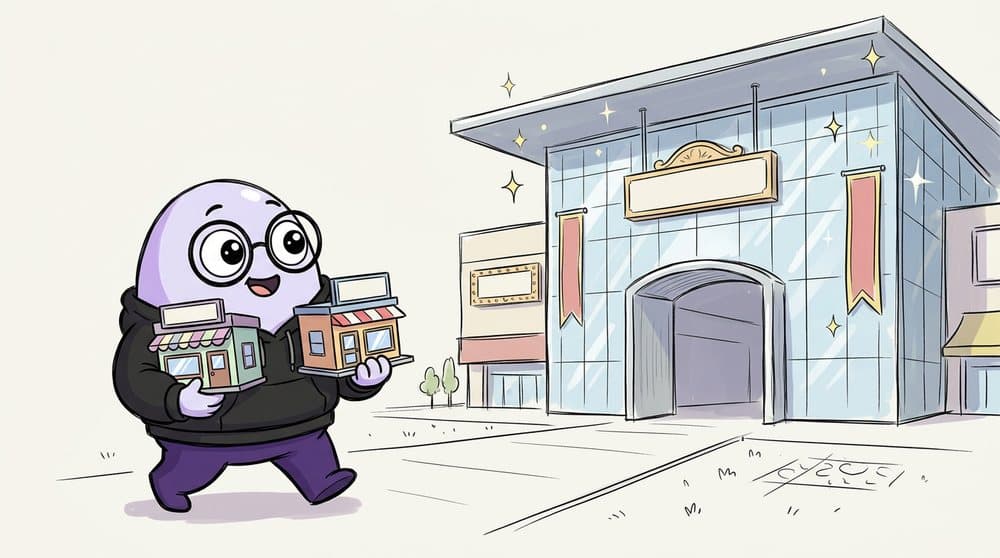
Think of it like this
From separate shops to a shopping mall
MERN is like a street where the clothes shop (React) and the warehouse (Express) are in two buildings, and a delivery boy runs between them. Next.js is a mall where the showroom and the stockroom share one building and one address. The products and the people are the same, there is just less running around.
Watch it happen
MERN with Vite vs Next.js
MERN (Vite + Express)
- React renders in the browser
- React Router for pages
- Separate Express server and deploy
- CORS or a proxy between them
Next.js App Router
- Server Components can render on the server for fast, SEO-friendly pages
- Folders in app/ become routes
- Route handlers in app/api replace many Express routes
- One project and one deploy
Learn MERN first to understand each layer, then Next.js feels like the same pieces in one box.
The big ideas
What you need to know
File-based routing
app/products/[id]/page.jsx becomes /products/:id. No route table to maintain.
Server Components
Components are server-rendered by default and can await data directly, so the HTML arrives with content for search engines.
"use client" for interactivity
Anything with useState, useEffect or onClick goes in a client component marked with "use client" at the top.
Mongoose still works
Cache the connection on globalThis so hot reloads and serverless functions reuse it instead of opening new ones.
See it in code
Walk through the code
1// lib/db.js2import mongoose from "mongoose";3 4const cached = globalThis.mongoose || (globalThis.mongoose = { conn: null, promise: null });5 6export async function connectDB() {7 if (cached.conn) return cached.conn;8 cached.promise = cached.promise || mongoose.connect(process.env.MONGO_URI);9 cached.conn = await cached.promise;10 return cached.conn;11}12 13// app/api/products/route.js (replaces GET /api/products in Express)14import { NextResponse } from "next/server";15import { connectDB } from "@/lib/db";16import Product from "@/models/Product";17 18export async function GET() {19 await connectDB();20 const products = await Product.find().sort({ createdAt: -1 }).limit(20).lean();21 return NextResponse.json({ products });22}23 24// app/products/page.jsx (a Server Component, no useEffect needed)25export default async function ProductsPage() {26 await connectDB();27 const products = await Product.find().limit(20).lean();28 return (29 <ul>30 {products.map((p) => <li key={String(p._id)}>{p.name} - ₹{p.price}</li>)}31 </ul>32 );33}1/5Store the connection on globalThis so it survives hot reloads in development.
The same Mongoose model, used from a route handler and directly from a Server Component. The page needs the same two imports as the route file.
Save yourself the pain
Common mistakes
Oops
Adding useState to a page in app/ and getting an error.
Do this instead
Move the interactive part into a small client component with "use client" and import it into the page.
Oops
Calling mongoose.connect on every request.
Do this instead
Cache the connection on globalThis as above, or you will exhaust Atlas connections.
Oops
Throwing away your Express API on day one.
Do this instead
Next.js can call an existing Express API too. Move routes over gradually if it helps.
Your mission
Port one feature
Quick check
Which component in the Next.js App Router needs "use client"?
Go deeper
- 1Rebuild one page of a MERN app in Next.js and compare the setup.
- 2Learn when server rendering helps, such as public product pages.
- 3Keep your Express skills, since many companies still run separate APIs.
More topics at this stop
 WebSockets
 Socket.io
 Payments with Razorpay
 Caching with Redis
 Background Jobs with BullMQ
 Email Notifications
 TypeScript in a MERN App

Stuck on this topic? Ask an Insider
Get 1:1 guidance from people who've walked this exact path — on the InsideEdge app.
