In short
Taking money online is where small bugs become expensive. Razorpay gives Indian apps UPI, cards and netbanking in one checkout, but the golden rule is yours to follow: the server decides the amount and the server verifies the payment.
Razorpay is a common payment gateway in India. The server creates an order, the React checkout collects payment, and the server verifies the payment signature before marking the order paid.
Think of it like this
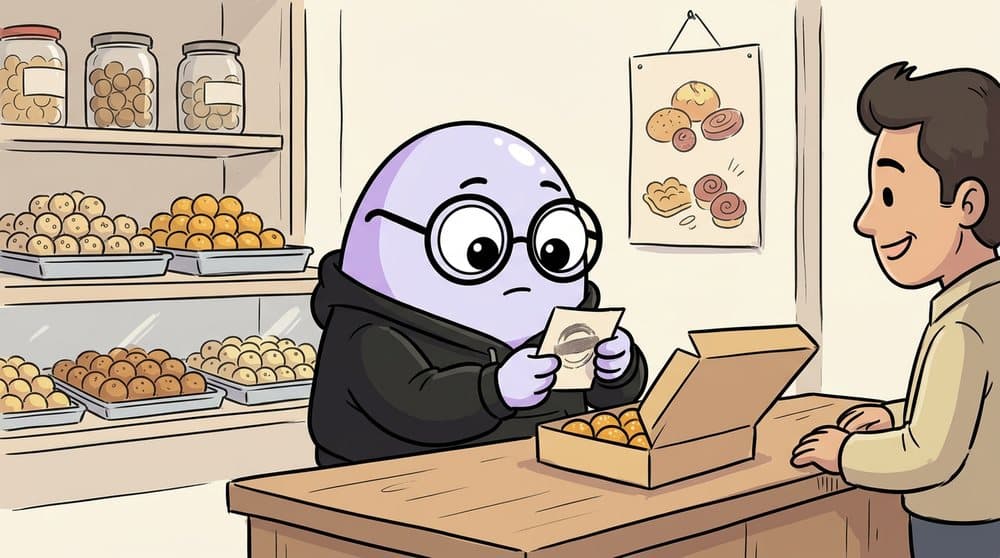
The sweet shop token system
At a busy mithai shop, the cashier writes your bill and gives you a numbered token (server creates an order). You pay at the counter (Razorpay checkout). Before the packer hands over the box, he checks the cashier's stamp on your token, not your word that you paid (signature verification).
Watch it happen
A safe Razorpay payment
POST /orders (cart ids)
1/6React sends product ids and quantities, never a price.
The big ideas
What you need to know
Amounts in paise
Razorpay amounts are integers in the smallest unit. ₹499 is 49900. Do the conversion on the server.
Secret stays on the server
The key_id is public and goes to React. The key_secret is only in server env vars and is used for creating orders and verifying signatures.
Verify the signature
HMAC-SHA256 of order_id|payment_id with your secret must equal the signature Razorpay sent. Otherwise anyone could fake success.
Webhooks as backup
If the user closes the tab after paying, the payment.captured webhook still lets you mark the order paid.
See it in code
Walk through the code
1// server/src/controllers/payments.js2import crypto from "node:crypto";3import Razorpay from "razorpay";4import Order from "../models/Order.js";5import Product from "../models/Product.js";6 7const razorpay = new Razorpay({8 key_id: process.env.RAZORPAY_KEY_ID,9 key_secret: process.env.RAZORPAY_KEY_SECRET,10});11 12export async function createOrder(req, res) {13 const items = req.body.items; // [{ productId, qty }]14 const products = await Product.find({ _id: { $in: items.map((i) => i.productId) } });15 const totalRupees = items.reduce((sum, i) => {16 const p = products.find((x) => x.id === i.productId);17 return sum + (p ? p.price * i.qty : 0);18 }, 0);19 20 const rzpOrder = await razorpay.orders.create({21 amount: Math.round(totalRupees * 100),22 currency: "INR",23 receipt: "rcpt_" + Date.now(),24 });25 await Order.create({ user: req.user.sub, items, total: totalRupees, razorpayOrderId: rzpOrder.id, status: "created" });26 27 res.json({ orderId: rzpOrder.id, amount: rzpOrder.amount, keyId: process.env.RAZORPAY_KEY_ID });28}29 30export async function verifyPayment(req, res) {31 const { razorpay_order_id, razorpay_payment_id, razorpay_signature } = req.body;32 const expected = crypto33 .createHmac("sha256", process.env.RAZORPAY_KEY_SECRET)34 .update(razorpay_order_id + "|" + razorpay_payment_id)35 .digest("hex");36 37 const valid =38 typeof razorpay_signature === "string" &&39 expected.length === razorpay_signature.length &&40 crypto.timingSafeEqual(Buffer.from(expected), Buffer.from(razorpay_signature));41 if (!valid) return res.status(400).json({ message: "Payment verification failed" });42 43 await Order.updateOne(44 { razorpayOrderId: razorpay_order_id, user: req.user.sub },45 { status: "paid", razorpayPaymentId: razorpay_payment_id }46 );47 res.json({ ok: true });48}1/7The Razorpay SDK uses both keys from server env vars.
Create and verify. Validate items with zod and wrap these in try/catch or an async error handler in a real app. Use test mode keys while building.
Save yourself the pain
Common mistakes
Oops
Taking the amount from the request body because the cart already showed it.
Do this instead
Recalculate from database prices. A user can edit any request in DevTools.
Oops
Marking the order paid in the Razorpay checkout handler on the client.
Do this instead
The client handler only sends ids to /verify. The server verifies the signature and updates the order.
Oops
Putting RAZORPAY_KEY_SECRET in a VITE_ variable.
Do this instead
Anything with VITE_ is bundled into public JavaScript. Only the key id may go to the frontend.
Your mission
Test-mode checkout
Quick check
Why must the server verify razorpay_signature before marking an order paid?
Go deeper
- 1Use Razorpay test mode keys and never commit them.
- 2Verify the payment signature on the server, never trust the client alone.
- 3Handle the payment webhook so orders update even if the user closes the tab.
More topics at this stop
 WebSockets
 Socket.io
 Caching with Redis
 Background Jobs with BullMQ
 Email Notifications
 TypeScript in a MERN App
 From MERN to Next.js

Stuck on this topic? Ask an Insider
Get 1:1 guidance from people who've walked this exact path — on the InsideEdge app.
