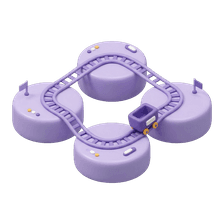
Deployment Pipelines
Part of the Power BI Roadmap
In short
Editing the report your CEO is using right now is risky. Deployment pipelines give you separate Development, Test and Production workspaces, and a button to move tested changes forward safely.
Deployment pipelines move content through Development, Test and Production stages in the Service, so changes are checked before users see them. They need Premium, Premium Per User or Fabric capacity.

Think of it like this
Test kitchen, tasting table, restaurant
A restaurant in Pune tries a new dish in the test kitchen, lets staff taste it at the tasting table, and only then adds it to the menu for guests. Deployment pipelines are that path: Development, then Test, then Production.
Watch it happen
Moving a change to production
1/5Ankit adds a new Margin % page and publishes to the Development workspace.
The big ideas
What you need to know
Stages are workspaces
Each stage is a workspace. Pipelines default to Development, Test and Production, and you can customise the number of stages.
Compare before deploying
The pipeline shows new, different and missing items between stages, so you know what will change.
Deployment rules
Rules change data sources or parameters per stage, so Test uses test data and Production uses live data.
Capacity needed
Pipeline workspaces need Fabric capacity, Premium capacity or Premium Per User. Deploying copies content and metadata, not the data itself.
How it works
First pipeline
- 1
Create the pipeline
In the Service, create a deployment pipeline and name its stages.
- 2
Assign workspaces
Assign your existing workspace to Development, or to Production if it is already live.
- 3
Deploy forward
Deploy to the next stage. Missing workspaces are created for you.
- 4
Add rules
Set data source or parameter rules on the Test and Production semantic models.
- 5
Refresh after deploy
Refresh the semantic models in the new stage, since data does not travel with deployment.
Save yourself the pain
Common mistakes
Oops
Making quick fixes directly in Production.
Do this instead
Fix in Development and deploy forward. Otherwise the next deployment can overwrite your fix.
Oops
Forgetting rules, so Test reports quietly point at the production database.
Do this instead
Use a parameter for the server name and set a parameter rule in each stage.
Your mission
Draw your release path
Quick check
After deploying a semantic model from Test to Production, the report shows old or no data. Why?
Go deeper
- 1Read Microsoft's overview of deployment pipelines.
- 2Sketch how you would move a report from a dev workspace to production.
- 3Learn how deployment rules swap data sources between stages.
More topics at this stop
 Row-Level Security (RLS)
 Dynamic RLS with USERPRINCIPALNAME
 Sensitivity Labels and Governance
 Performance Analyzer
 Reducing Data Model Size
 DAX Studio Basics
 Incremental Refresh
 Microsoft Fabric Overview

Stuck on this topic? Ask an Insider
Get 1:1 guidance from people who've walked this exact path — on the InsideEdge app.
