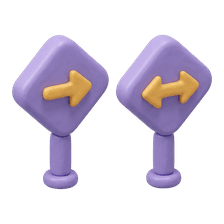
Cross-Filter Direction (Single vs Both)
Part of the Power BI Roadmap
In short
Set every relationship to Both and the report seems to "just work", until a slicer shows wrong numbers and nobody knows why. Knowing which way filters flow saves you from that mess.
Filters normally flow from the 'one' side to the 'many' side. Setting a relationship to Both makes filters flow both ways, which can cause ambiguity and slower reports.

Think of it like this
A one-way street
On a one-way street, traffic moves from the main road into the lane, not back. Single direction means filters drive from the dimension into the fact. Both opens two-way traffic, which helps sometimes, but jams and wrong turns get more likely.
Watch it happen
Where a Product filter can travel
Category = Snacks
1/3Single direction: the filter flows from Product into Sales. Sales measures show snack sales.
The big ideas
What you need to know
Single is the default
Filters go from the one side (dimension) to the many side (fact). This is what you want almost always.
Both goes back up
The fact can also filter the dimension. Useful for slicers that show only relevant values or many-to-many bridges.
Risks of Both
Ambiguous paths, slower queries and surprising totals, especially with several Both relationships.
Prefer CROSSFILTER in DAX
Turn on two-way filtering inside one measure instead of for the whole model.
See it in code
Walk through the code
1Customers =2COUNTROWS ( Customer )3 4Customers Who Bought =5CALCULATE (6 COUNTROWS ( Customer ),7 CROSSFILTER ( Sales[CustomerKey], Customer[CustomerKey], BOTH )8)1/2Customer to Sales is single direction, so a Product filter never reaches Customer. Every row shows the full count.
In a visual by Product[Category], the first measure shows all customers on every row. The second shows only customers who bought that category.
Save yourself the pain
Common mistakes
Oops
Setting every relationship to Both so slicers filter each other.
Do this instead
Keep Single and use CROSSFILTER in specific measures, or a visual-level filter on the slicer, like Sales is not blank.
Oops
Expecting a filter on Sales to reduce a Product slicer list automatically.
Do this instead
With single direction it won't. That's normal and usually fine.
Your mission
See direction in action
Quick check
Why is Single direction the recommended default?
Go deeper
- 1Keep relationships single-direction by default.
- 2Test what changes in a visual when you switch one to Both.
- 3Look at CROSSFILTER in DAX as a targeted alternative.
More topics at this stop
 Fact Tables and Dimension Tables
 Star Schema in Power BI
 Relationships and Cardinality
 Active vs Inactive Relationships
 Many-to-Many Relationships
 Star Schema vs Snowflake Schema
 Role-Playing Dimensions
 Hiding Fields and Organizing the Model

Stuck on this topic? Ask an Insider
Get 1:1 guidance from people who've walked this exact path — on the InsideEdge app.
