
In short
Python happily lets you pass "499" where a number was expected, and you only find out when the code crashes in front of a user. mypy reads your type hints and catches those mistakes before the program ever runs.
mypy reads your type hints and reports mismatches before the code runs, such as passing a str where an int is expected or forgetting to handle None. It catches a whole class of bugs that tests might miss.
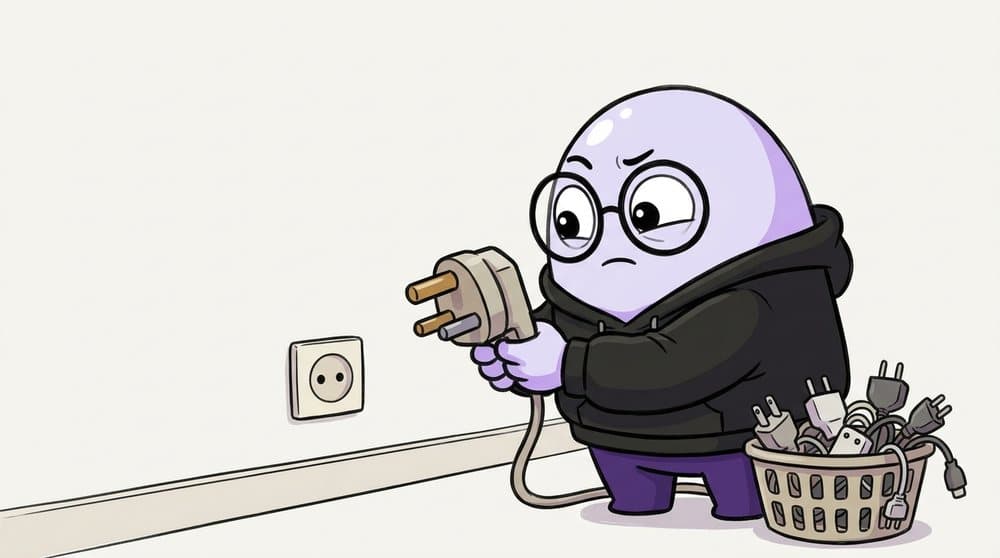
Think of it like this
Plugs and sockets
A three-pin Indian plug simply won't go into a two-pin travel socket. You find out at the wall, not after the laptop catches fire. Type hints describe the shape of each socket, and mypy tries every plug in your code against them before you switch anything on.
Watch it happen
mypy checks a call before it runs
apply_discount("499", 10)
1/4mypy reads the call and the function signature: price: float, percent: int.
The big ideas
What you need to know
Hints don't run
Python ignores type hints at runtime. mypy is a separate tool that reads them and reports problems.
None is the big catch
Most real bugs mypy finds are an X | None used as if it were always X. Check with if value is None first.
Add it gradually
mypy only checks functions that have annotations. Start with new code and the most important modules.
--strict when ready
Strict mode requires hints everywhere and flags anything untyped. Great for new projects.
See it in code
Walk through the code
1def apply_discount(price: float, percent: int) -> float:2 return price * (100 - percent) / 1003 4 5def find_user(users: dict[int, str], user_id: int) -> str | None:6 return users.get(user_id)7 8 9total = apply_discount("499", 10)10# error: Argument 1 to "apply_discount" has incompatible type "str"; expected "float"11 12name = find_user({1: "Asha", 2: "Ravi"}, 3)13print(name.upper())14# error: Item "None" of "str | None" has no attribute "upper"15 16if name is not None:17 print(name.upper()) # fine: mypy knows name is str here1/4Hints describe what goes in and what comes out. dict.get can return None, so the return type says str | None.
Run pip install mypy, then mypy shop.py. The comments show what mypy reports for each line.
Save yourself the pain
Common mistakes
Oops
Silencing errors with # type: ignore everywhere.
Do this instead
Fix the underlying type. If you must ignore, add the specific code, like # type: ignore[arg-type], and a reason.
Oops
Annotating everything as Any to make errors disappear.
Do this instead
Any switches checking off. Use the real types, or object if anything truly is allowed.
Oops
Thinking type hints validate data at runtime.
Do this instead
They don't. Validate external input such as JSON or form data yourself, or with a library like Pydantic.
Your mission
Type-check an old script
Quick check
What happens at runtime when you call a function annotated with price: float using the string "499"?
Go deeper
- 1Run mypy on a project with type hints and fix the first few errors.
- 2Add hints to one untyped module and run mypy again.
- 3Turn on stricter options gradually as your codebase gets cleaner.
More topics at this stop
 Unit Testing with pytest
 Fixtures & Parametrized Tests
 Mocking with unittest.mock
 Test Coverage with coverage.py
 Test-Driven Development in Python
 Logging
 CI with GitHub Actions for Python

Stuck on this topic? Ask an Insider
Get 1:1 guidance from people who've walked this exact path — on the InsideEdge app.
