Docker for Python Apps
Part of the Python Roadmap
In short
"It works on my machine" stops being an excuse with Docker. You package your app with its exact Python version and libraries, and the same image runs on a teammate's laptop, a test server or the cloud.
Docker packages your app, its Python version and its dependencies into an image that runs the same everywhere. A Dockerfile for a Python app typically starts from a python slim image, installs requirements and runs the app.
Think of it like this
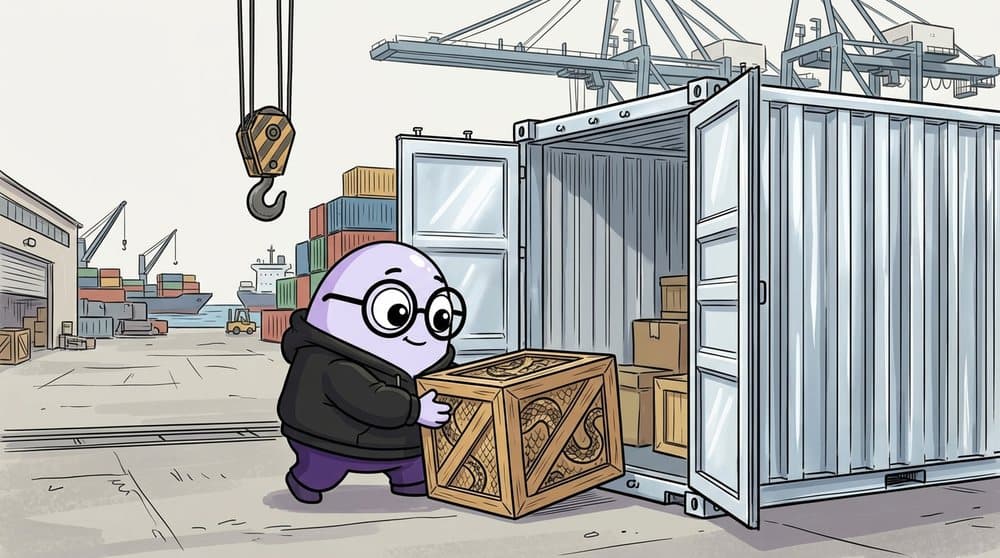
A shipping container
Before containers, every port handled cargo differently and things broke in transit. A standard steel box changed that: pack it once in Mumbai, and cranes in Chennai or Singapore move it the same way. A Docker image is that box for software, holding your code, Python and every library together.
Watch it happen
From code to running container
1/5The Dockerfile is a recipe: start from python:3.12-slim, copy files, install requirements, set the start command.
The big ideas
What you need to know
Images are layers
Each instruction adds a layer. Docker reuses unchanged layers, so copy requirements.txt and install before copying the rest of your code.
Use slim base images
python:3.12-slim is much smaller than the full image and has what most apps need.
Listen on 0.0.0.0
Inside a container, 127.0.0.1 is only reachable from inside. Bind your server to 0.0.0.0 and publish the port with -p.
.dockerignore
Keep .venv, .git, __pycache__ and .env out of the image, just like .gitignore keeps them out of Git.
How it works
Containerise a FastAPI app
- 1
Freeze dependencies
List libraries with versions in requirements.txt.
- 2
Write the Dockerfile
Base image, working folder, install requirements, copy code, start command.
- 3
Add .dockerignore
Exclude virtual environments, caches and secrets.
- 4
Build
docker build -t expense-api .
- 5
Run
docker run -p 8000:8000 --env-file .env expense-api, then open localhost:8000/docs.
See it in code
Walk through the code
1FROM python:3.12-slim2 3ENV PYTHONDONTWRITEBYTECODE=14ENV PYTHONUNBUFFERED=15 6WORKDIR /app7 8COPY requirements.txt .9RUN pip install --no-cache-dir -r requirements.txt10 11COPY . .12 13RUN useradd --create-home appuser14USER appuser15 16EXPOSE 800017CMD ["uvicorn", "main:app", "--host", "0.0.0.0", "--port", "8000"]1/6Pin the Python version so every build uses the same interpreter.
A production-style Dockerfile for a FastAPI app whose requirements.txt includes fastapi and uvicorn.
Save yourself the pain
Common mistakes
Oops
COPY . . before installing requirements.
Do this instead
Then every code change reinstalls all packages. Copy requirements.txt, install, then copy the code.
Oops
Baking passwords and API keys into the image with ENV.
Do this instead
Anyone with the image can read them. Pass secrets at run time with --env-file or your cloud's secret manager.
Oops
Running the server on 127.0.0.1 inside the container.
Do this instead
Bind to 0.0.0.0, otherwise the published port leads nowhere.
Your mission
Ship your API in a box
Quick check
Why copy requirements.txt and run pip install before copying the rest of the code?
Go deeper
- 1Write a Dockerfile for your FastAPI or Flask app and run it locally.
- 2Copy requirements.txt and install it before copying the rest of the code, so builds cache well.
- 3Add a .dockerignore that excludes .venv, .git and __pycache__.
More web & apis at this stop
 Flask Basics
 Django Fundamentals
 FastAPI & REST APIs
 Working with Databases in Python
 SQL Databases with SQLAlchemy

Stuck on this topic? Ask an Insider
Get 1:1 guidance from people who've walked this exact path — on the InsideEdge app.
