In short
Almost every real program juggles many values at once: marks of a class, items in a cart, rows from a file. The list is Python's go-to container for an ordered bunch of things you want to change.
A list is an ordered, changeable collection written with square brackets. You can index it, loop over it, and change it with methods like append(), insert(), remove(), pop() and sort().

Think of it like this
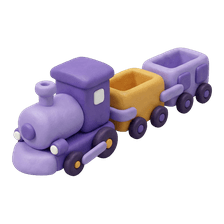
A train with numbered coaches
A list is like a train. Every coach has a number starting from 0, passengers can get in or out, you can attach a new coach at the end (append) or squeeze one into the middle (insert). The order of coaches stays exactly as you set it.
Watch it happen
A shopping list that keeps changing
1/6items = ['atta', 'milk', 'dal']. Index 0 is 'atta', index 2 is 'dal'.
The big ideas
What you need to know
Ordered and indexed
Items keep their position. items[0] is the first, items[-1] is the last. A wrong index raises IndexError.
Mutable
You can change a list in place: items[1] = 'paneer' replaces one item without building a new list.
Handy methods
append, insert, remove, pop, sort, reverse, index and count cover most daily needs. len(items) gives the size.
Mixed types allowed
A list can hold numbers, strings and even other lists. In practice, keep one kind of thing per list so it stays easy to reason about.
See it in code
Walk through the code
1marks = [78, 92, 65, 88]2 3marks.append(71) # add at the end4marks[2] = 70 # fix a typo in place5print(marks) # [78, 92, 70, 88, 71]6 7print(len(marks)) # 58print(max(marks), min(marks)) # 92 709print(sum(marks) / len(marks)) # 79.810 11for position, mark in enumerate(marks, start=1):12 print(f"Student {position}: {mark}")13 14top_three = sorted(marks, reverse=True)[:3]15print(top_three) # [92, 88, 78]1/5Square brackets create a list of four integers.
Class marks stored in a list: change them, measure them, loop over them and pick the top three.
Save yourself the pain
Common mistakes
Oops
Writing marks = marks.sort() and then getting None.
Do this instead
list.sort() sorts in place and returns None. Call marks.sort() on its own, or use new_list = sorted(marks).
Oops
Removing items from a list while looping over the same list.
Do this instead
Loop over a copy (for m in marks[:]) or build a new list with a comprehension, otherwise items get skipped.
Oops
Using marks[len(marks)] to get the last item.
Do this instead
The last index is len(marks) - 1. The simplest way is marks[-1].
Your mission
Cricket score keeper
Quick check
What does nums.pop() return when nums = [4, 8, 15]?
Go deeper
- 1Build a shopping list and practise append, remove and pop.
- 2Compare list.sort() (changes the list) with sorted(list) (returns a new one).
- 3Use negative indexes like items[-1] to get the last element.
More topics at this stop
 Tuples
 Dictionaries
 Sets
 Slicing
 Mutable vs Immutable & Copying
 Comprehensions (List, Dict, Set)
 Unpacking
 Choosing the Right Data Structure

Stuck on this topic? Ask an Insider
Get 1:1 guidance from people who've walked this exact path — on the InsideEdge app.
