
Safe Data Changes (Preview with SELECT First)
Part of the SQL Roadmap
In short
Every experienced engineer has a story about an UPDATE that hit far more rows than planned. A simple habit, preview first and change inside a transaction, keeps that story from being yours.
Before running UPDATE or DELETE, run a SELECT with the same WHERE to see exactly which rows will change, and do the change inside a transaction so you can roll it back if the count looks wrong.
Think of it like this
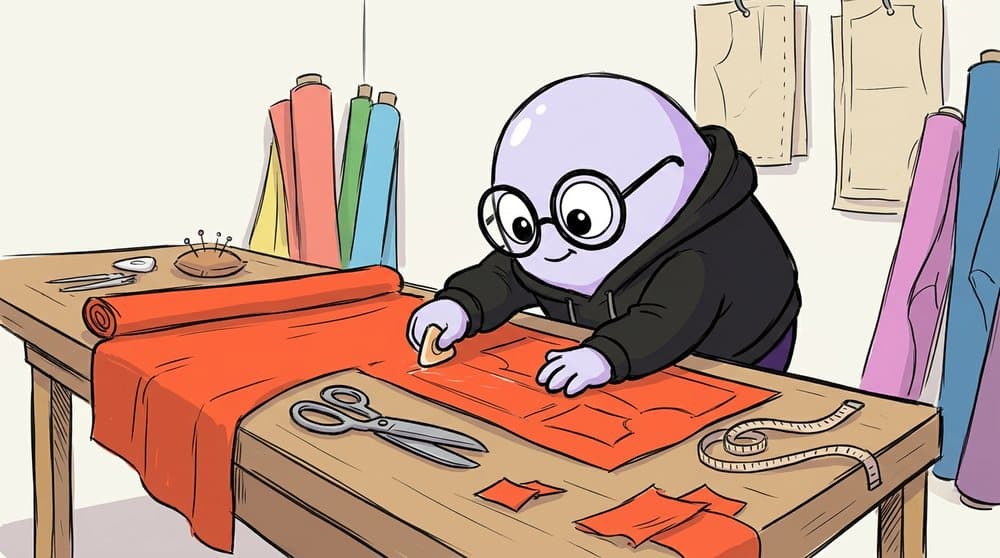
The tailor's chalk marks
A tailor in Chandni Chowk never cuts straight away. First he marks the cloth with chalk, steps back and checks the lines. Only then does the scissor come out, and if something looks wrong, the chalk just brushes off. SELECT is your chalk, and a transaction is the brush.
Watch it happen
Risky vs safe change
Straight to UPDATE
- Typed directly and run once
- Row count seen only after it's done
- Mistake means restoring a backup
Preview, then transaction
- SELECT with the same WHERE first
- BEGIN, UPDATE, check the count
- COMMIT if right, ROLLBACK if not
The safe path costs a minute. The risky path can cost a day of recovery.
The big ideas
What you need to know
Same WHERE, as SELECT
Write the WHERE as a SELECT COUNT(*) first. That count is exactly how many rows will change.
Wrap it in a transaction
BEGIN before the change means nothing is permanent until you COMMIT. ROLLBACK undoes it all.
Compare the counts
The database reports rows affected, like UPDATE 128. If it doesn't match your preview, roll back.
Back up big changes
Before a large change, copy the rows: CREATE TABLE backup AS SELECT ... with the same WHERE.
How it works
The safe change routine
- 1
Preview
Run SELECT COUNT(*) with the WHERE you plan to use.
- 2
Begin
Start a transaction with BEGIN.
- 3
Change
Run the UPDATE or DELETE with the exact same WHERE.
- 4
Check
Compare rows affected with your preview and look at a few rows.
- 5
Decide
COMMIT if everything matches, ROLLBACK if anything looks off.
See it in code
Walk through the code
1SELECT COUNT(*)2FROM customers3WHERE city = 'Bombay';4 5BEGIN;6 7UPDATE customers8SET city = 'Mumbai'9WHERE city = 'Bombay';10 11SELECT city, COUNT(*)12FROM customers13WHERE city IN ('Bombay', 'Mumbai')14GROUP BY city;15 16COMMIT; -- or ROLLBACK; if the numbers look wrong1/5Preview: say it returns 128. That's your expected change.
Fix old city names safely. Works in PostgreSQL as written. In MySQL use START TRANSACTION, and in SQL Server use BEGIN TRANSACTION. Remember that MySQL commits automatically on statements like ALTER or DROP.
Save yourself the pain
Common mistakes
Oops
Retyping the WHERE for the UPDATE instead of copying it from the preview.
Do this instead
A small typo makes your preview meaningless. Copy the exact WHERE you tested.
Oops
Leaving a transaction open and going for lunch.
Do this instead
Open transactions hold locks and block other users. COMMIT or ROLLBACK as soon as you've checked.
Your mission
Practise the routine
Quick check
Your preview SELECT counted 128 rows, but the UPDATE reports 4,560 rows. You're inside a transaction. What should you do?
Go deeper
- 1Turn every UPDATE or DELETE into a SELECT COUNT(*) with the same WHERE first.
- 2Wrap risky changes in BEGIN ... ROLLBACK until you trust them, then COMMIT.
- 3Enable MySQL's safe-updates mode in your client to block UPDATE and DELETE without a key in WHERE.
More topics at this stop
 CRUD Operations in SQL
 INSERT INTO (VALUES and SELECT)
 UPDATE with WHERE
 UPDATE and DELETE Using Other Tables
 DELETE vs TRUNCATE vs DROP
 UPSERT (ON CONFLICT and ON DUPLICATE KEY UPDATE)
 MERGE Statement
 RETURNING and Generated IDs

Stuck on this topic? Ask an Insider
Get 1:1 guidance from people who've walked this exact path — on the InsideEdge app.
