In short
Change your brand colour once and watch it update across 400 screens, in Figma and in code. That's what design tokens do: they give every design decision a name.
The smallest, named design decisions (a specific color hex, a spacing value, a font size) stored as reusable variables — changing a token updates every component that references it, keeping the whole system consistent.
Think of it like this
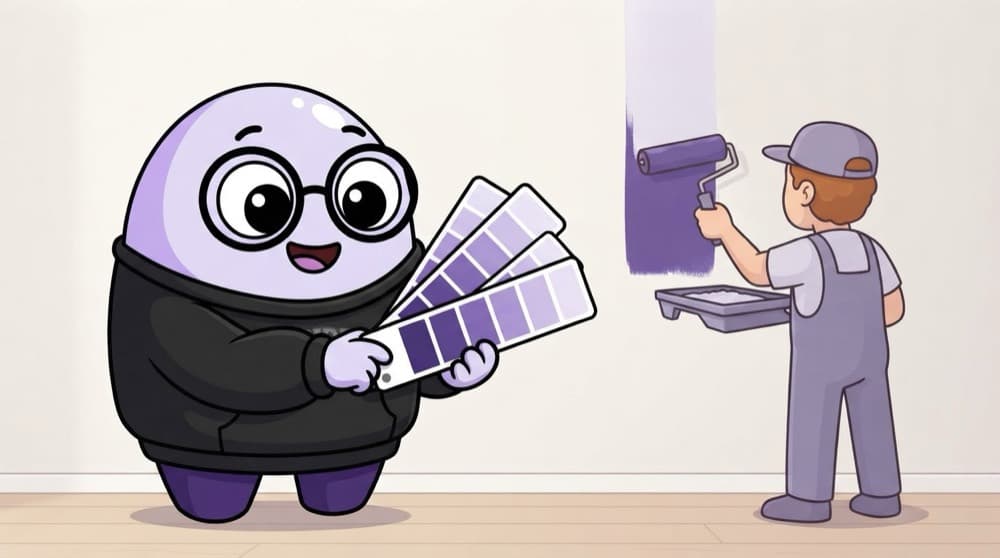
Asian Paints shade codes
You don't tell the painter 'that nice light blue'. You give a shade code, and every wall in the house matches. Tokens are shade codes for your app: 'color.primary' means the same blue everywhere, and you can swap it in one place.
Watch it happen
From raw value to a button
1/4Primitive token: a raw value with a plain name, like blue.600 = #4F46E5.
The big ideas
What you need to know
Name by purpose
'color.text.danger' tells you when to use it. 'red-500' only tells you what it looks like.
Layers of tokens
Primitives hold values, semantic tokens hold meaning. Dark mode just maps the meanings to different primitives.
Not just colour
Spacing, font sizes, radius, shadows and motion durations can all be tokens.
One source of truth
Figma variables and code should read from the same token list, so they never disagree.
See it in code
Walk through the code
1{2 "blue": {3 "600": { "$type": "color", "$value": "#4F46E5" }4 },5 "color": {6 "action": {7 "primary": { "$type": "color", "$value": "{blue.600}" }8 }9 },10 "space": {11 "md": { "$type": "dimension", "$value": "16px" }12 }13}1/3A primitive token: the raw hex value with a plain name.
Tokens written in the Design Tokens Community Group JSON format. Tools like Style Dictionary can turn this into CSS variables or mobile code.
Save yourself the pain
Common mistakes
Oops
Naming tokens after their look, like 'light-blue-button'.
Do this instead
Name by role, like 'color.action.primary'. The colour can change, the role usually doesn't.
Oops
Using raw hex codes in some places and tokens in others.
Do this instead
Use tokens everywhere. One hard-coded value is enough to break a theme change.
Your mission
Tokenise a screen
Quick check
Why point 'color.action.primary' at 'blue.600' instead of using the hex code directly?
Go deeper
- 1Define a small set of color and spacing tokens in Figma's variables feature.
- 2Apply your tokens to a component and change one token to see it propagate.
- 3Learn why tokens make theming (like dark mode) far easier to implement consistently.
More topics at this stop
 What Is a Design System
 Component Libraries
 Atomic Design Methodology
 Building a Design System in Figma
 Documentation for Design Systems
 Versioning & Governance
 Cross-Platform Design Systems
 Maintaining Design-Dev Consistency

Stuck on this topic? Ask an Insider
Get 1:1 guidance from people who've walked this exact path — on the InsideEdge app.
